
You can search for WooCommerce orders by discount total using WP Sheet Editor for WooCommerce Orders. For example, you can use for orders where discount total is exactly 10 dollars, orders with discount total greater than 10 dollars, or orders where discount order is below a specific threshold.
You can download the plugin here: Download WooCommerce Orders Spreadsheet Plugin - or - Check the features
Search for orders by total discount
After installing and activating the plugin and its license, you need to go to WP Sheet Editor > Edit orders to open the spreadsheet.
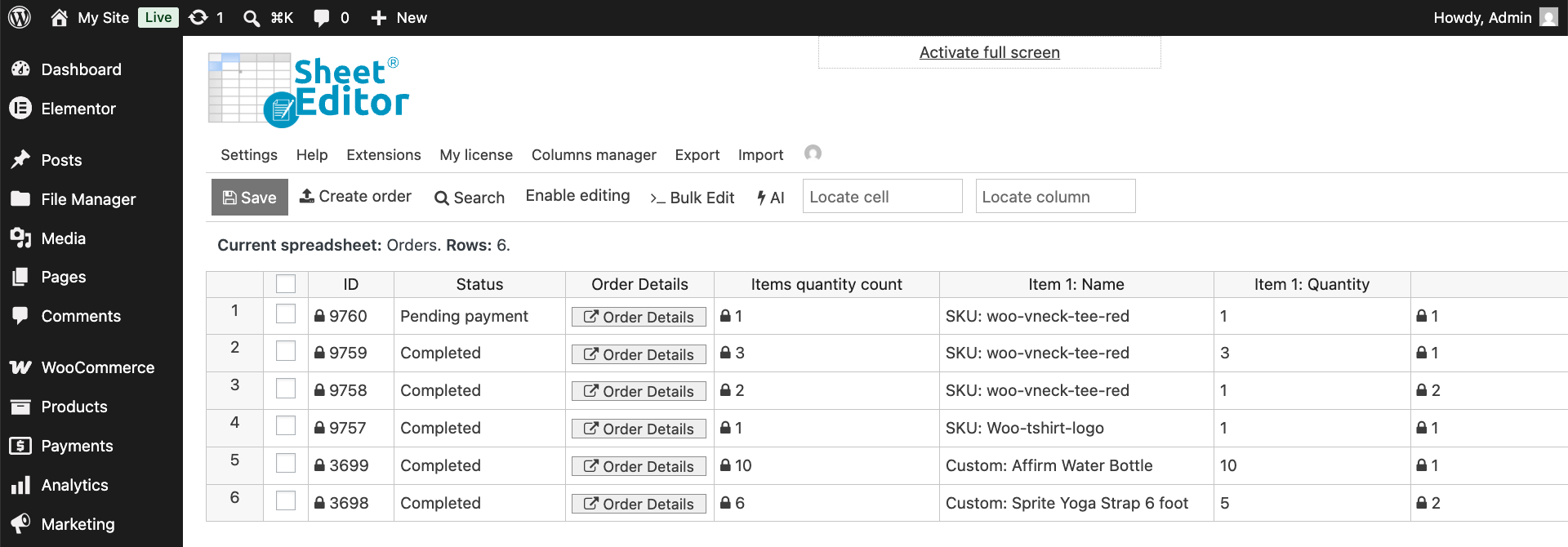
Start by opening the Search tool.
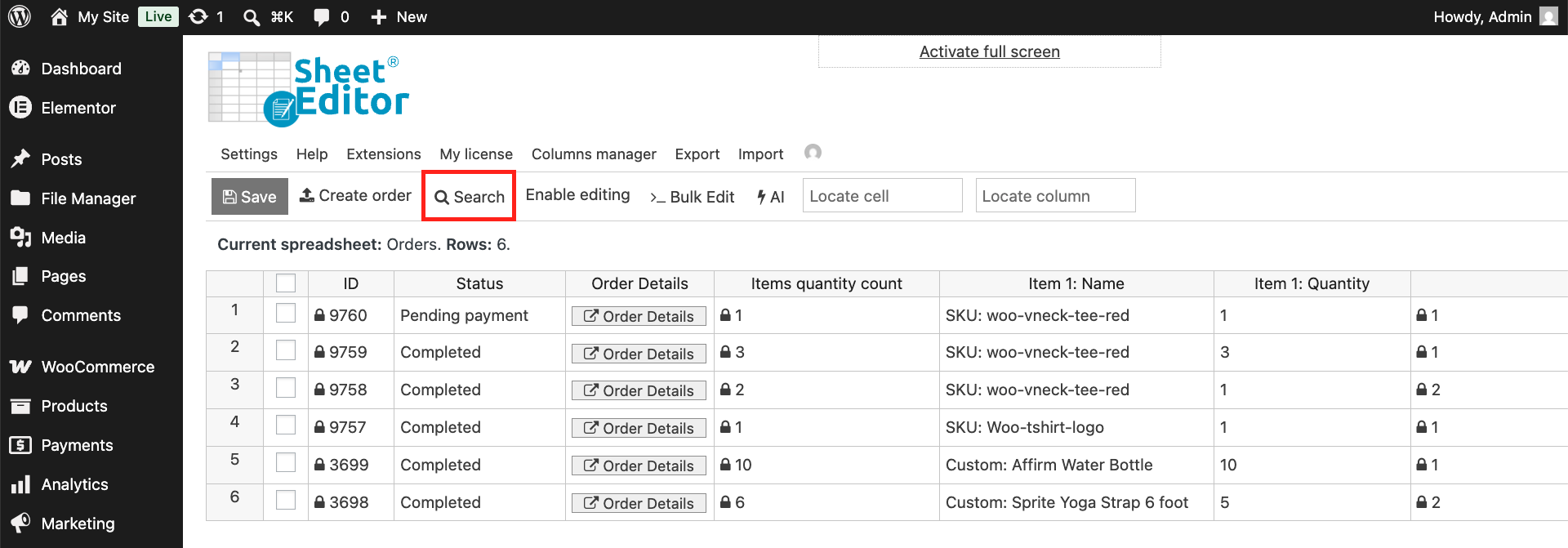
Once you open the Search tool, you have at least two options to find your WooCommerce orders by total discount in WP Sheet Editor:
Specific discount total
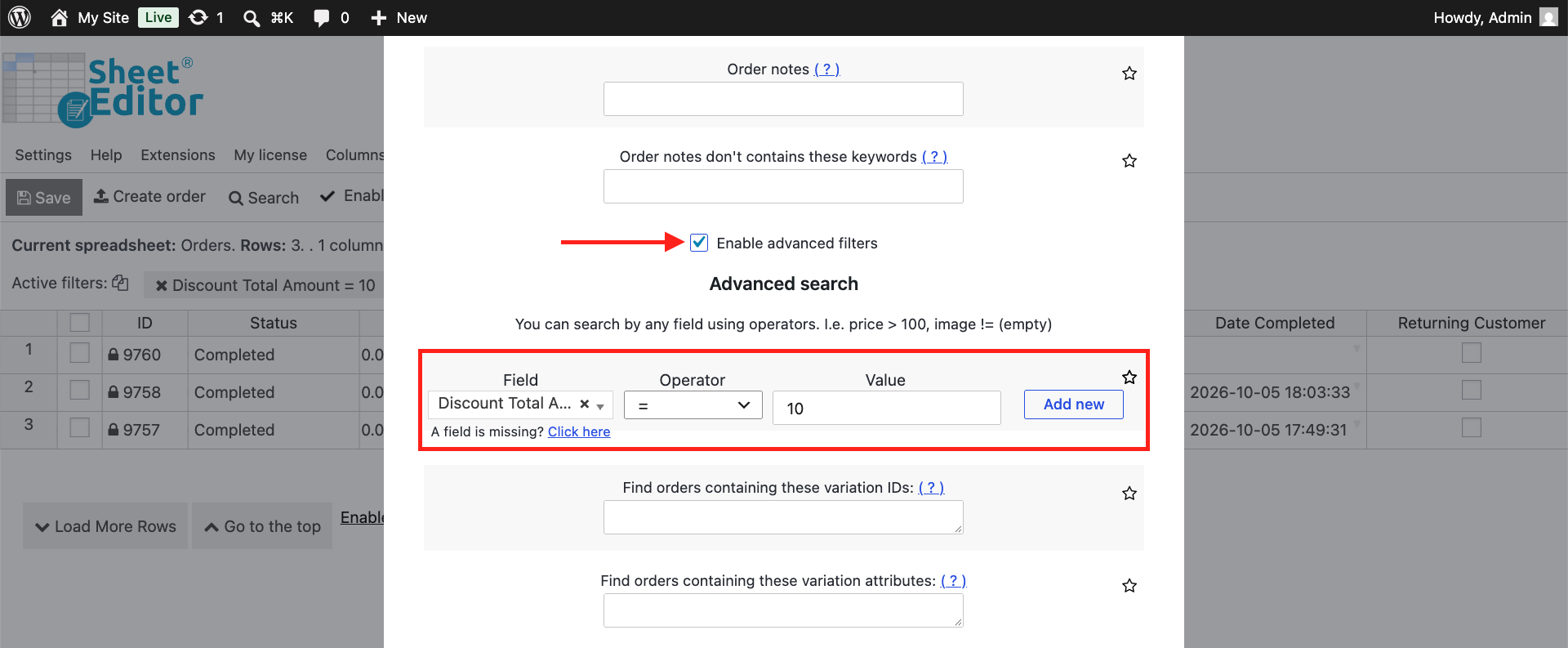
Select these values if you want to filter all orders where the discount total is a specific amount:
- Enable advanced filters: Yes
- Field: Discount Total Amount
- Operator: =
- Value: Enter the specific value here. For example, 10 if the discount total you’re looking for is 10 dollars.
- Click on Run search.
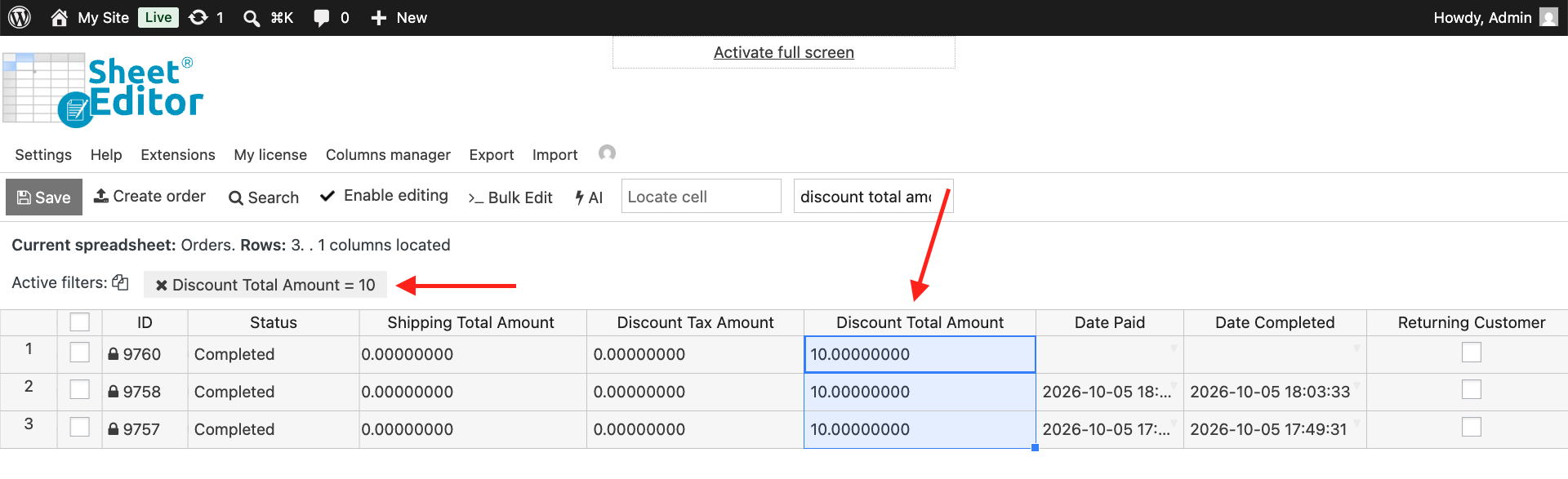
After running the search, all the orders with the spacific discount total you selected will be displayed in the spreadsheet.
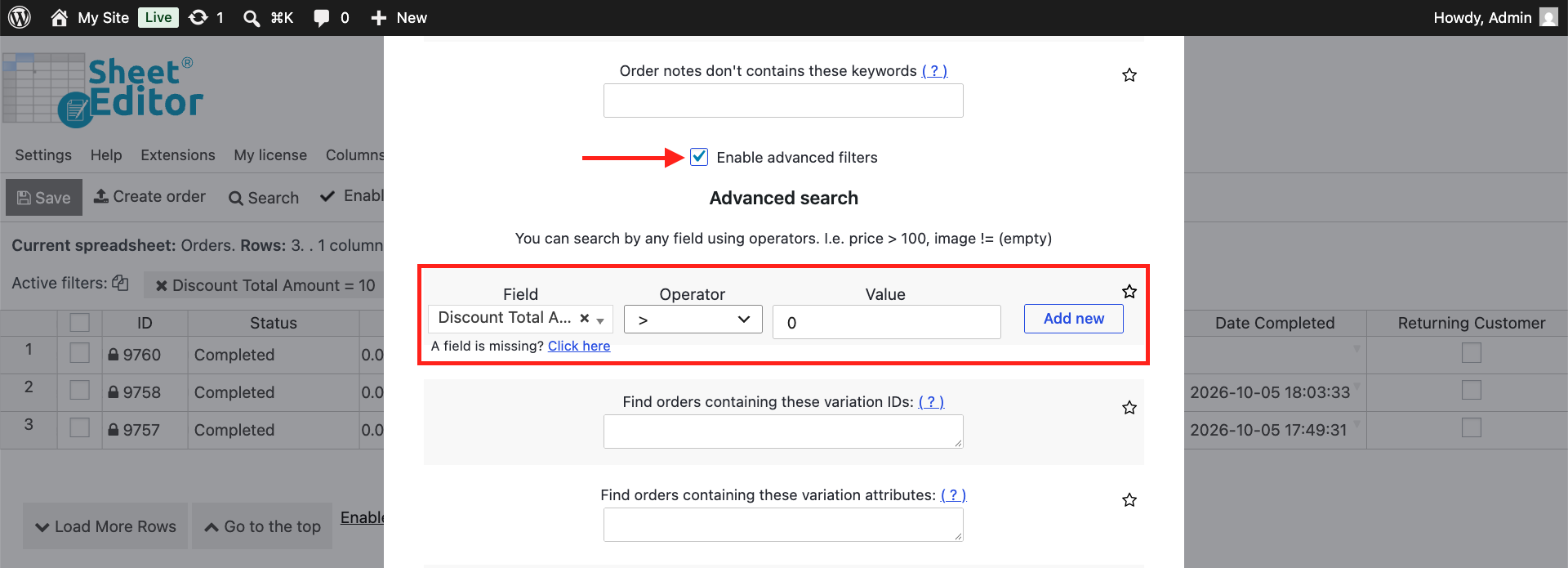
Any discount total (Discount > 0)
If you don’t want to find orders with a specific discount total, you can also filter all orders where discount total amount is greater than 0. This will allows you to find orders with any discount total. Just select these values in the Search tool:
- Enable advanced filters: Yes
- Field: Discount Total Amount
- Operator: >
- Value: 0
- Click on Run search.
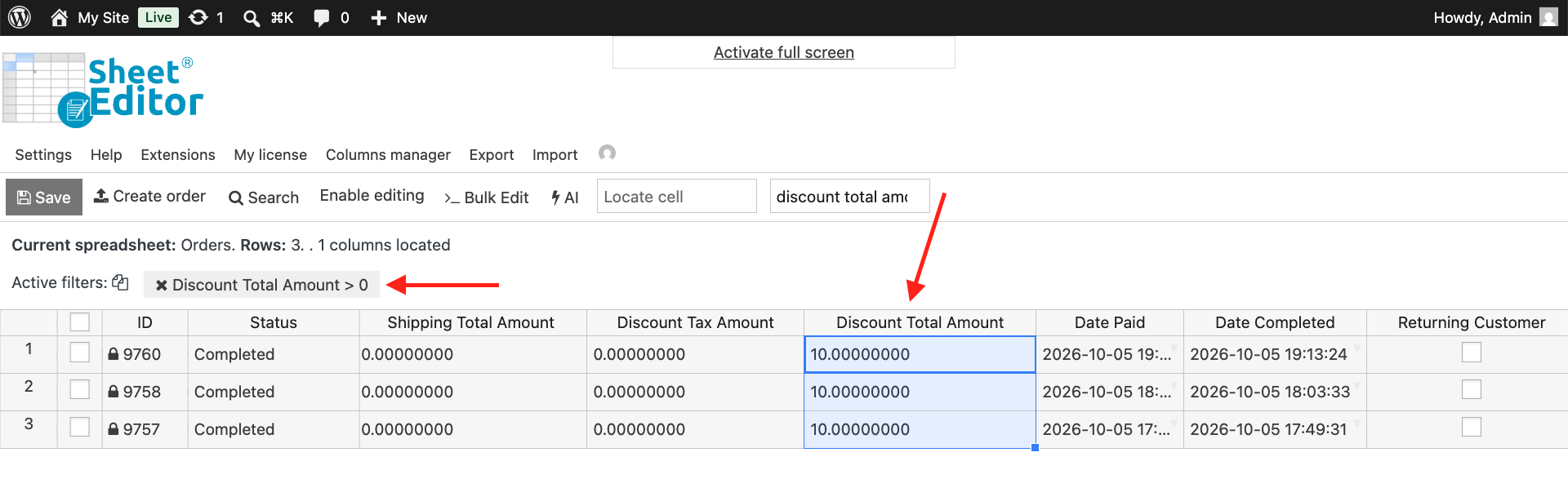
As you can see below, our demo store has 3 orders with discount amount > 0.
Orders with discount total range
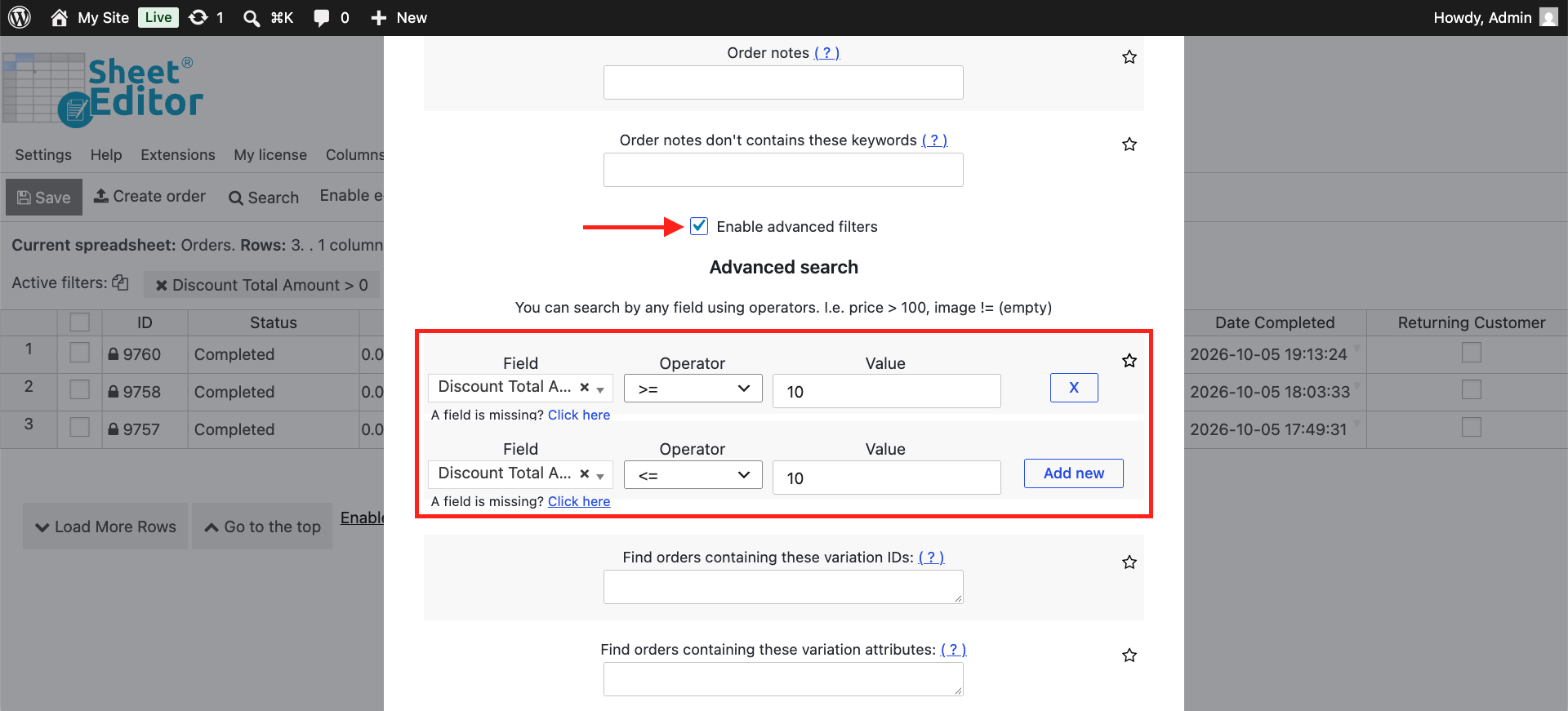
If you want to find all orders with a discount total that is between ten and twenty dollars, for example, you can set the filters to a specific range. Just select these values in the Search tool:
- Enable advanced filters: Yes
- Filter 1:
- Field: Discount Total Amount
- Operator: >=
- Value: 10
- Click on Add new to create a new filter.
- Filter 2:
- Field: Discount Total Amount
- Operator: >=
- Value: 20
- Click on Run search.
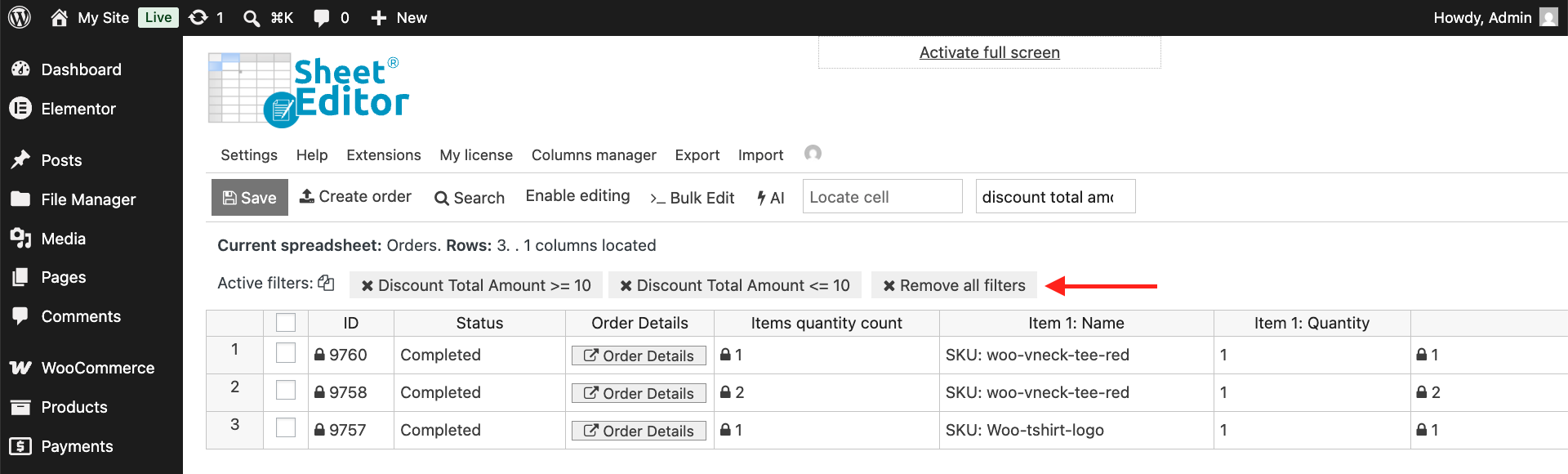
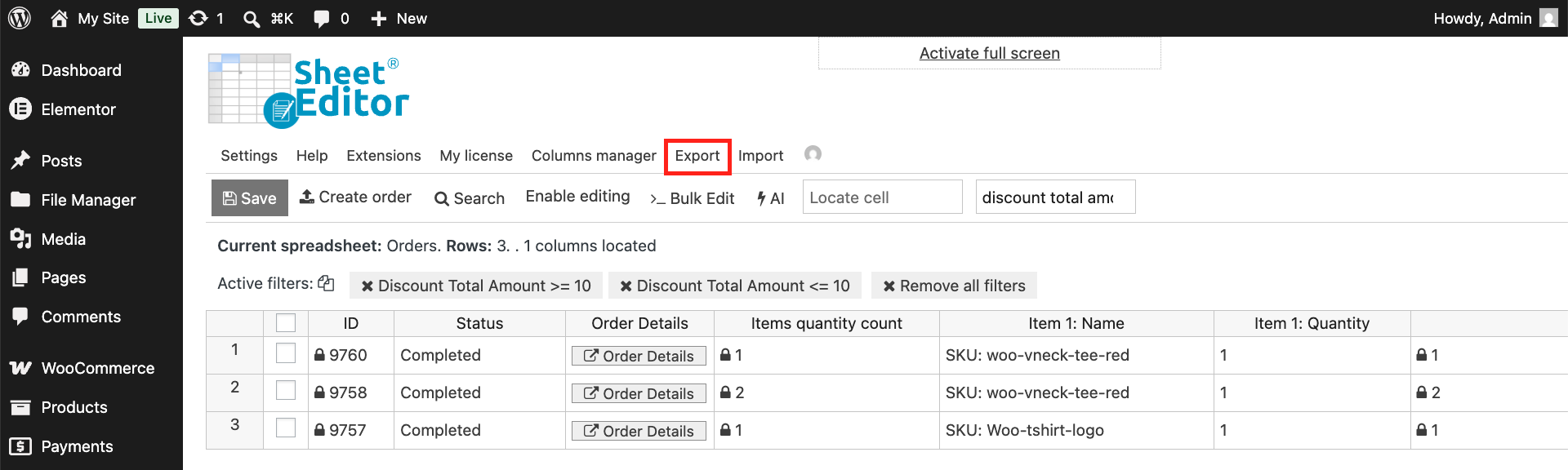
Now the spreadsheet shows all orders whose discount total amount is between the limits of the discount total range we have created.
Optional: Export discounted orders
After filtering the orders by discount total, you can open the Export tool and download the data to a CSV or Excel file.
With WP Sheet Editor, you can search WooCommerce orders by total discount with a few clicks. Great for reports or analysis of discounted orders.
You can download the plugin here: Download WooCommerce Orders Spreadsheet Plugin - or - Check the features