
Need to review or report on your store’s orders in a spreadsheet? In this guide I will show you how to export WooCommerce order details to Excel, including information such as order dates, customer names, products, totals, and order statuses.
You can use the exported data to sort and analyze orders outside WordPress or share it with your team. Follow the steps below to export the order details you need.
Step 1. Install WP Sheet Editor for WooCommerce Orders
This plugin allows you to manage your WooCommerce order details in a spreadsheet. You can use advanced search, bulk edit, export and import orders.
You can download the plugin here:
Download WooCommerce Orders Spreadsheet Plugin - or - Check the features
Step 2. Open the Orders spreadsheet
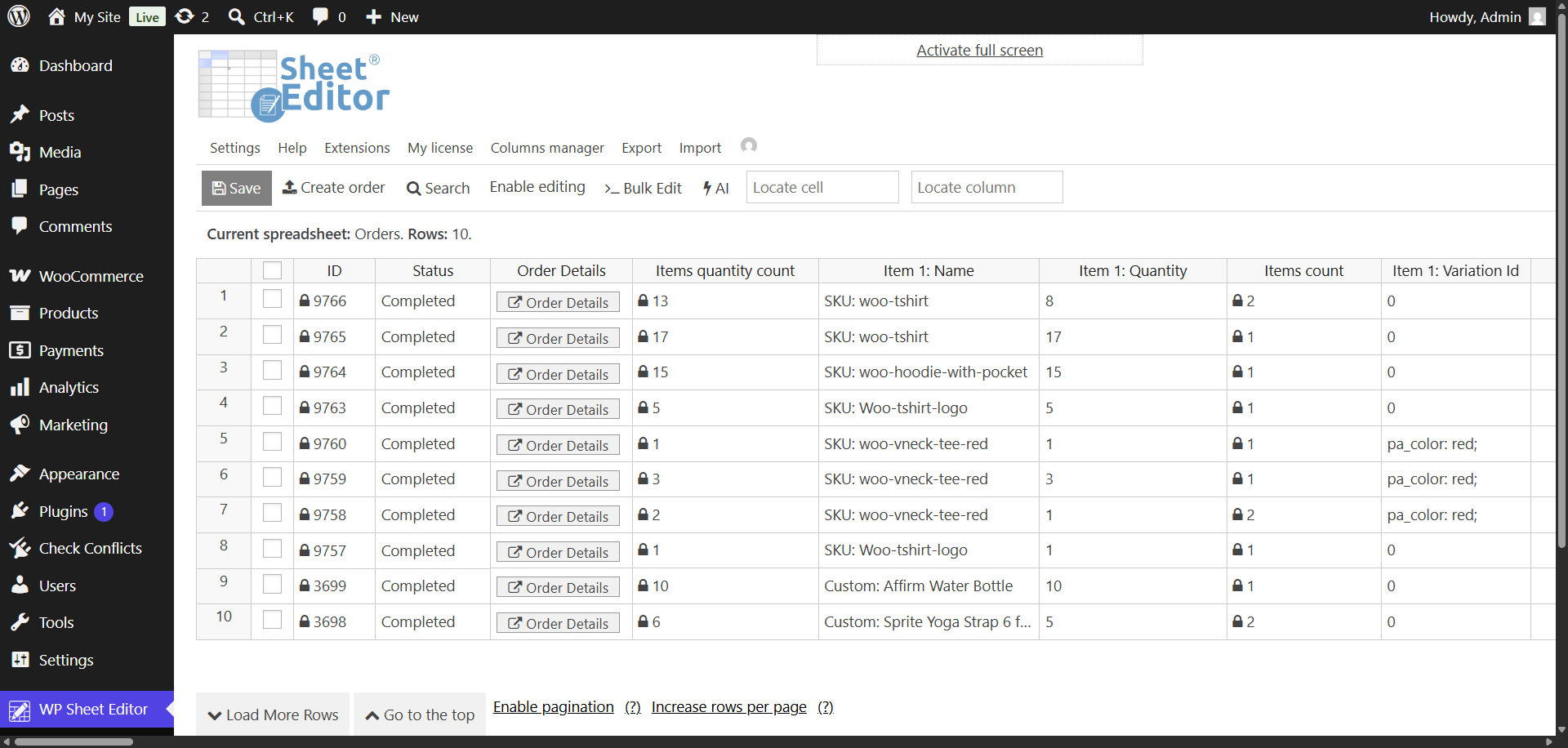
Start by opening the WooCommerce orders spreadsheet. Go to WP Sheet Editor > Edit orders, and you’ll see all your WooCommerce orders’ data displayed in the spreadsheet.
Step 3. Open the Export tool
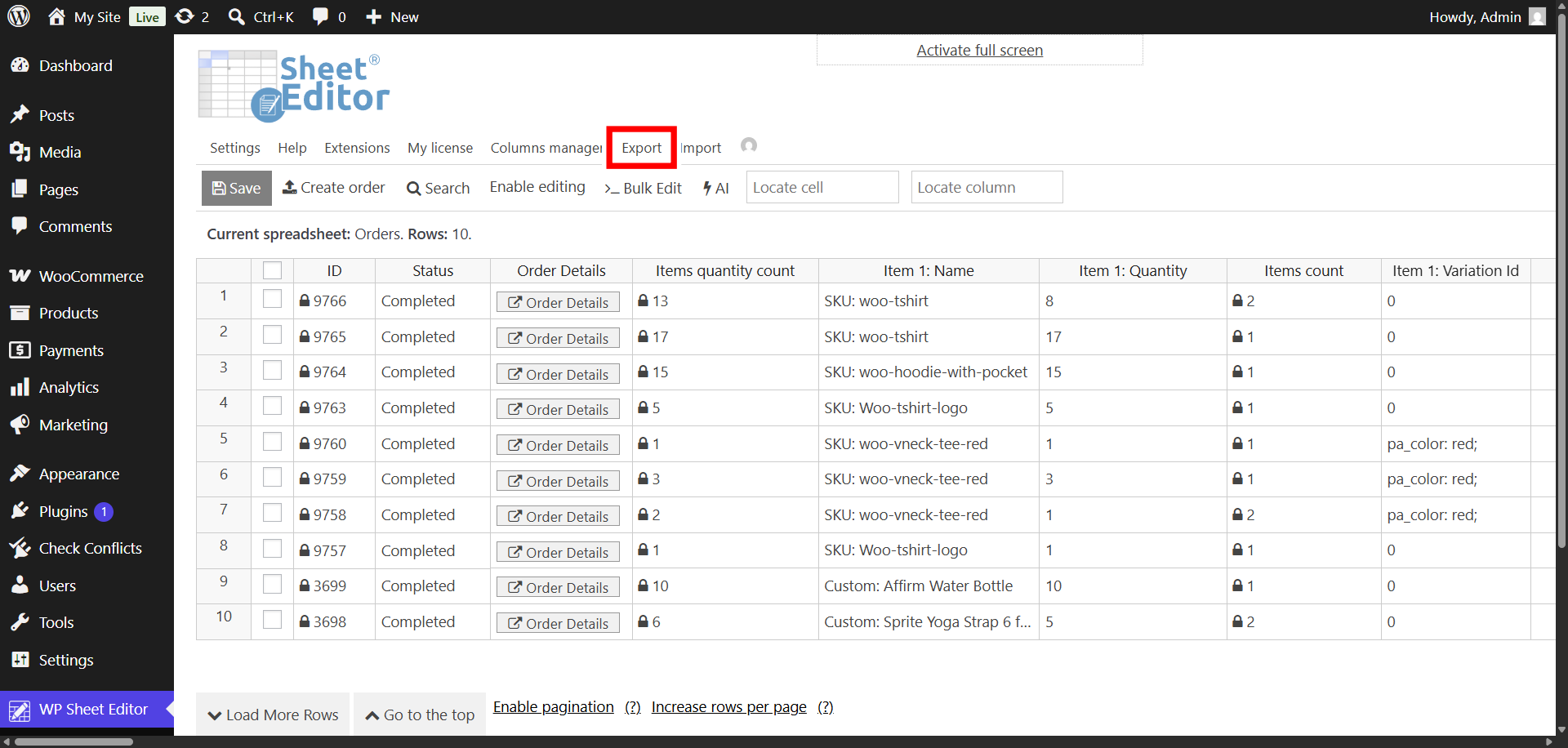
Open the Export tool.
Step 4. Export order details to Excel (XLSX)
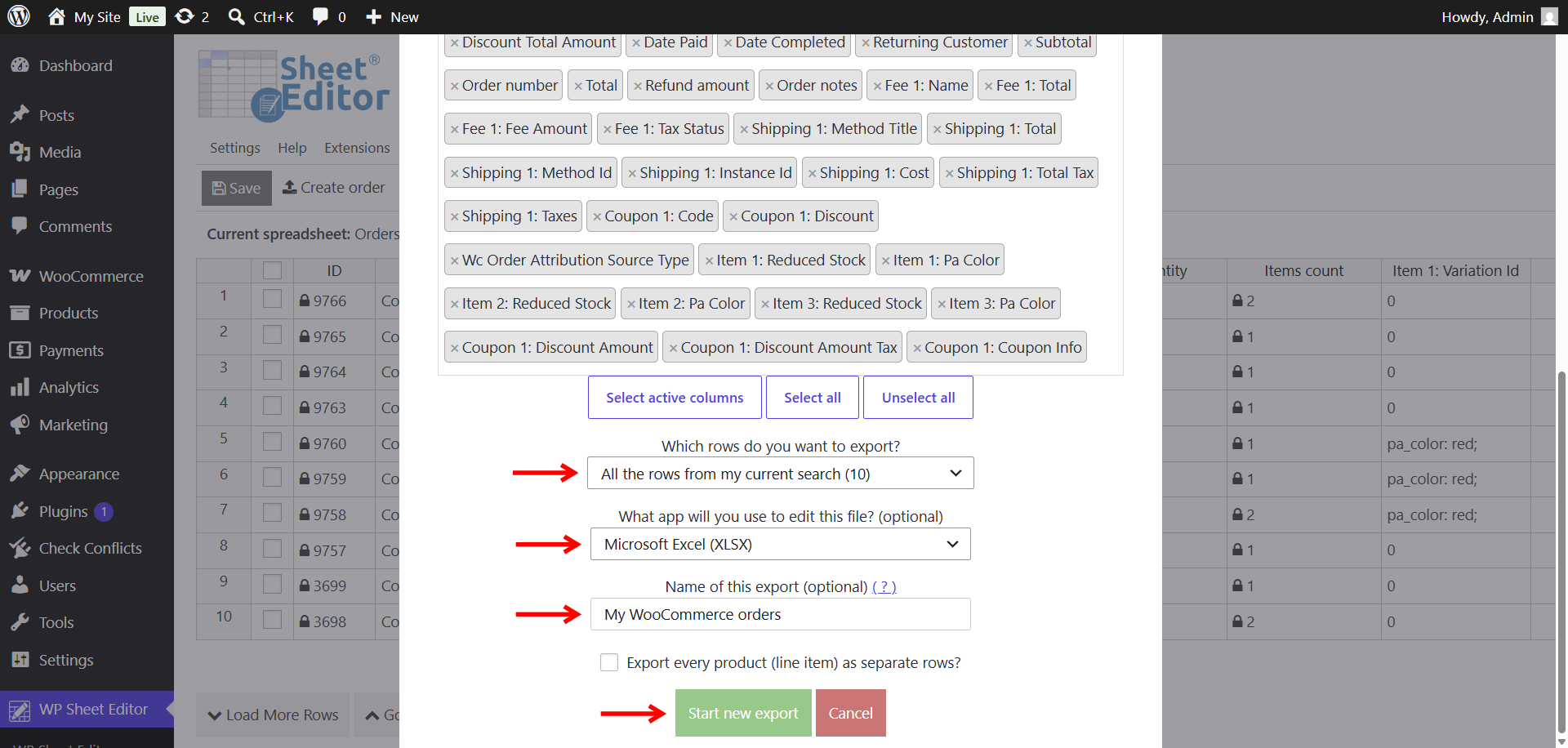
Set up the export settings to download your WooCommerce orders in an Excel file (XLSX):
- What columns do you want to export: You can export specific columns, all columns, or all the columns that are currently active in the spreadsheet.
- Which rows do you want to export: We will export all the rows. You can export all orders, only manually selected orders, or all orders from a specific search (by status, billing data, specific products, by coupon used, etc.)
- What app will you use to edit this file: Microsoft Excel (XLSX)
- Name of this export: You can add a name to this export and run it later again with one click.
- Optional: You can export all order details in one row, or tick the Export every product (line item) as separate rows checkbox.
- Click on Start new export.
Once the Excel file containing your order details has been downloaded into your computer, you can open it with Excel. Below you can see we have exported our orders.
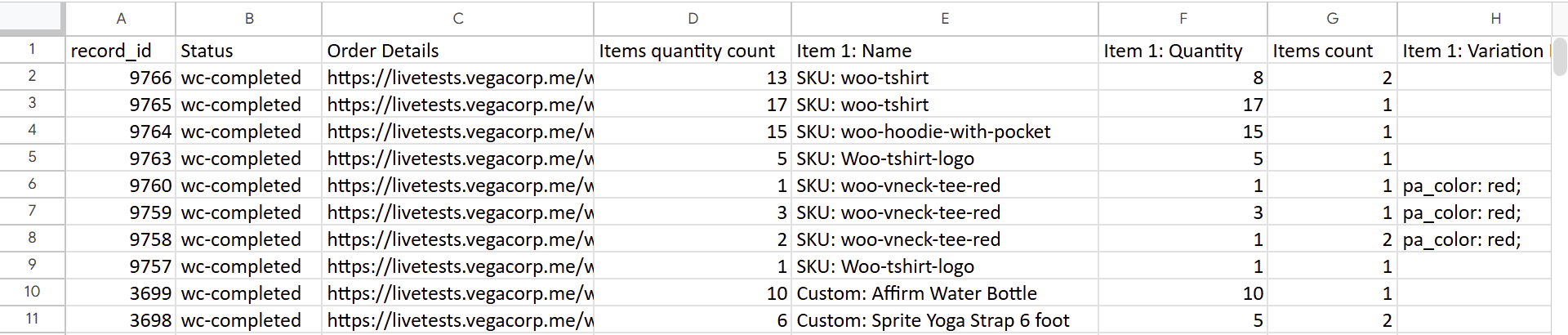
This is how you can export your WooCommerce order details to Microsoft Excel file using WP Sheet Editor for WooCommerce Orders.
You can download the plugin here:
Download WooCommerce Orders Spreadsheet Plugin - or - Check the features