
We’ve added a small but fun new feature in WP Sheet Editor. You can now pin certain tools to the right side of the screen to use them while continuing to work on your spreadsheet.
This feature currently applies only to tools that don’t modify data, such as Search and Export. You’ll notice a new “Pin to side” option inside these tools.
How it works
- Open the Search or Export tool.
- Click the “Pin to side” button to move it to the right panel.
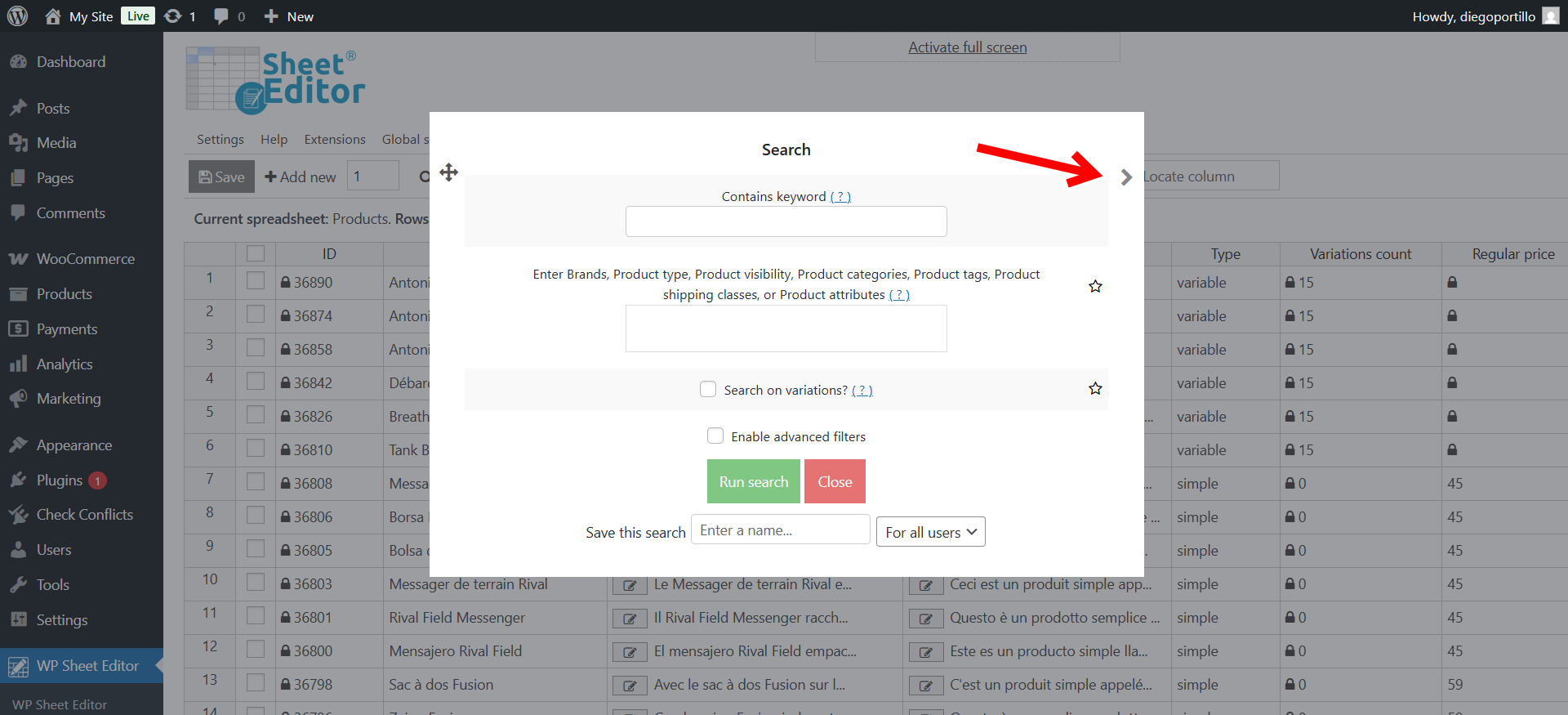
Now you can use the tools and still scroll or edit cells in the spreadsheet at the same time.
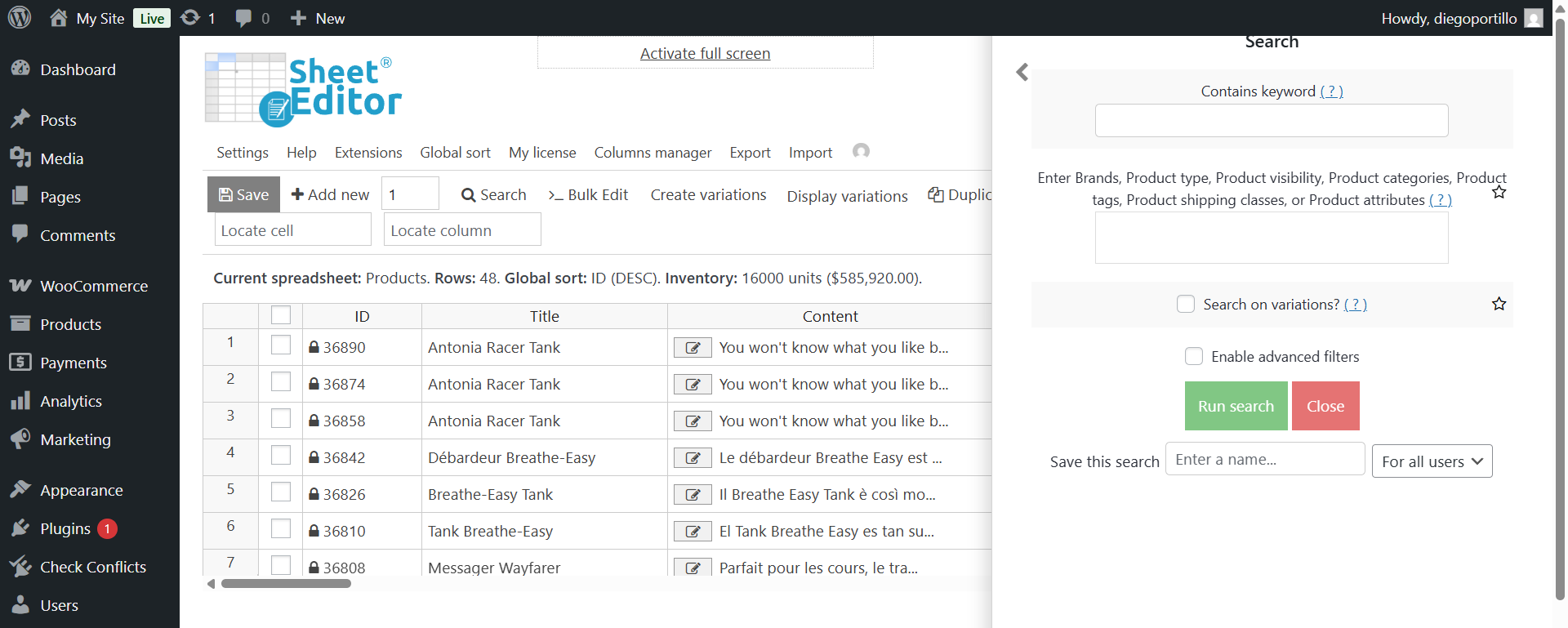
This feature adds a new layer of flexibility to your workflow, giving you the freedom to explore, search, and refine your data without breaking your focus. Whether you’re reviewing product info, exporting reports, or fine-tuning details, you’re always in control of your workspace.
Try pinning your favorite tools and experience a smoother, more dynamic way to work inside WP Sheet Editor.