
In this tutorial, you will learn how to bulk remove default attributes in WooCommerce. We will use the WP Sheet Editor plugins to clear the size, color, or other variation options across multiple variable products. Default attributes are preselected options, but we want our customers to be able to select their options without preset values.
1. Install WP Sheet Editor and open your products
Install and activate WP Sheet Editor – WooCommerce Products Spreadsheet to follow these steps.
You can download the plugin here:
Download WooCommerce Products Spreadsheet Plugin - or - Check the features
After installing and activating the plugin on your WordPress website, you need to go to WP Sheet Editor > Edit products.

Once you’re in the spreadsheet, open Bulk Edit tool.

2. Select the variable products to update
In Select the rows that you want to update, choose I want to search rows to update and edit all the seaarch results.

Filter by the Variable product type. If you want to target a smaller group, add filters such as a category, tag, keyword, or product status, but if you want to update all variable products, use the product type filter without additional restrictions.
Click Run search.

3. Bulk remove default variation attributes
In the Bulk Edit tool, configure these settings to remove the default attributes from your variable products:
- Select the rows that you want to update: Edit all the rows from my current search.
- What field do you want to edit: Default attributes.
- Select type of edit: Clear value.
- Select Edit only parent products.
- Click on Execute Now.
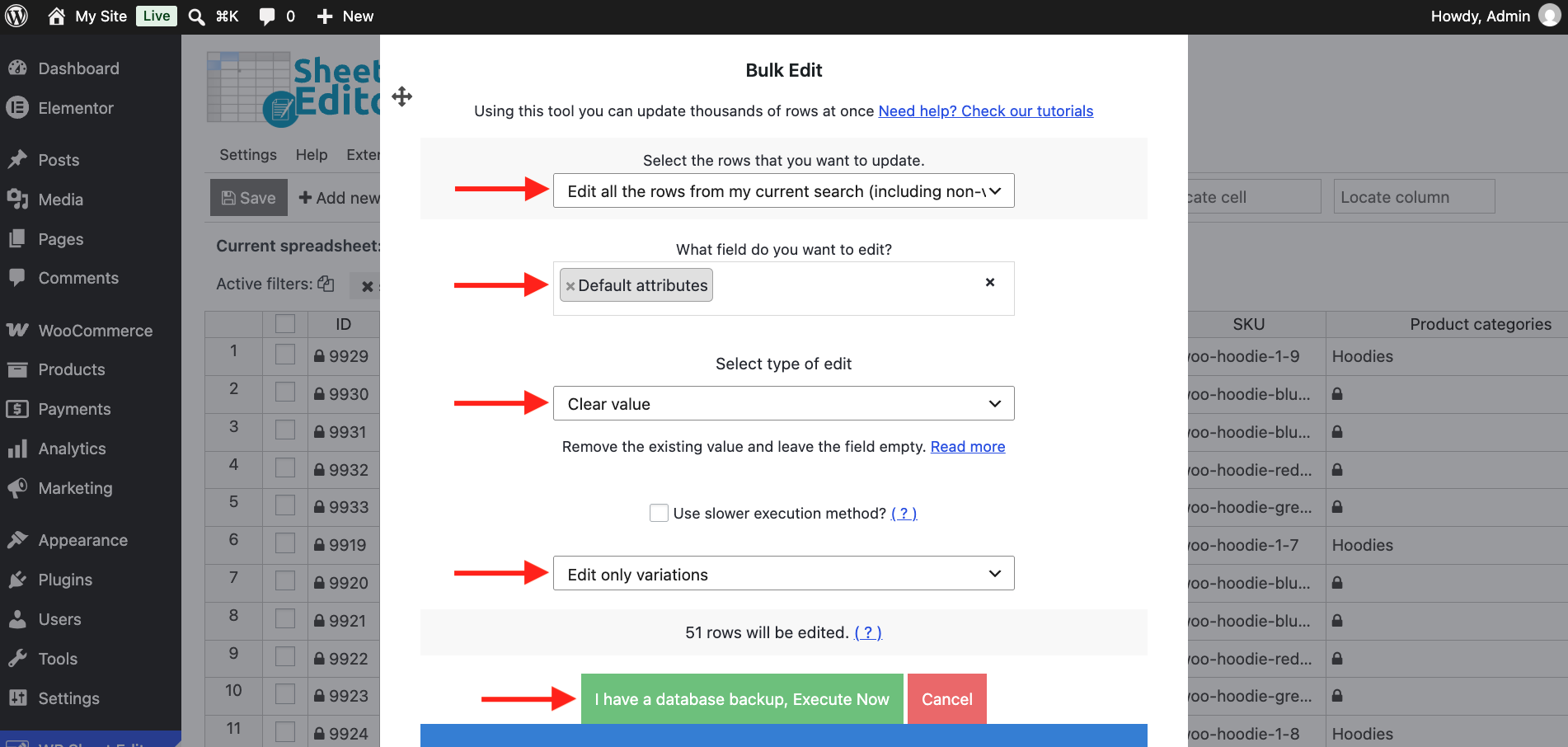
That’s how you can bulk remove default attributes from your WooCommerce variable products. You don’t have to open the variable products one at a time. Just filter variable products and configure the bulk edit to remove the preselected, default attributes.
You can download the plugin here:
Download WooCommerce Products Spreadsheet Plugin - or - Check the features