
WP Sheet Editor now has a new feature that allows you to quickly reuse your favorite search filters in the spreadsheet.
- All users can save searches for themselves, making it easy to access their most-used filters.
- Administrators can save searches either for themselves or for all users on the site.
How to save a search
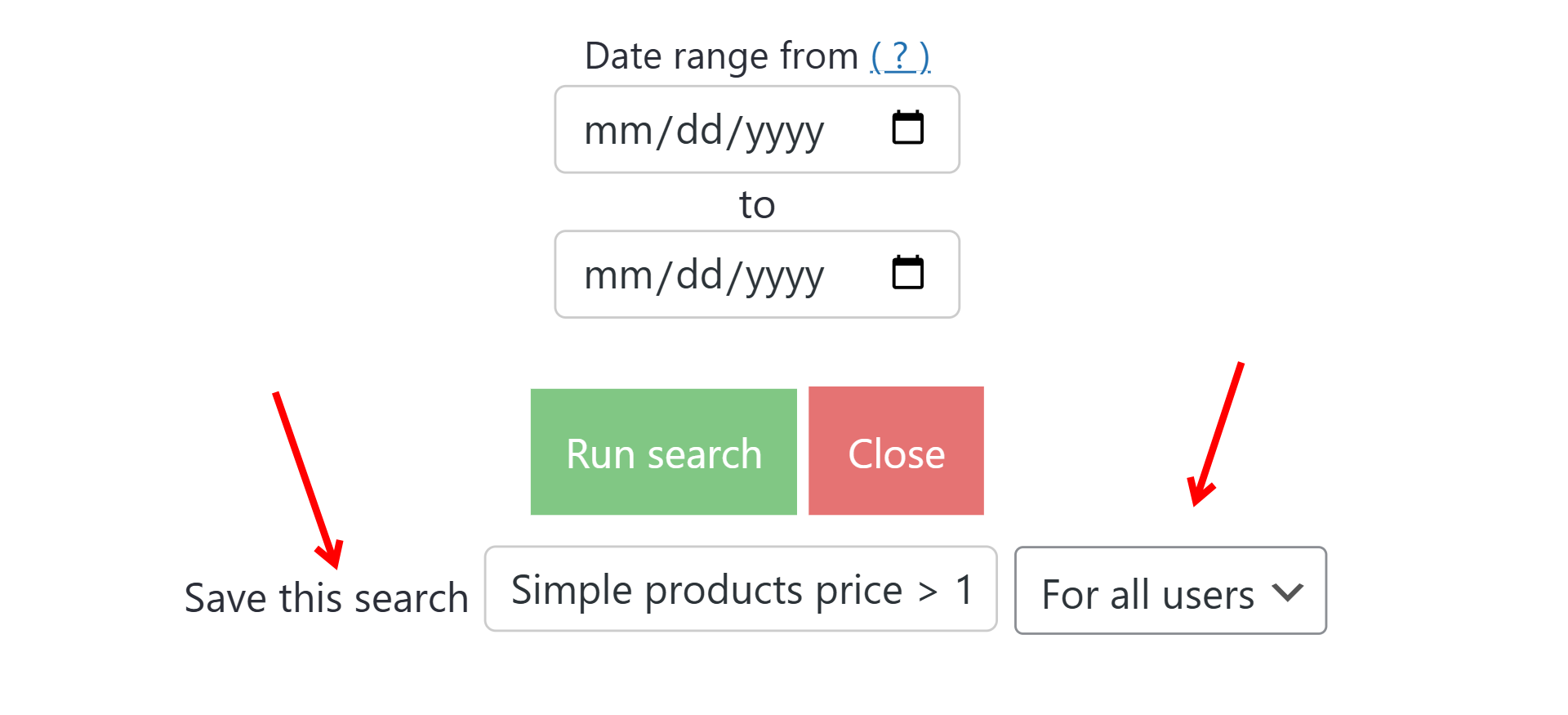
To save a search, simply enter a name in the “Save this search” field before clicking Run search.
If you’re an administrator, you can select if this search is For all users or Only for me.
The system will automatically store your search filters under that name and availability settings.
How to use saved searches
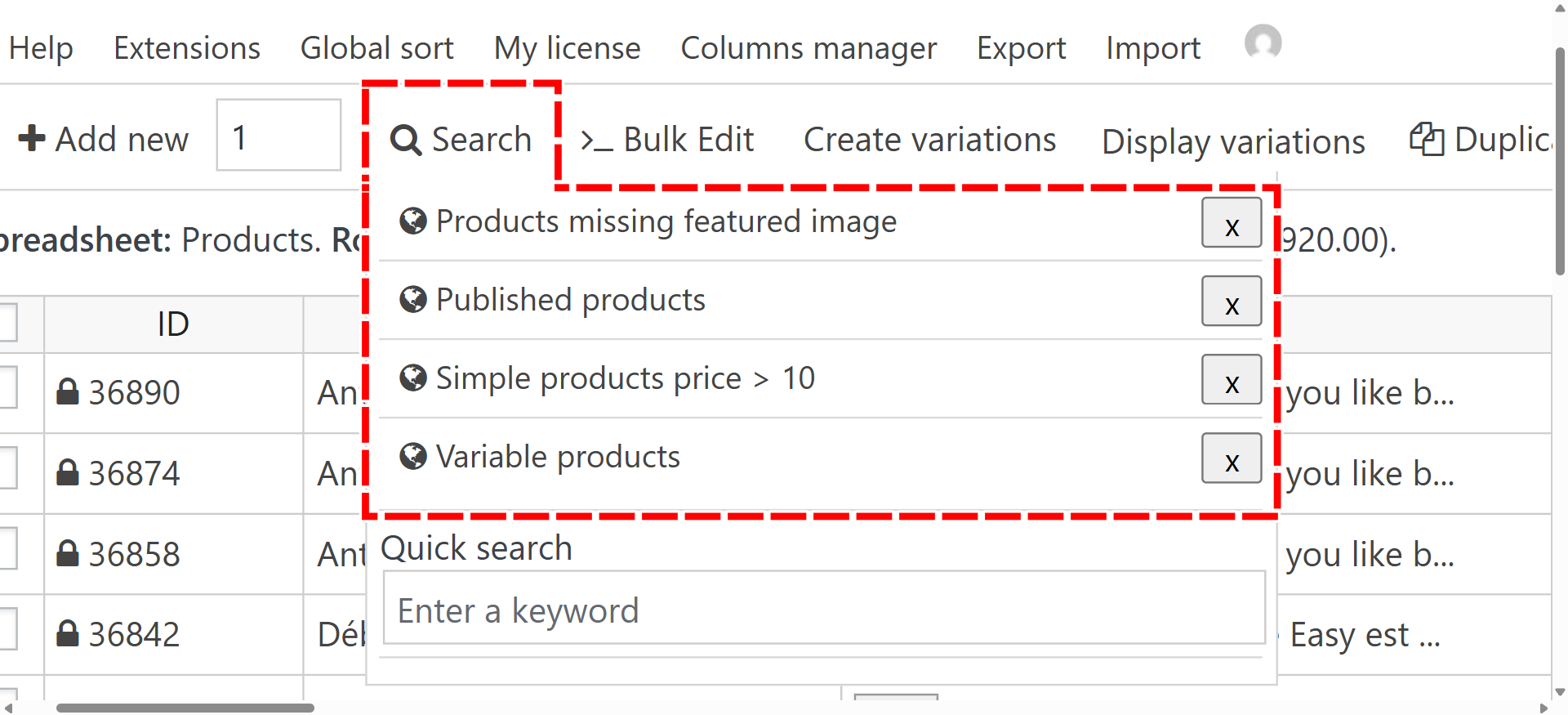
To quickly load a saved search, hover over the “Search” tool on the toolbar, and you’ll see a list of your saved searches. Just click on any saved search, and it will instantly run with the same filters you used before.
This feature is perfect for saving time and keeping your workflow organized, especially if you regularly use the same filters for managing products, cleaning data, or reviewing content.