
In WooCommerce, the Short Description is one of the most critical pieces of text on your product page. Positioned right next to the product images and directly above the “Add to Cart” button, it needs to quickly capture the customer’s attention and summarize the core benefits.
However, if you have a massive catalog of products, writing these concise summaries manually takes an enormous amount of time. You usually have to open each product, read the full, lengthy product description (the product’s Content), extract the main points, and rewrite them into a punchy short description. Doing this for hundreds of items is exhausting.
In this tutorial, we will show you how to automatically generate short descriptions for your WooCommerce products using Artificial Intelligence. By utilizing our spreadsheet interface, you can command the AI to read your existing long descriptions and bulk-summarize them into highly converting short descriptions in minutes.
Why use Artificial Intelligence to generate short descriptions?
Using generative AI directly inside WordPress to summarize your content offers incredible time-saving benefits:
- Instant summarization: The AI can read a 500-word long description and distill it into a few powerful sentences instantly.
- Bulk generation: Filter hundreds of products at once and let the AI generate unique short descriptions for all of them simultaneously using the Bulk Edit tool.
- You never leave WordPress: Forget about copying your long descriptions, pasting them into external tools like ChatGPT, and pasting the result back into WooCommerce. The entire process happens inside your database.
What you need to summarize your product descriptions
To bypass the slow WooCommerce product editor and automate your content generation, we will use these two WP Sheet Editor tools:
WP Sheet Editor – WooCommerce Products
This plugin generates a lightning-fast spreadsheet inside your WordPress dashboard where you can view, filter, and edit all your products on a single screen.
You can purchase the core plugin here:
Get the WooCommerce Products spreadsheet - or - Check the features
WP Sheet Editor – AI
This extension integrates Artificial Intelligence directly into your WP Sheet Editor spreadsheets, allowing you to bulk generate, translate, and summarize content for thousands of rows using dynamic prompts inside the Bulk Edit tool.
You can get the AI extension here:
An API key from your favorite AI provider
You need an active connection to an AI provider (such as OpenAI, OpenRouter, or any other OpenAI-compatible provider). If you haven’t established this connection yet, please refer to our API setup documentation.
Step 1. Filter products missing short description
We will first search for all the WooCommerce products that currently do not have short descriptions.
To do this, let’s start by opening the WooCommerce products spreadsheet by going to WP Sheet Editor > Edit Products.
You’ll see all your products diplayed in the spreadsheet.
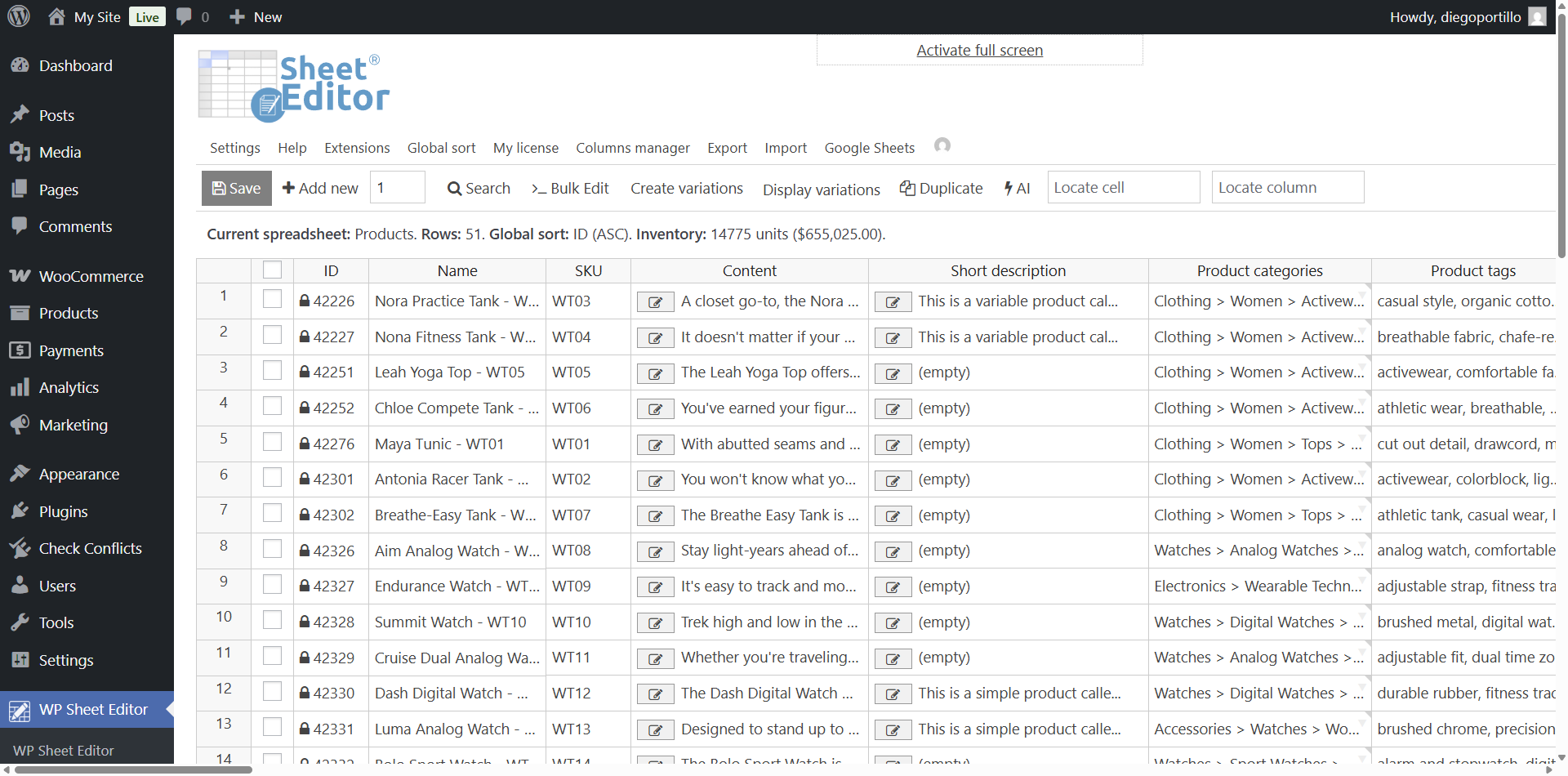
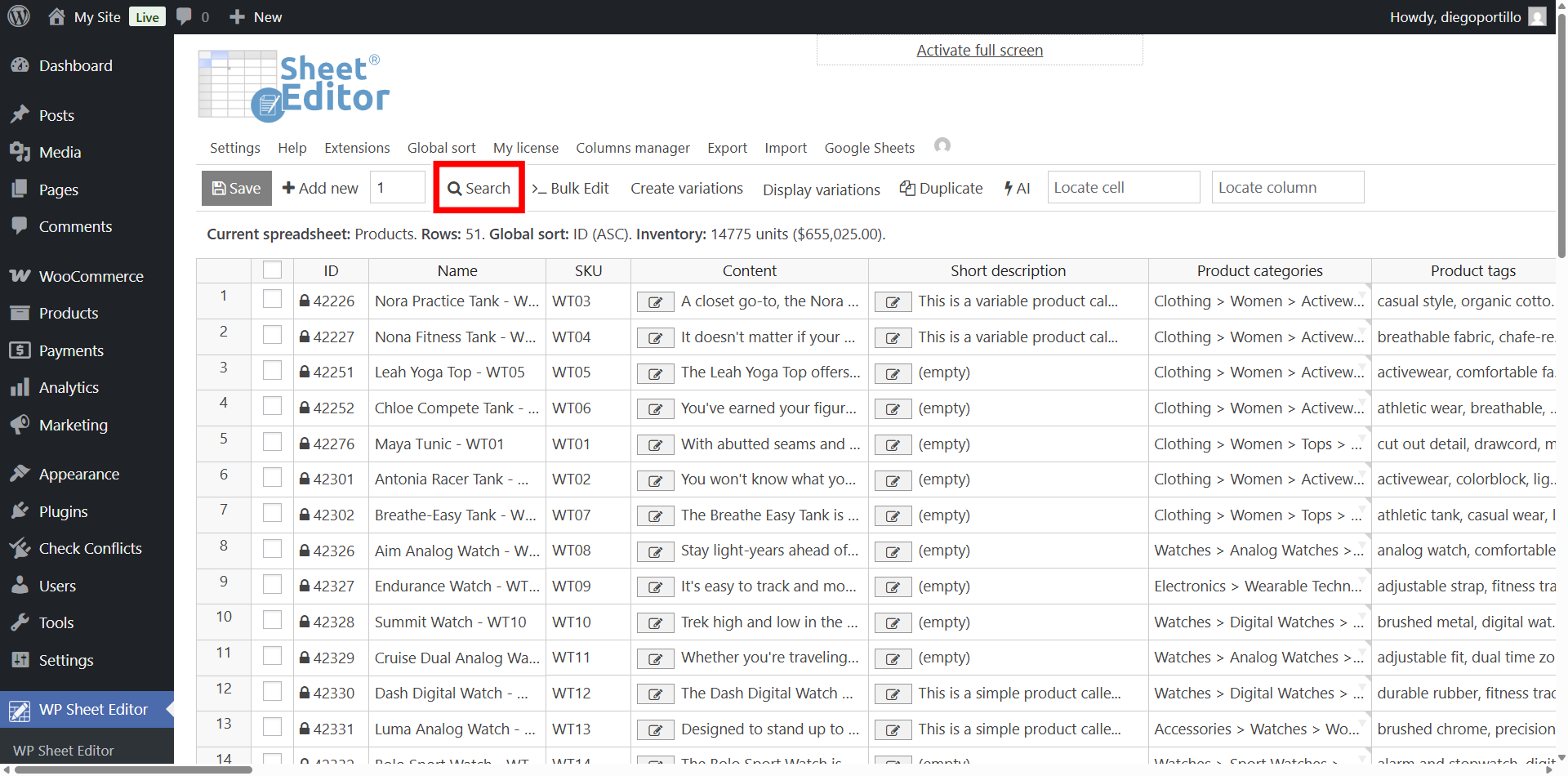
Now open the Search tool.
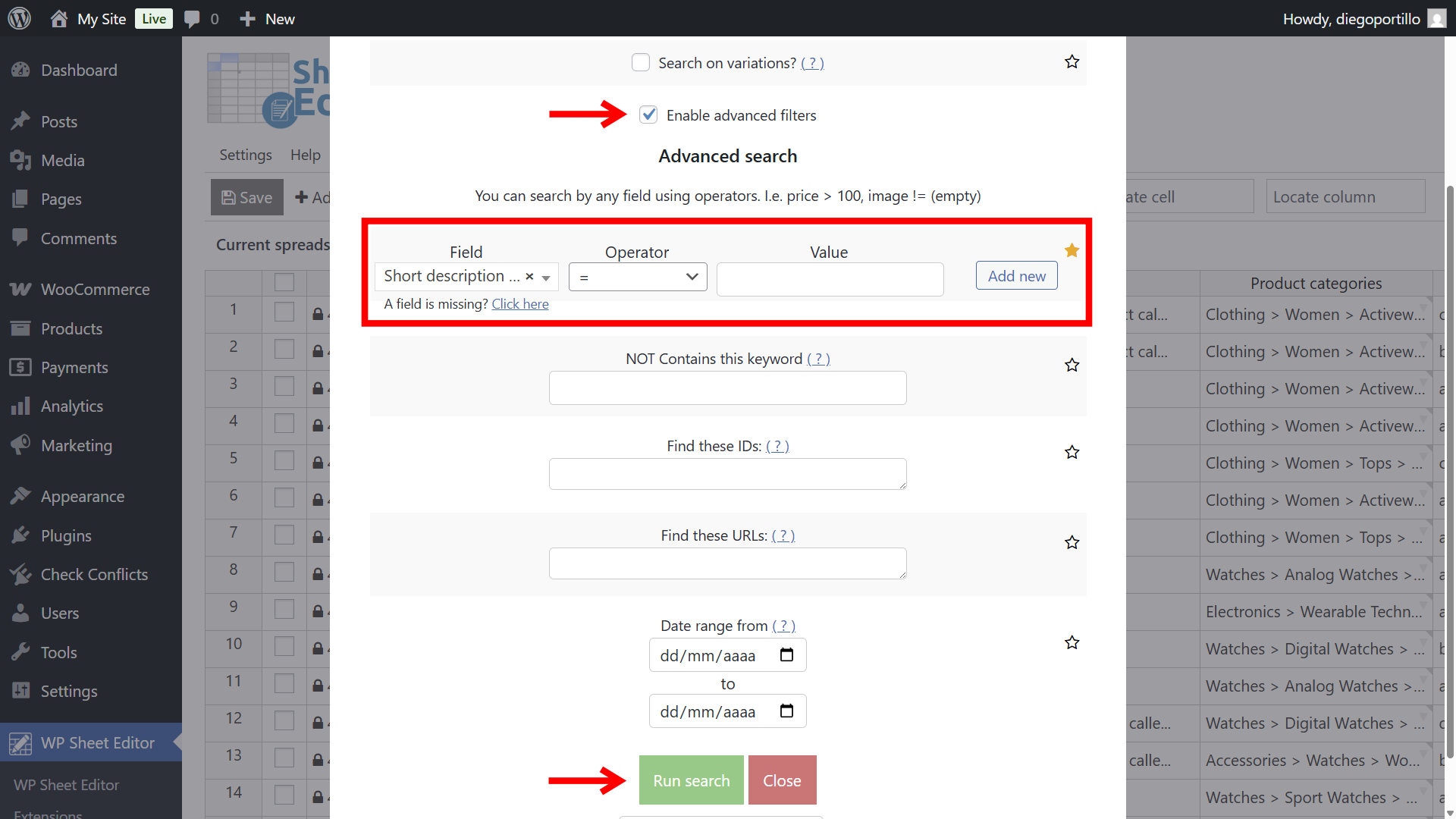
Once you’re in the Search tool, select these values to filter all products without short description:
- Tick the Enable advanced filters checkbox.
- Field: Short description
- Operator: =
- Value: Leave this field empty
- Click on Run search.
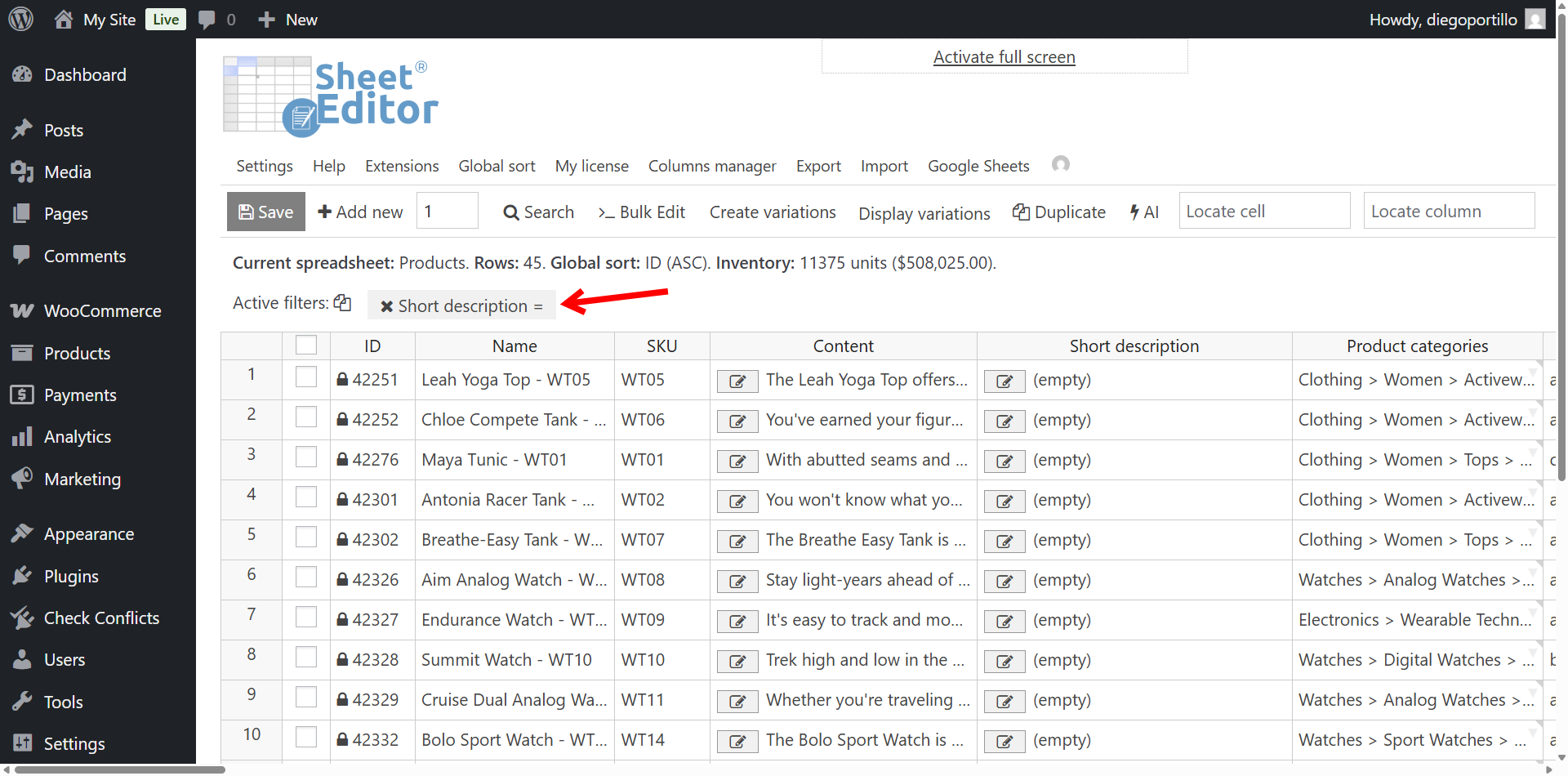
Now the spreadsheet will display only the products that are missing short description.
Step 2. Generate short descriptions with AI
Instead of editing spreadsheet cells one by one, we will use the plugin’s bulk editing capabilities to process multiple products at the same time.
Click on the Bulk Edit tool on the toolbar.
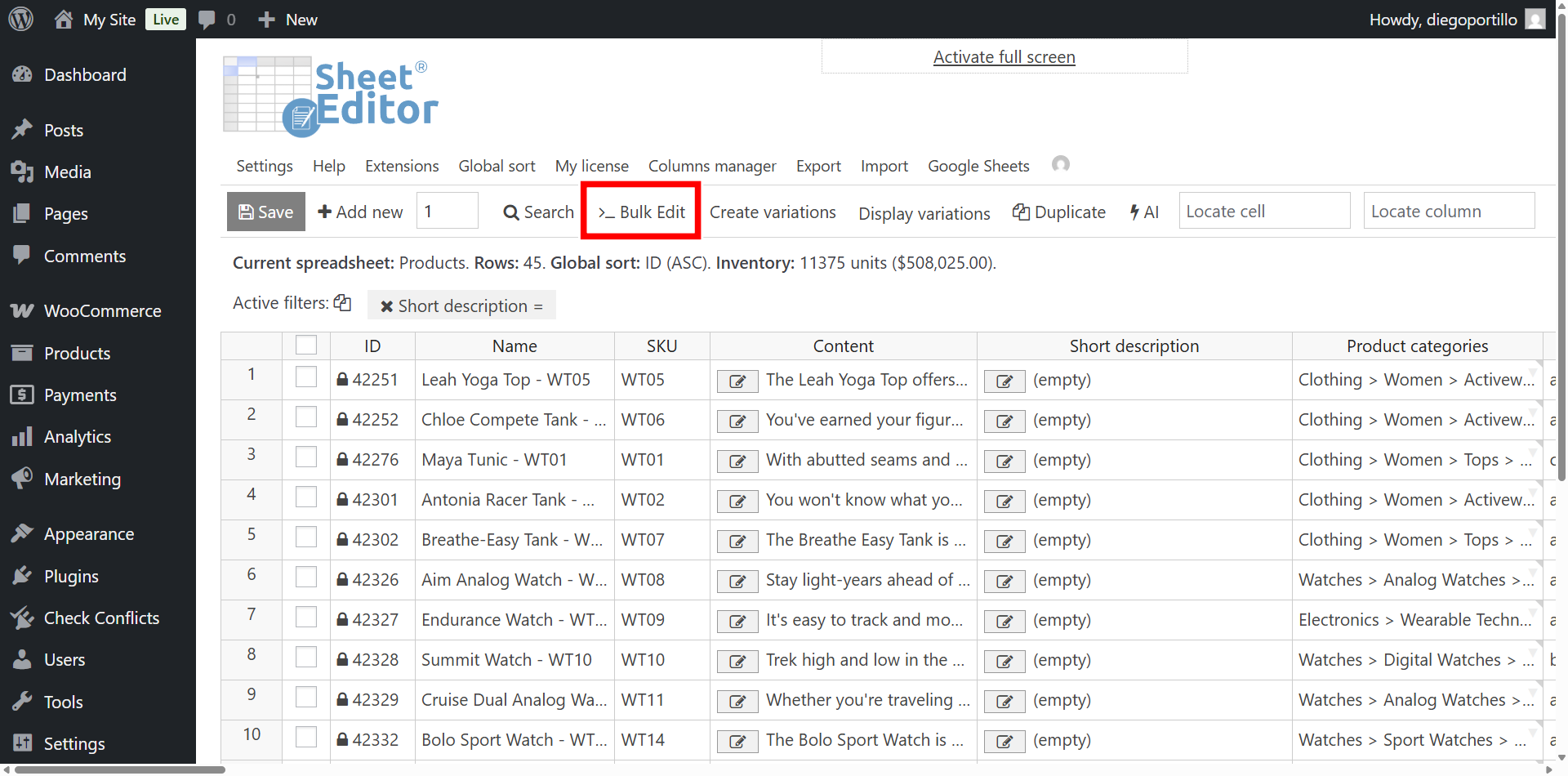
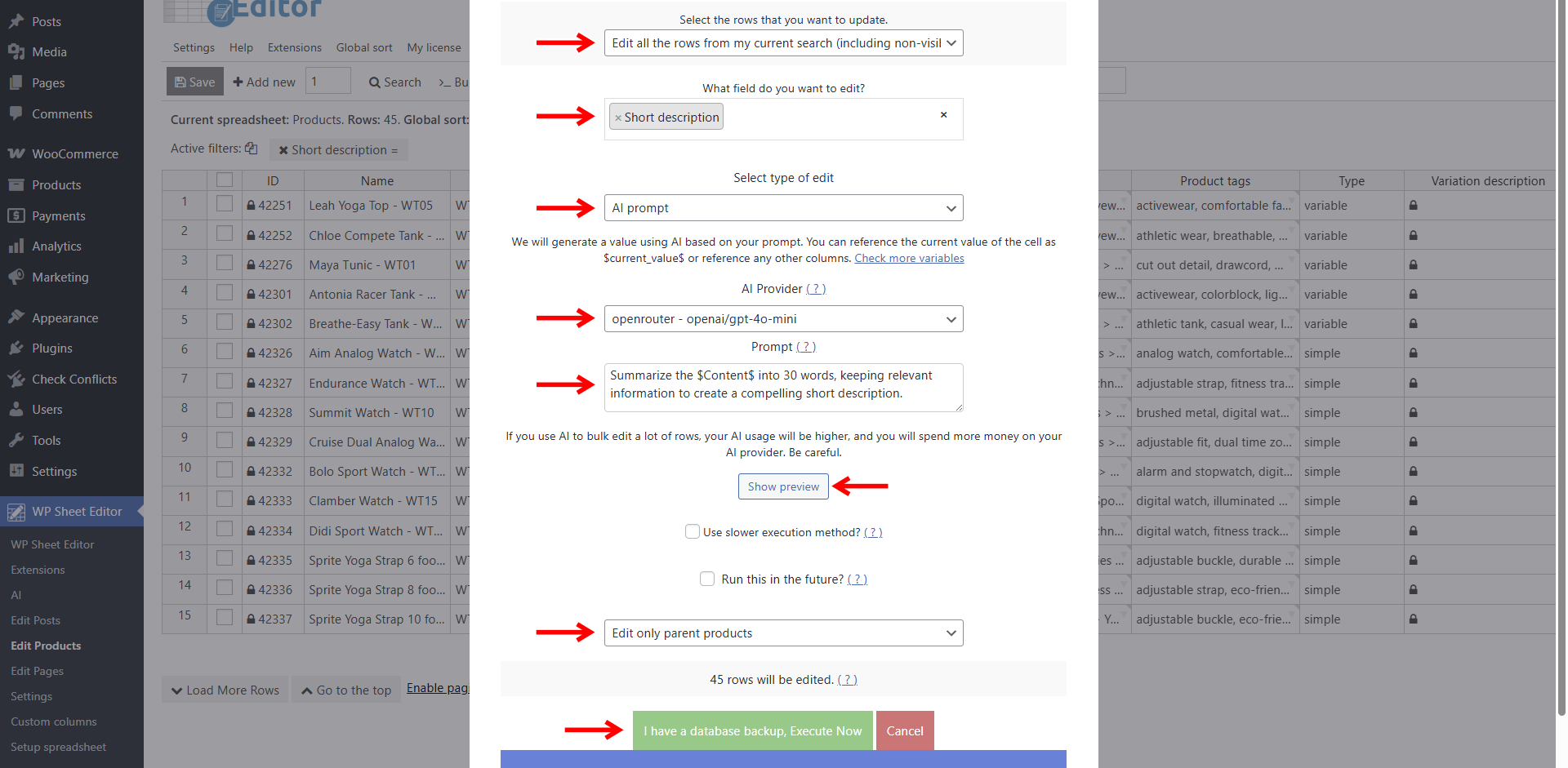
Configure the Bulk Edit tool to use the AI to read the main “Content” (long description) column and create a summary.
Set up the bulk edit parameters as follows:
- Select the rows that you wnt to update: Edit all the rows from my current search
- What field do you want to edit: Short description
- Select type of edit: Select AI prompt.
- AI provider: Select your favorite AI provider and model. We will use GPT-4o mini through Openrouter.
- Prompt: Type your instruction. For example:
Summarize the $Content$ into 30 words, keeping relevant information to create a compelling short description.
- You can use the Show preview button to check the result before running the prompt in bulk.
- Select Edit only parent products.
- Click on Execute now.
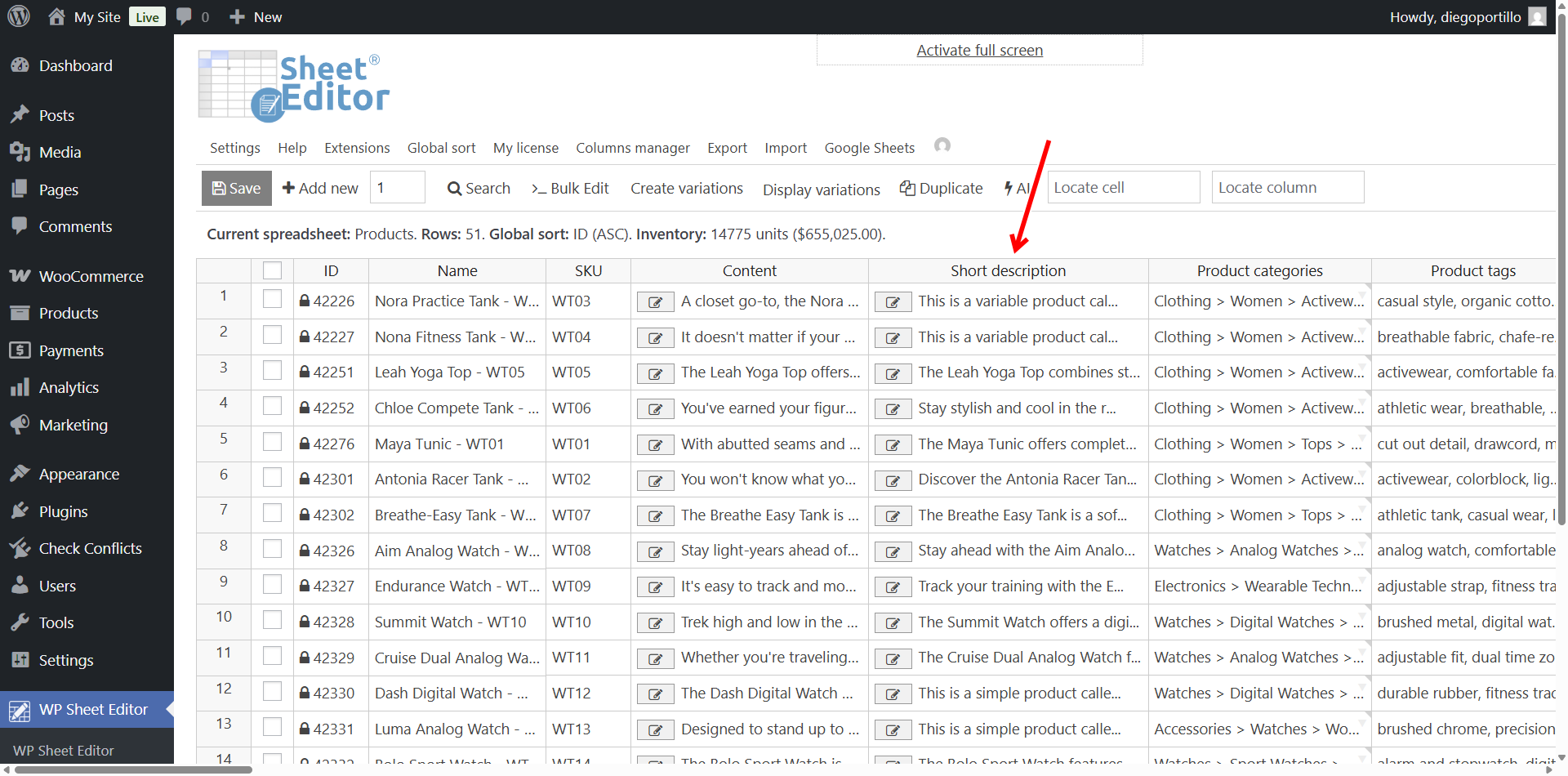
As you can see below, we have generated short descriptions for all the products that before didn’t have any. This is great because we didn’t have to spend hours or days reading and writing short descriptions manually.
Save hours of WooCommerce copywriting with AI
Summarizing long product descriptions doesn’t have to be a tedious manual chore. By using WP Sheet Editor – AI and the Bulk Edit tool, you can leverage Artificial Intelligence to instantly extract the best selling points of your products and generate compelling short descriptions for your entire catalog. Simplify your workflow and start optimizing your WooCommerce product pages today.