
This tutorial shows you how to bulk-generate WooCommerce short descriptions using AI directly inside WordPress. You connect your catalog to OpenAI, Claude, Gemini, DeepSeek, or any OpenAI-compatible model, and the AI reads your existing long product descriptions and summarizes them into concise, conversion-focused Short Descriptions across your entire filtered product list.
A missing or generic Short Description on a WooCommerce product page is a conversion leak. The Short Description sits directly next to your product images and immediately above the “Add to Cart” button. It’s one of the first pieces of copy a customer reads, and when it’s empty, vague, or just the first sentence of your long description copied over, you’re leaving revenue on the table.
The manual fix is brutal. You have to open each product, read the full Content field, extract the main selling points, and rewrite them into a tight, persuasive summary. Then repeat for the next product, and the next. For a catalog of even 50 products, that’s a full workday gone. For 500, it’s a week or even months.
Why the Short Description Field Matters More Than Most Store Owners Think
The WooCommerce Short Description isn’t a trimmed-down version of your main description. Actually, it’s a conversion tool with prime real estate. It appears above the fold, next to the product image, directly before the Add to Cart button. Customers who don’t scroll down to read your full Content field still see your Short Description. So when it’s missing, you’re asking them to buy based on a title and a price alone.
Using AI to generate these summaries directly inside WordPress eliminates the three bottlenecks that make this task painful at scale:
- Reading overhead disappears. The AI reads your 500-word long description and distills it into 30 powerful words instantly. You don’t read anything, just review the output.
- Bulk processing replaces one-at-a-time editing. Filter your entire catalog to products missing Short Descriptions, configure one Bulk Edit job, and the AI generates unique summaries for all of them in a single pass. No opening individual product editors.
- No tab-switching between tools. Unlike standalone AI platforms, the entire workflow (prompt, generation, review, and save) happens inside your WordPress spreadsheet. You never copy a long description into ChatGPT and paste the result back into WooCommerce.
What AI Summarization Actually Produces
Here’s a real example of the workflow in action:
Long Description (Content field — 95 words):
Our premium stainless steel French press coffee maker is designed for coffee enthusiasts who demand full-bodied flavor without bitterness. The double-walled insulation keeps your brew hot for up to 60 minutes, while the 4-level filtration system ensures a clean, sediment-free pour every time. Available in 34oz and 50oz capacities. Dishwasher-safe components. BPA-free. Backed by our lifetime warranty and 60-day money-back guarantee.
AI-Generated Short Description (30 words):
Double-walled stainless steel French press that keeps coffee hot for 60 minutes. 4-level filtration delivers a clean, sediment-free pour. Available in 34oz and 50oz. Lifetime warranty included.
The AI extracted the four selling points a customer needs to see before clicking “Add to Cart” (capacity, heat retention, filtration quality, and warranty) and dropped the narrative fluff. Same facts, tighter delivery, positioned exactly where it converts.
What You Need Before Starting
In order to implement AI in WooCommerce, you need these three elements besides the WooCommerce plugin:
1. WP Sheet Editor – WooCommerce Products
This plugin displays your products in a spreadsheet inside your WordPress dashboard (titles, descriptions, short descriptions, categories, and attributes, all viewable and editable on one screen). It replaces the slow, one-product-at-a-time WooCommerce editor.
You can purchase the core plugin here:
Get the WooCommerce Products Spreadsheet - or - Check the features
2. WP Sheet Editor – AI
This extension connects your spreadsheet to an AI provider like OpenAI, OpenRouter, or any OpenAI-compatible API. You can generate, summarize, translate, and rewrite content for thousands of rows using prompts you write once.
You can get the AI extension here:
3. An API Key from Your AI Provider
You need an active API key from at least one supported provider: OpenAI, OpenRouter (which gives access to DeepSeek, Grok, Claude, Gemini, and hundreds of other models), or any provider that follows the OpenAI API format.
If you haven’t connected a key yet, follow the API setup guide before continuing.
Step 1: Filter Products Missing Short Descriptions
First, isolate only the products that need a Short Description so the AI doesn’t process and potentially overwrite products that already have one.
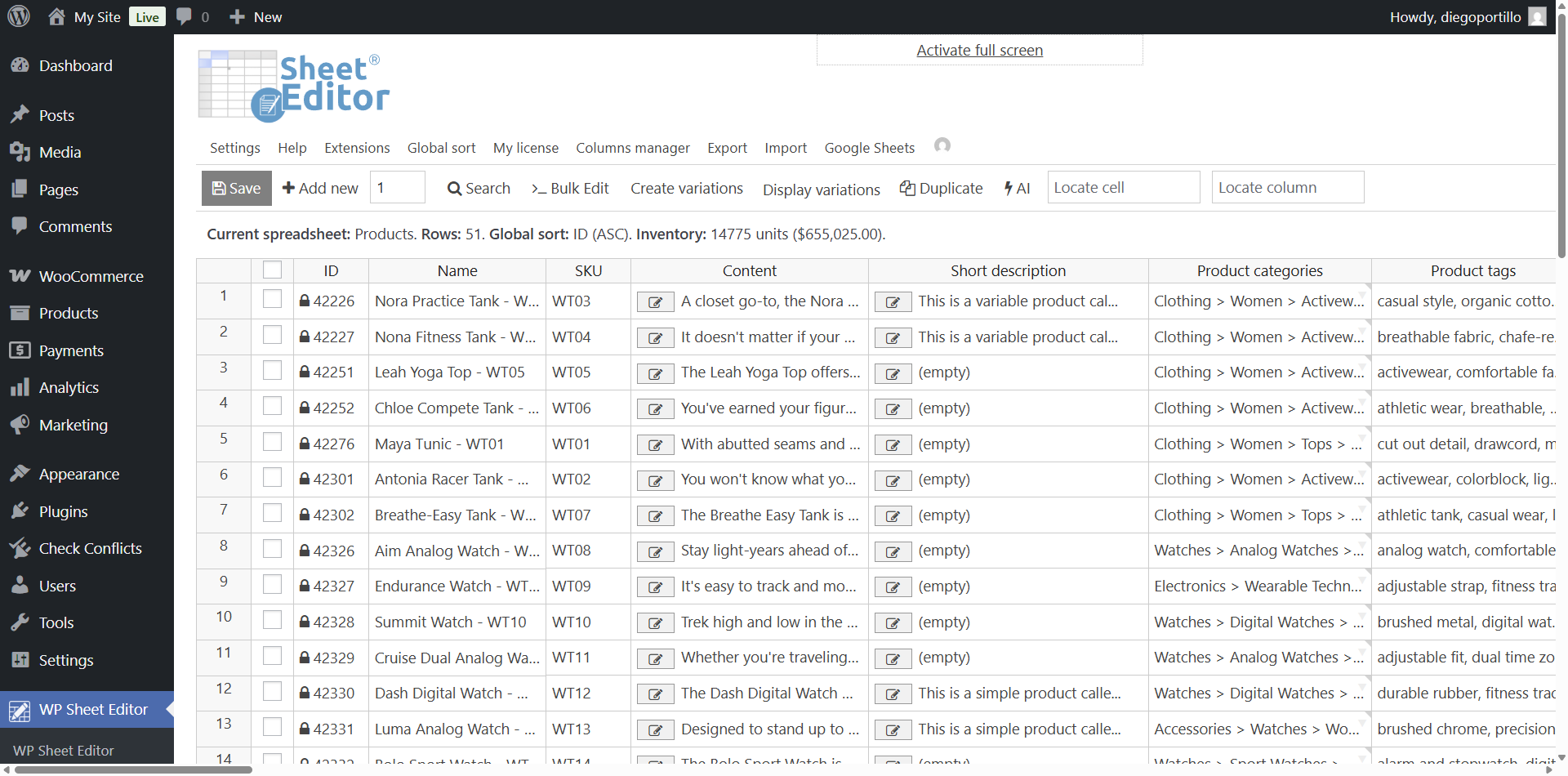
Open the WooCommerce products spreadsheet by going to WP Sheet Editor → Edit Products. You’ll see all your products displayed in the spreadsheet.
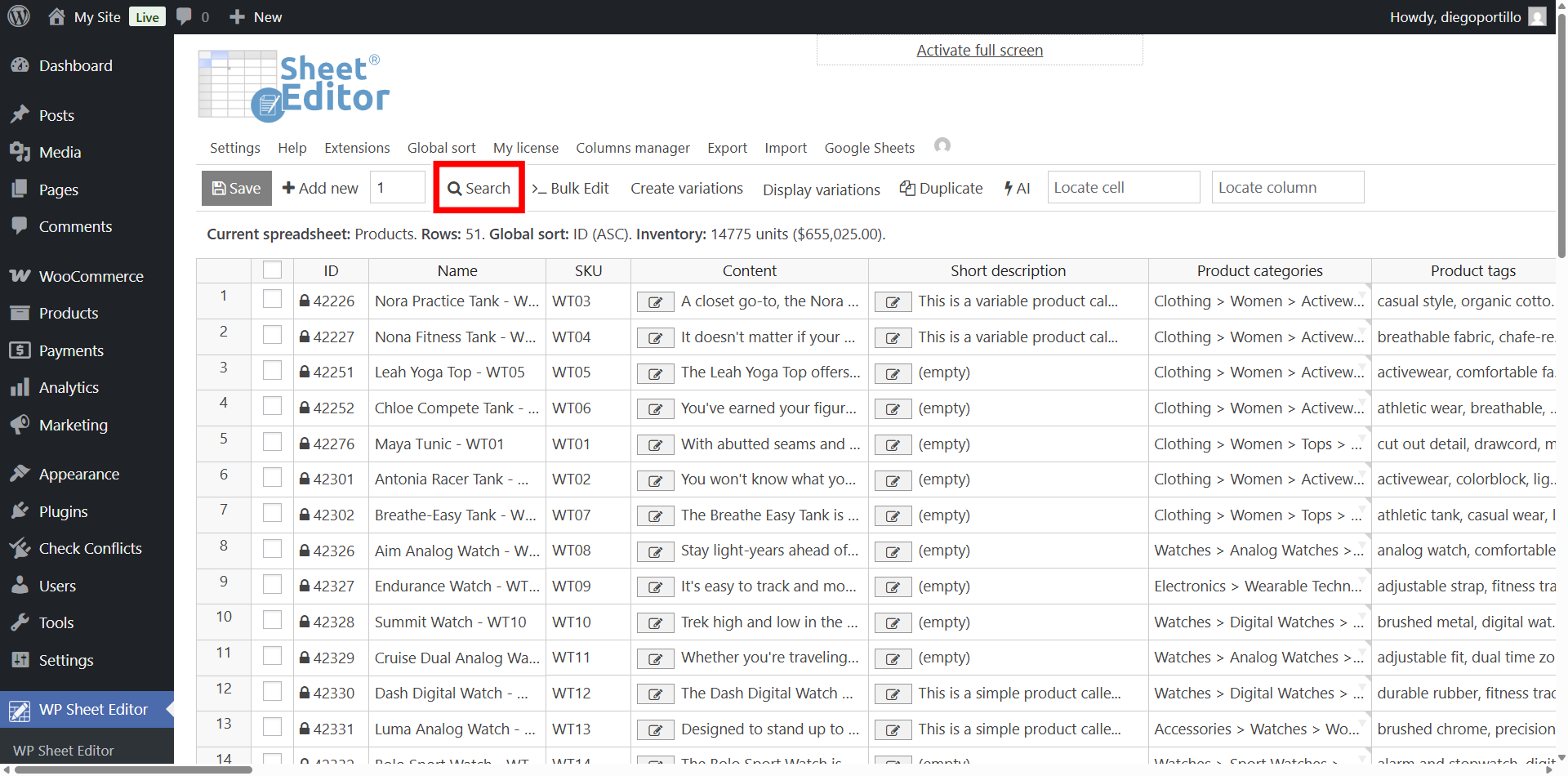
Click the Search tool on the toolbar to open the advanced filtering panel.
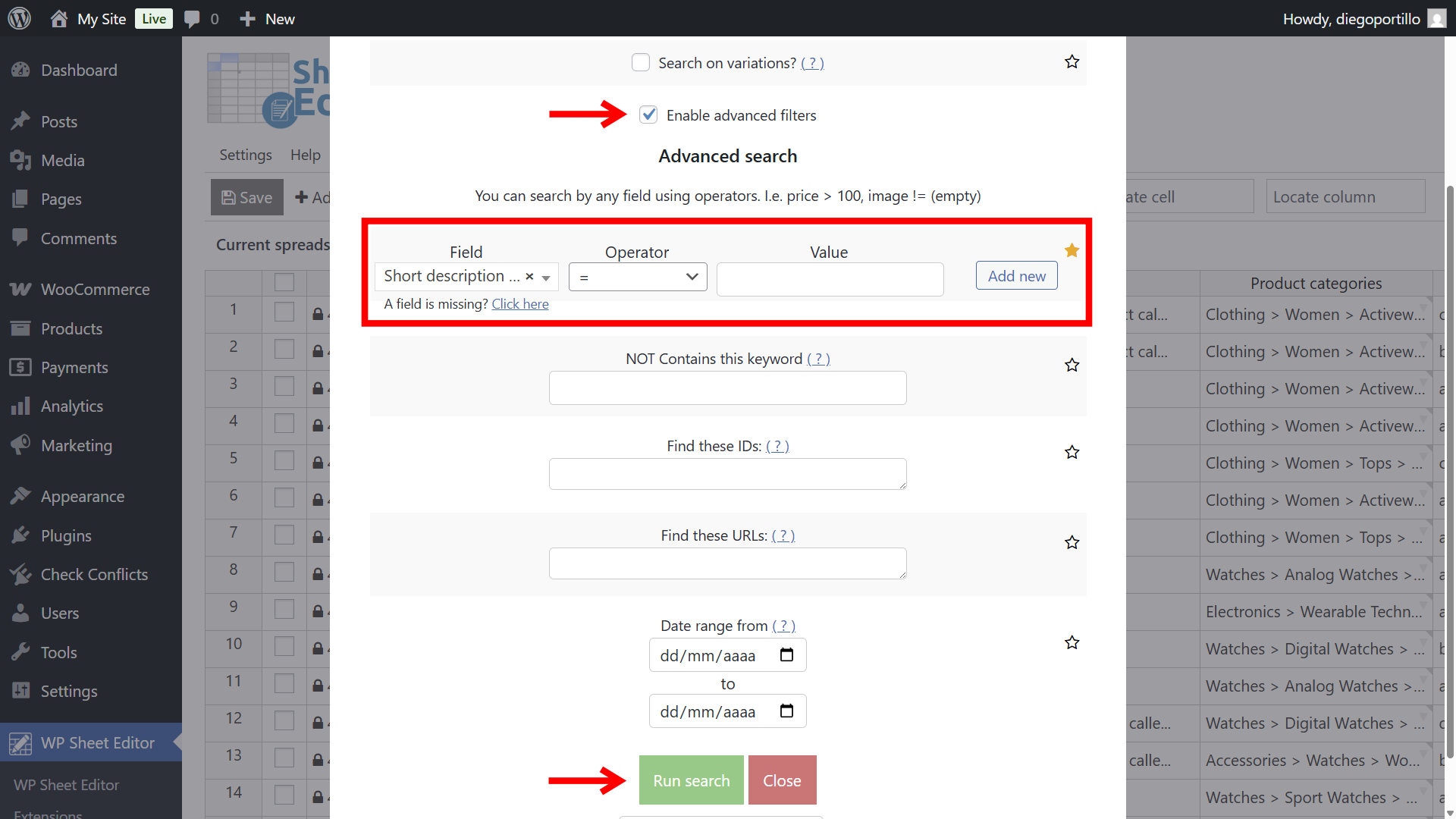
Configure the search to show only products with an empty Short Description field:
- Tick the Enable advanced filters checkbox.
- Field: Short description
- Operator: =
- Value: Leave this field empty
- Click Run search.
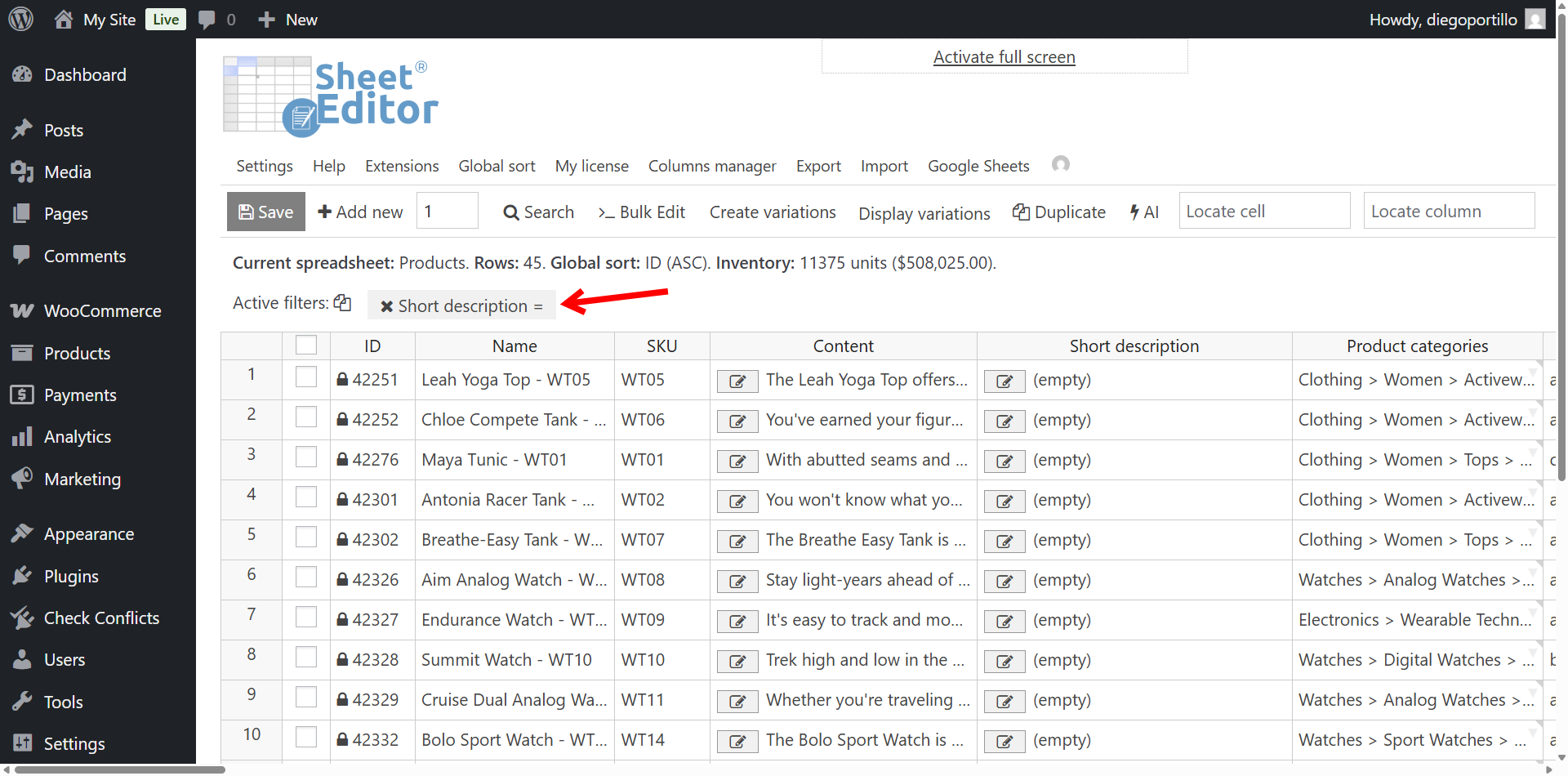
The spreadsheet now displays only the products missing a Short Description.
Step 2: Bulk-Generate Short Descriptions with AI
Instead of editing cells one by one, use the Bulk Edit tool to process every filtered product in a single operation. The AI reads each product’s Content field (the long description), summarizes it, and writes the result into the Short Description field.
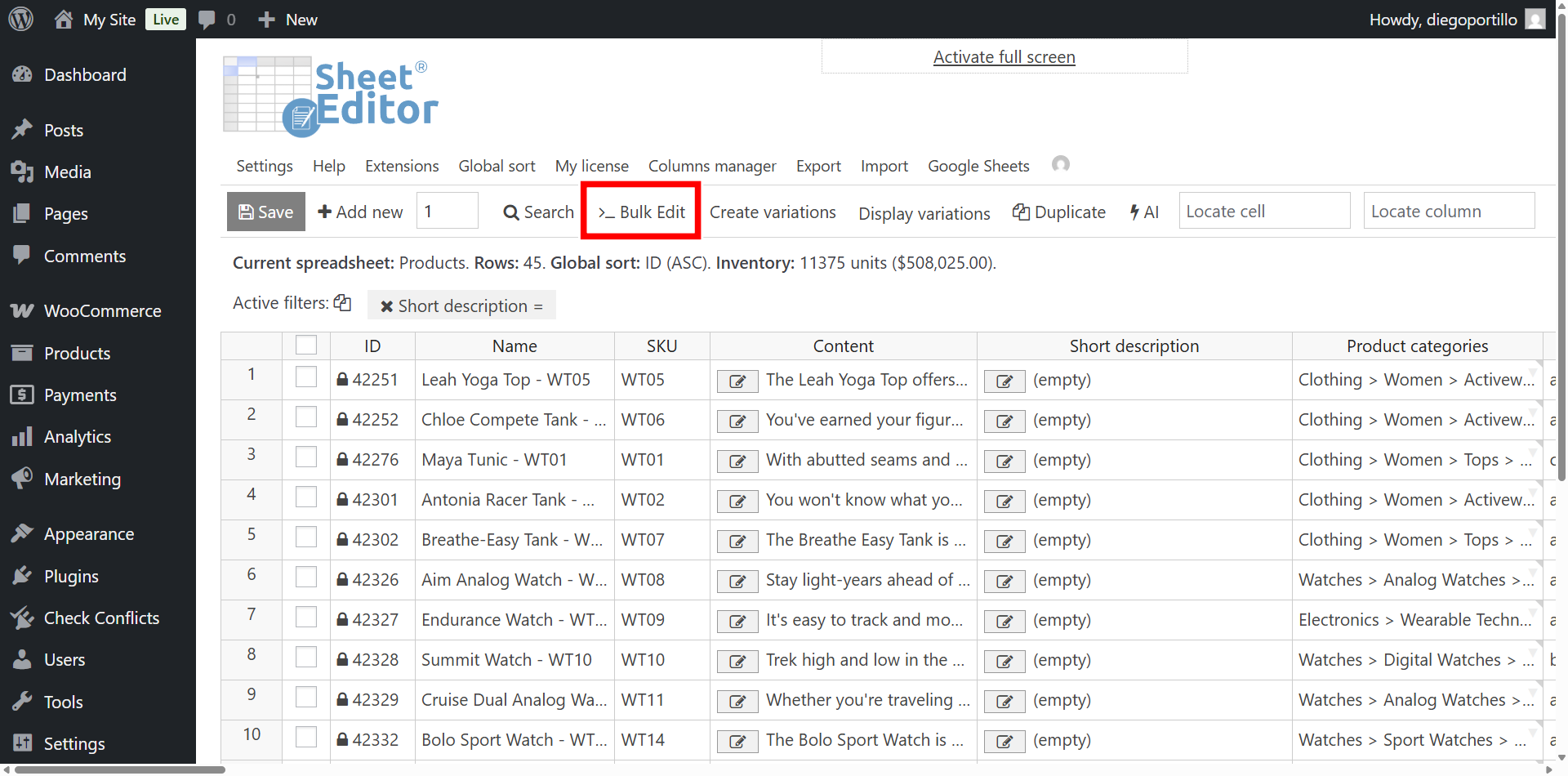
Click Bulk Edit on the toolbar.
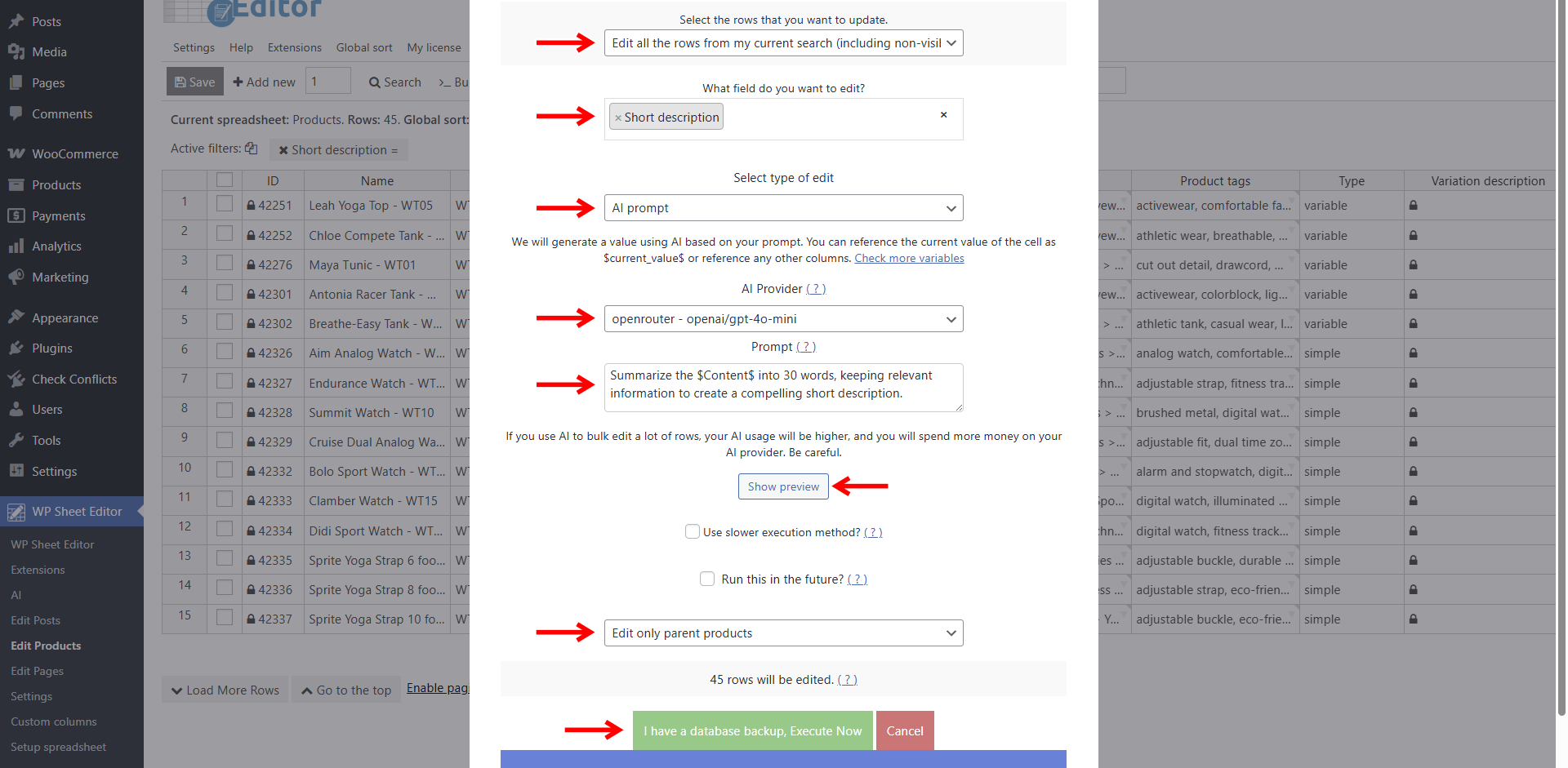
Configure the Bulk Edit settings as follows:
- Select the rows that you want to update: Edit all the rows from my current search
- What field do you want to edit: Short description
- Select type of edit: AI prompt
- AI provider: Select your preferred model. GPT-4o-mini via OpenRouter works well for fast, low-cost summarization; GPT-4, Claude, and Gemini are also supported
- Prompt: Paste your summarization instruction
This prompt tells the AI to read the full long description from the Content field, extract the most relevant selling points, and condense them into a 30-word Short Description suitable for the area above “Add to Cart.”
Summarize the $Content$ into 30 words, keeping relevant information to create a compelling short description.- Click Show preview to check the AI’s output on one sample product before running the full batch
- Select Edit only parent products (avoids processing each variation separately)
- Click Execute Now
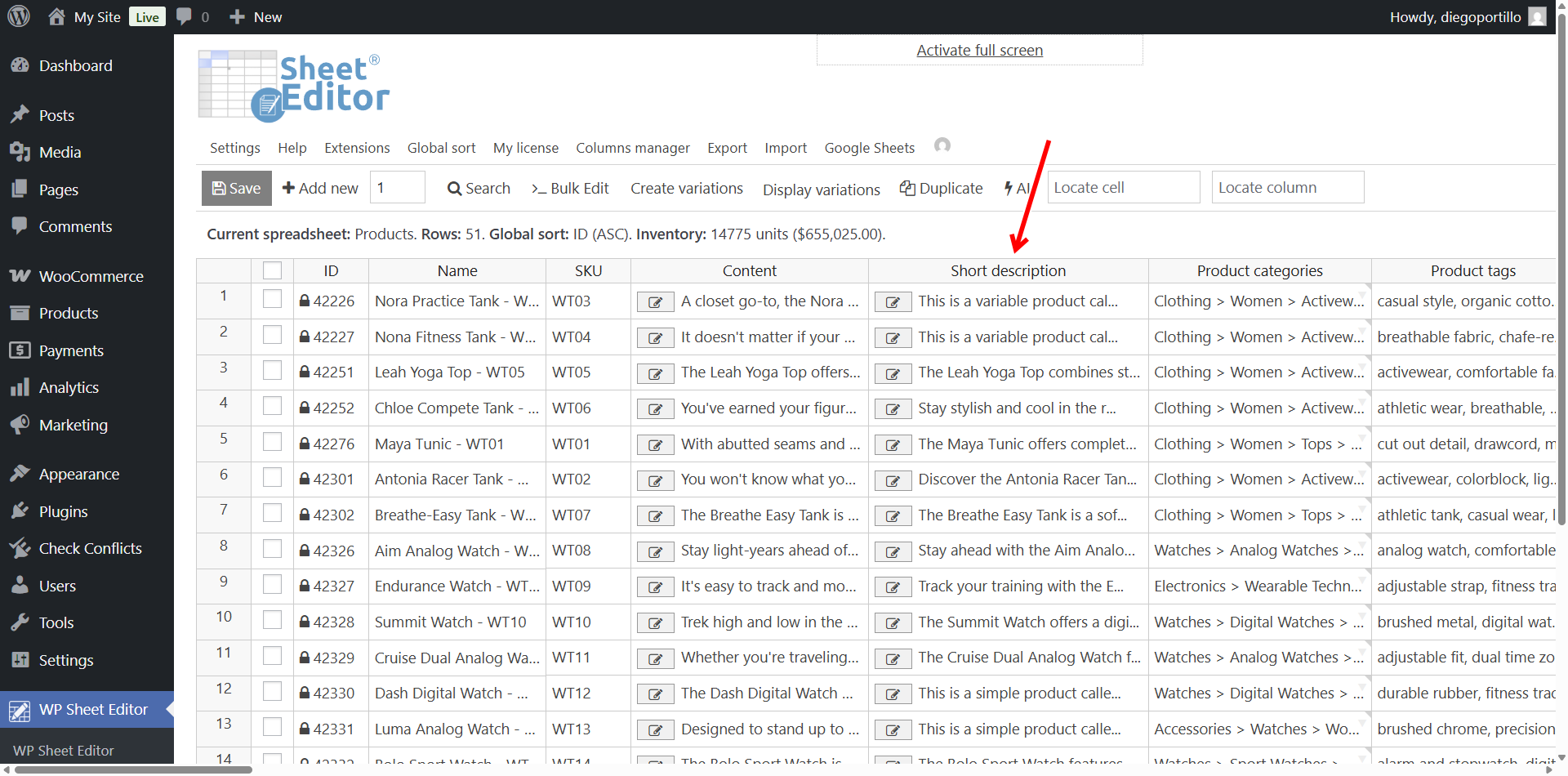
The result: every product that previously had an empty Short Description now has a unique, AI-generated summary. Produced in minutes rather than hours or days of manual writing.
Best Practices for AI Short Description Generation
- Preview before executing. Always click Show preview on one product to verify the AI is producing usable output before running across your full filtered list.
- Set a word limit that fits your theme. The Short Description area varies by theme. Test with 25–35 words and adjust based on how the text renders on your product page.
- Reference the right field. Use
$Content$(not$Title$) in your prompt. The AI needs the long description to summarize, not just the product name. - Generate long descriptions first. If your products are missing both Content and Short Description fields, generate the long descriptions first using the full description generation workflow, then return here to summarize them.
- Spot-check the output. AI summarization is fast but not perfect. Review a handful of generated Short Descriptions and adjust your prompt if you notice recurring issues like missed key features or awkward phrasing.
- Monitor token costs. Summarization is cheaper than full generation because the output is shorter, but costs still scale with catalog size. Test models and you’ll see some models can handle roughly 500 summaries for under $1.
Common Mistakes That Produce Weak Summaries
- Summarizing products with no long description. If the Content field is empty, the AI has nothing to summarize. Filter for products that have a long description but no Short Description instead: set Filter #1 to Short description = empty and Filter #2 to Content ≠ empty.
- Running the job without filtering first. Applying the Bulk Edit to your entire catalog overwrites existing Short Descriptions you may have written by hand.
- Setting the word count too high. A 50-word “short” description often overflows the Short Description area and breaks your product page layout. Stick to 25–35 words unless your theme accommodates more.
- Using the same prompt for every product category. If your catalog spans highly different product types (apparel vs. electronics vs. food), consider saving separate prompts per category that emphasize the selling points relevant to each.
- Skipping the preview step. A prompt that reads well on paper can produce odd output when the AI encounters real product data. Previewing on one product costs a fraction of a cent and saves you from redoing an entire batch.
Frequently Asked Questions
Will the AI produce unique Short Descriptions for each product?
Yes. Each Short Description is generated independently from that product’s Content field. Because every long description is different, every summary is different. No duplicate content risk.
What if some of my products don’t have long descriptions?
You can still generate short descriptions from scratch. Just write a prompt like this:
Write a compelling short description in 25 to 30 words based on $Title$, $Product color$, $Product size$.Of course, this is just an example because it’s better to have full descriptions to summarize.
So, if some of your products have no Content field, use the full AI description generation workflow to create long descriptions first, then return to this tutorial to summarize them. In your filter, combine two conditions: Short description = empty AND Content ≠ empty to target only products with source text available.
Can I customize the tone or style of the generated Short Descriptions?
Yes. Adjust your prompt to include tone instructions. For example: Summarize the $Content$ into 30 words in a playful, energetic tone, keeping relevant information to create a compelling short description. You can save different tone variants as separate global prompts for reuse.
Does this work with product variations?
Yes. But you generate variation descriptions in the Variation description column in WP Sheet Editor. So, when running the Bulk Edit job, make sure to select Variation description as the field to edit, and select Edit only variations. Each variation’s own Content field will be summarized into its Short Description. For more detail, see the variation description tutorial.
How much does it cost to generate Short Descriptions with AI?
WP Sheet Editor – AI handles the connection; your AI provider bills you separately for API tokens. Short Description generation is inexpensive because the output is short. So models like Gemini Flash Lite, Deepseek V4 Flash or GPT-4o-mini process roughly 500 summaries for under $1. Larger models like GPT-4 or Claude cost more. Check your provider dashboard to monitor usage.
Can I also generate long descriptions from Short Descriptions?
Yes — reverse the logic. Use a prompt like: Expand the $Short description$ into a full 150-word product description focusing on benefits, features, and use cases. Write in HTML using only <p> tags. The same tool works in either direction.
Start Generating WooCommerce Short Descriptions with AI Today
Summarizing long product descriptions into tight, conversion-focused Short Descriptions doesn’t have to be a manual chore. With WP Sheet Editor – WooCommerce Products and the WP Sheet Editor – AI extension, you connect your catalog to OpenAI, Claude, Gemini, DeepSeek, or any compatible model, filter for products missing Short Descriptions, and let the AI summarize your existing Content field into persuasive 30-word summaries across your entire catalog, in one bulk operation, without leaving WordPress.
The workflow takes under five minutes to set up regardless of catalog size. Run it once to fill every missing Short Description, then re-run whenever you add new inventory. Connect your API key and start generating today.