
Let’s see how to find for WooCommerce products with duplicate SKU.
Duplicate SKUs can cause serious issues in your WooCommerce store. From incorrect stock counts to confusion when managing orders and syncing inventory with other platforms. Identifying and fixing them manually can take hours if you have hundreds or thousands of products.
Fortunately, with the WP Sheet Editor – WooCommerce Products plugin, you can now search for all products with duplicate SKUs in just a few clicks using the new “Contains duplicate values” operator in the advanced search filters.
You can download the plugin here:
Download WooCommerce Products Spreadsheet Plugin - or - Check the features
Let’s go through the steps to quickly locate duplicate SKUs in your store.
Open the Products Spreadsheet
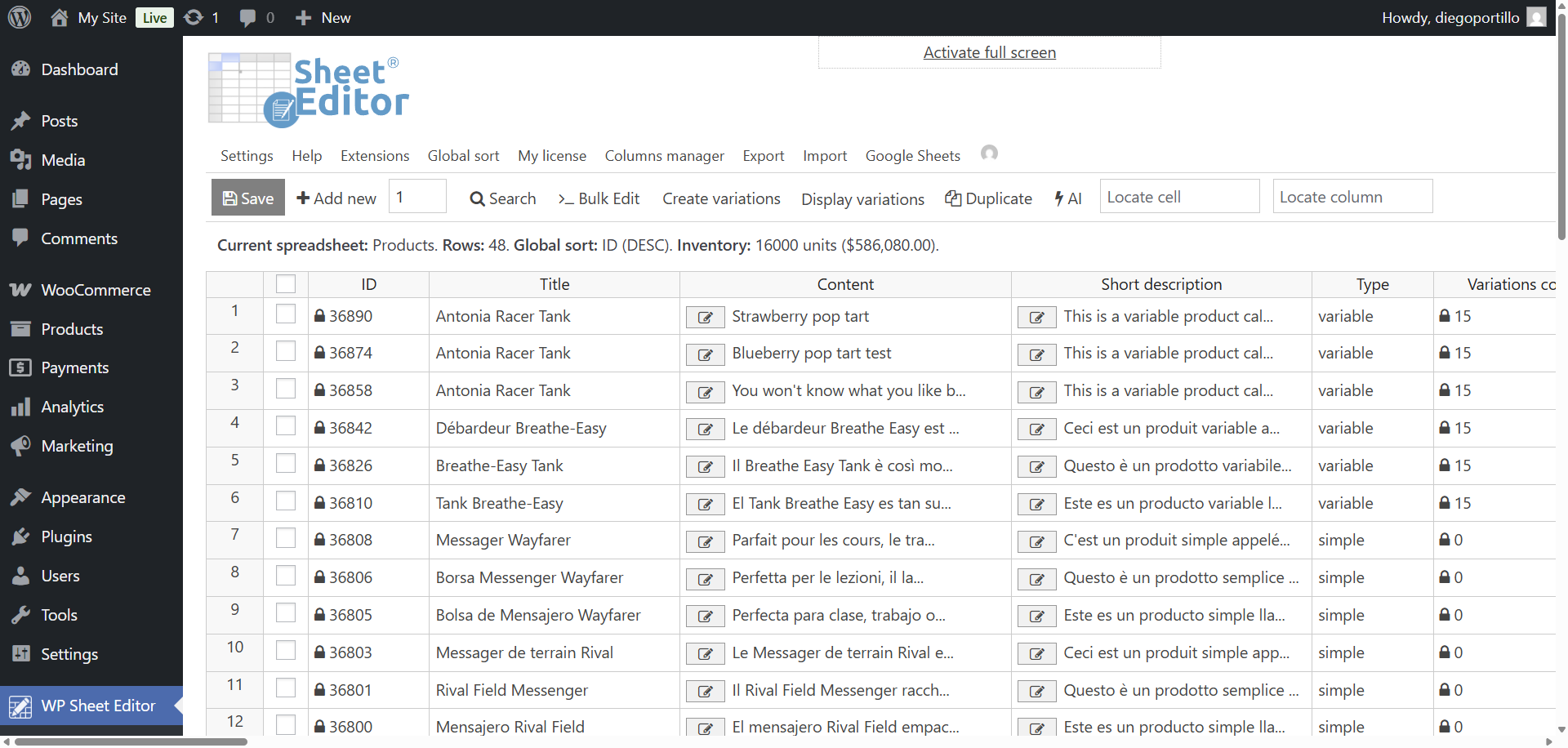
To get started, go to WP Sheet Editor > Edit Products.
The spreadsheet will load all your WooCommerce products, allowing you to view and edit fields like SKU, price, stock, category, and more.
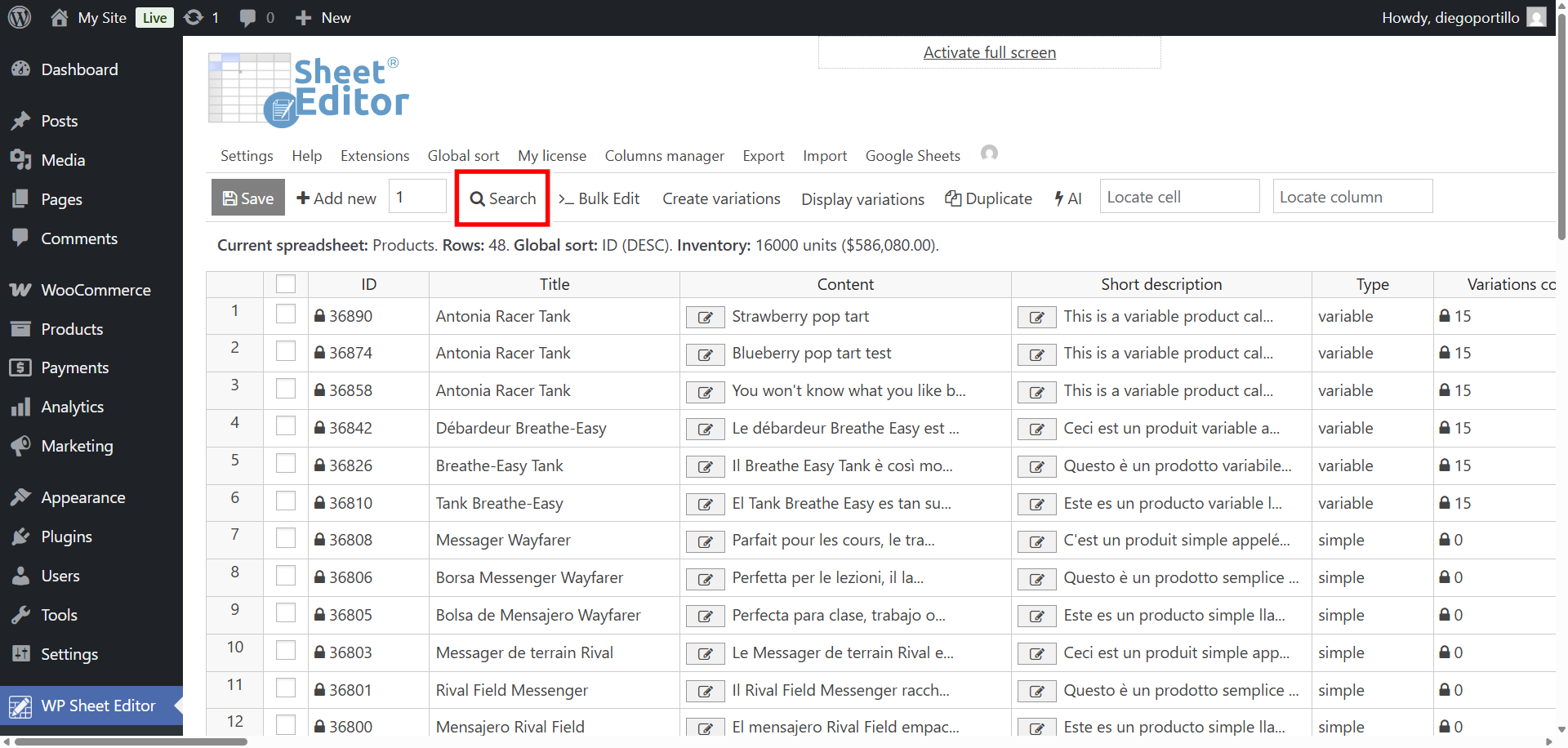
Open the Search tool
Click on the Search button located in the toolbar to open the advanced search panel. This tool allows you to filter products using any field, including SKUs, price, stock status, category, or custom fields.
Search for WooCommerce products with duplicate SKU
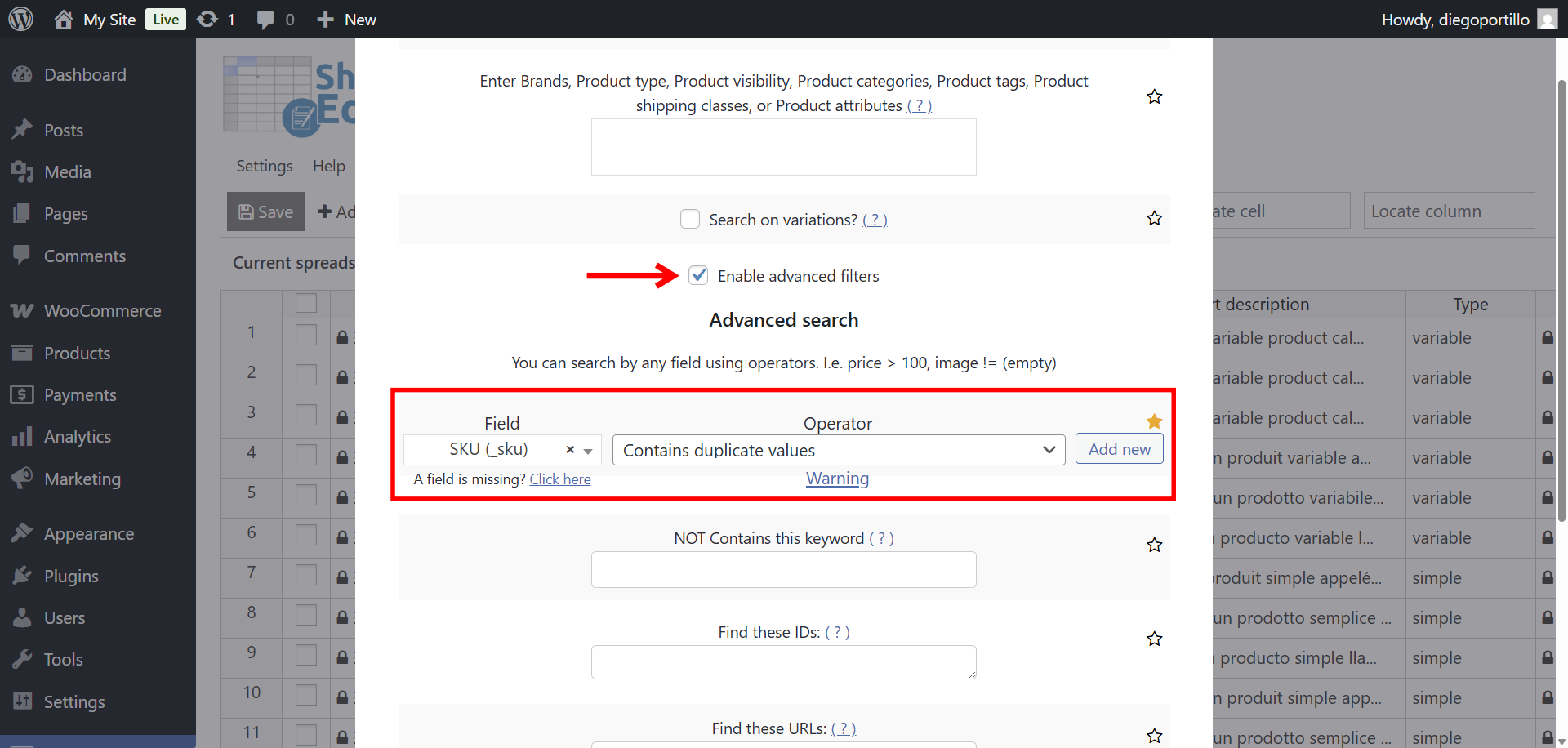
We’ve added a new operator in the Advanced Filters section called “Contains duplicate values”. This operator helps you find all rows where the selected field (like SKU) has duplicates elsewhere in your spreadsheet.
To find duplicate SKUs:
- Tick the Enable advanced filters checkbox.
- Field: SKU
- Operator: Contains duplicate values
- Click on Run search.
Optional – Click on “Search on variations” to filter product variations with duplicate SKU.
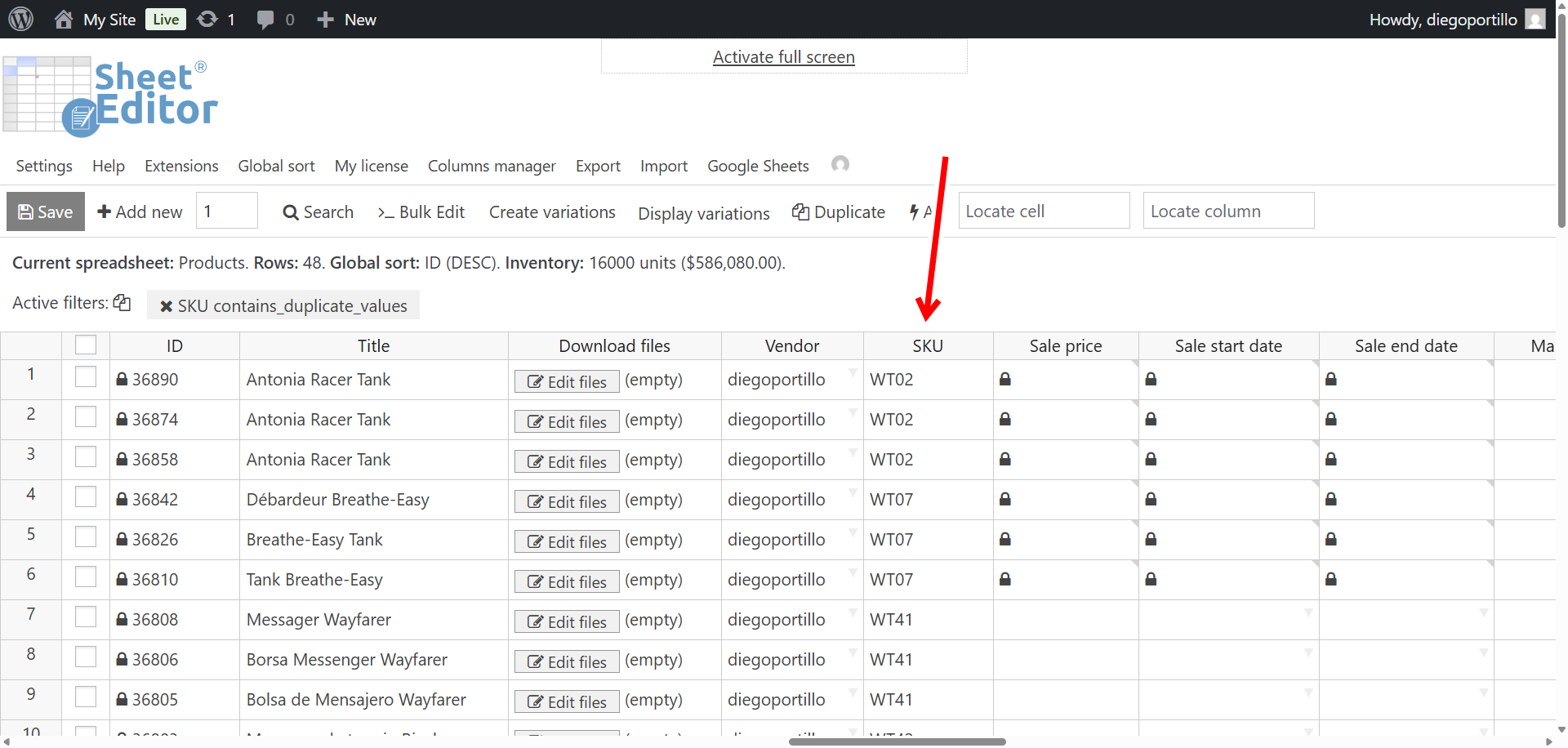
The plugin will instantly display all products that share the same SKU value with one or more other products.
Review and fix duplicate SKUs
Once the search results load, you can easily identify and correct the duplicates directly from the spreadsheet:
- Click any SKU cell to edit it inline.
- Assign unique SKUs to each product as needed.
- Click Save to apply the changes in bulk.
Why finding duplicate SKUs matters
Keeping your SKUs unique ensures accurate inventory management and smooth integrations with accounting, warehouse, and marketing systems. Duplicate SKUs can lead to:
- Incorrect stock updates during imports or syncs.
- Problems with order fulfillment or product identification.
- Reporting errors in sales and stock data.
Manage your WooCommerce products more efficiently
With the new “Contains duplicate values” operator, finding and fixing duplicate SKUs is faster than ever. You can run powerful data checks and clean your catalog without exporting data or writing complex SQL queries.
Keep your store organized and error-free. All from the WP Sheet Editor spreadsheet for WooCommerce products and variations.
You can download the plugin here:
Download WooCommerce Products Spreadsheet Plugin - or - Check the features