
Want to decrease prices of multiple WooCommerce products at once? WP Sheet Editor lets you filter the products you want to update and decrease their prices by a percentage or a fixed amount in bulk.
For example, you can lower the price of hundreds or thousands of products by 5%, subtract $5 from selected prices, or decrease price only for products in a specific category or price range.
In this tutorial, we’ll show you how to decrease WooCommerce prices in bulk using WP Sheet Editor. You can apply the price reduction to simple products, product variations, specific categories or attributes, and products within a specific price range.
What you need to decrease prices in bulk
To decrease the prices of your WooCommerce products in bulk, you need the WP Sheet Editor for WooCommerce Products plugin.
You can download the plugin here:
Download WooCommerce Products Spreadsheet Plugin - or - Check the features
After installing the plugin and activating your license, go to WP Sheet Editor > Edit products in wp-admin to open the spreadsheet.
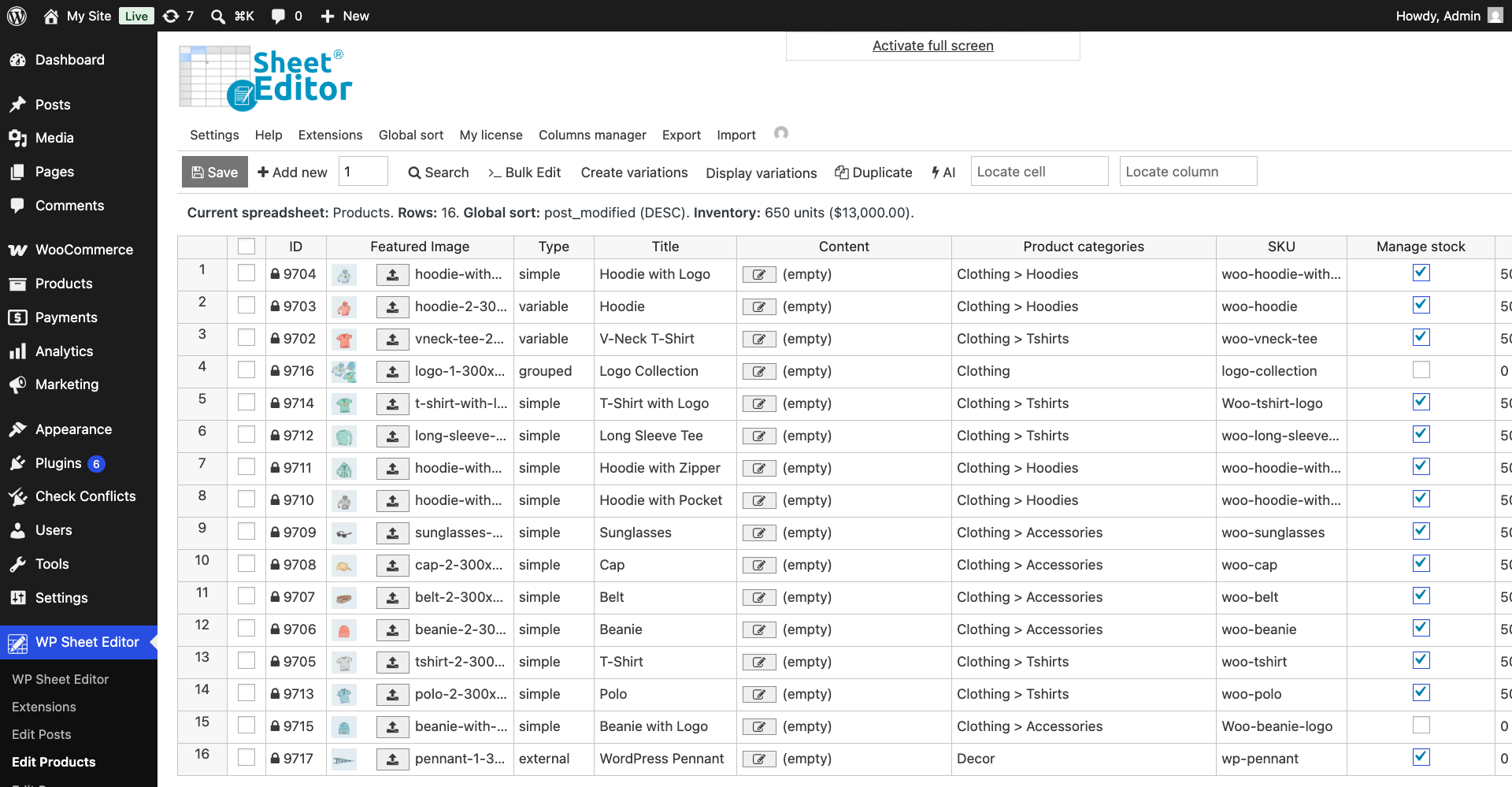
Decrease WooCommerce prices by percentage or fixed amount
To decrease product prices in bulk, you need to follow two steps: filter for the products you want to update and edit their prices in bulk.
Step 1. Filter the products you want to update
Note. If you’re editing all product prices in your store, skip this step and go straight to Step 2.
The advanced product search tool allows you to filter products by:
- Category
- Attribute
- Product type
- Brand
- Price
- Price range
- SKU
- Other product fields
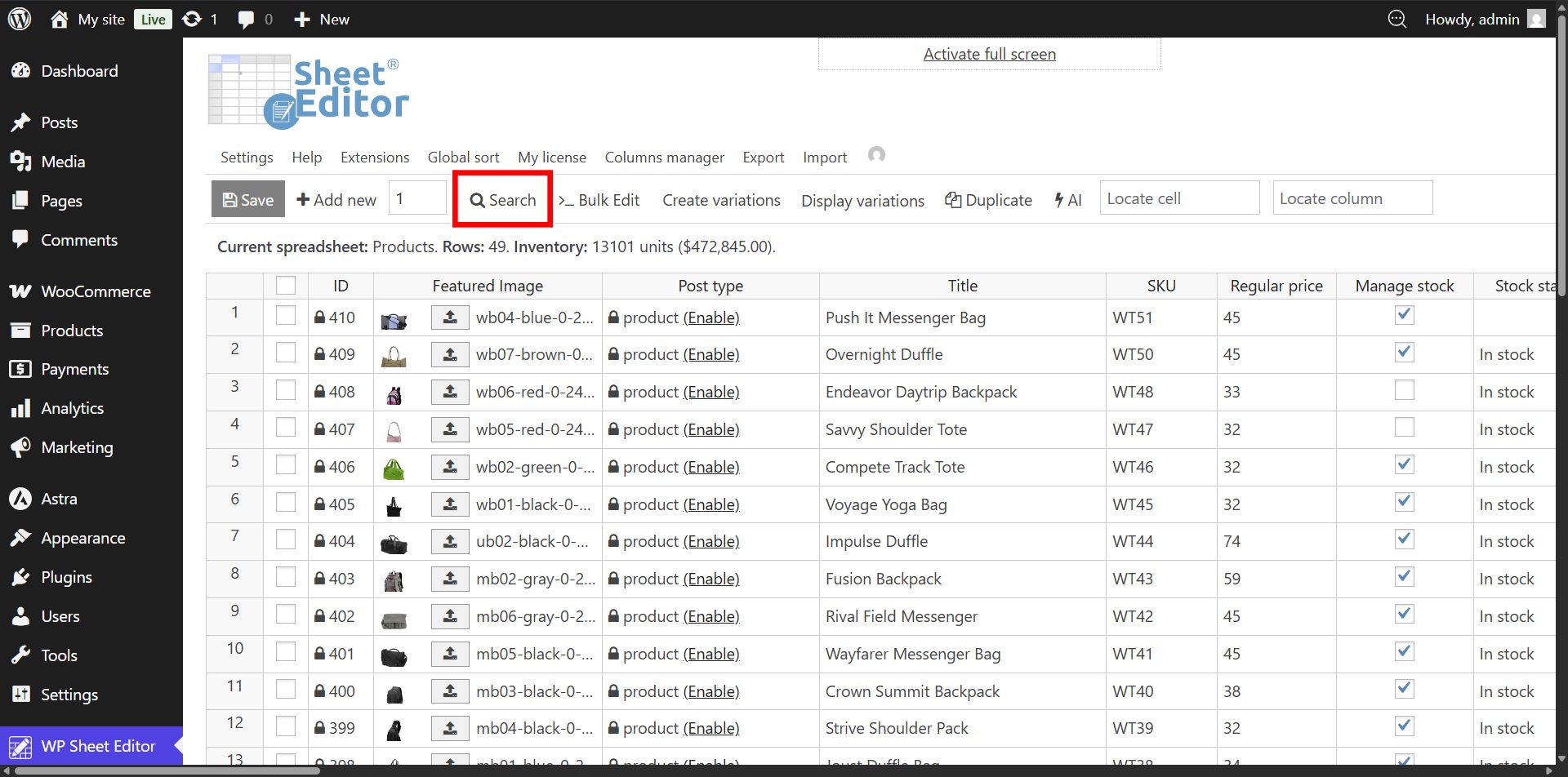
In this example, we will edit all the Simple products within the Clothing category.
In the Search tool:
- Enter the product category in the Enter Product Categories field.
- Tick the Enable advanced filters checkbox and select these values:
- Field: Type
- Operator: =
- Value: Simple
- Click on Run search.
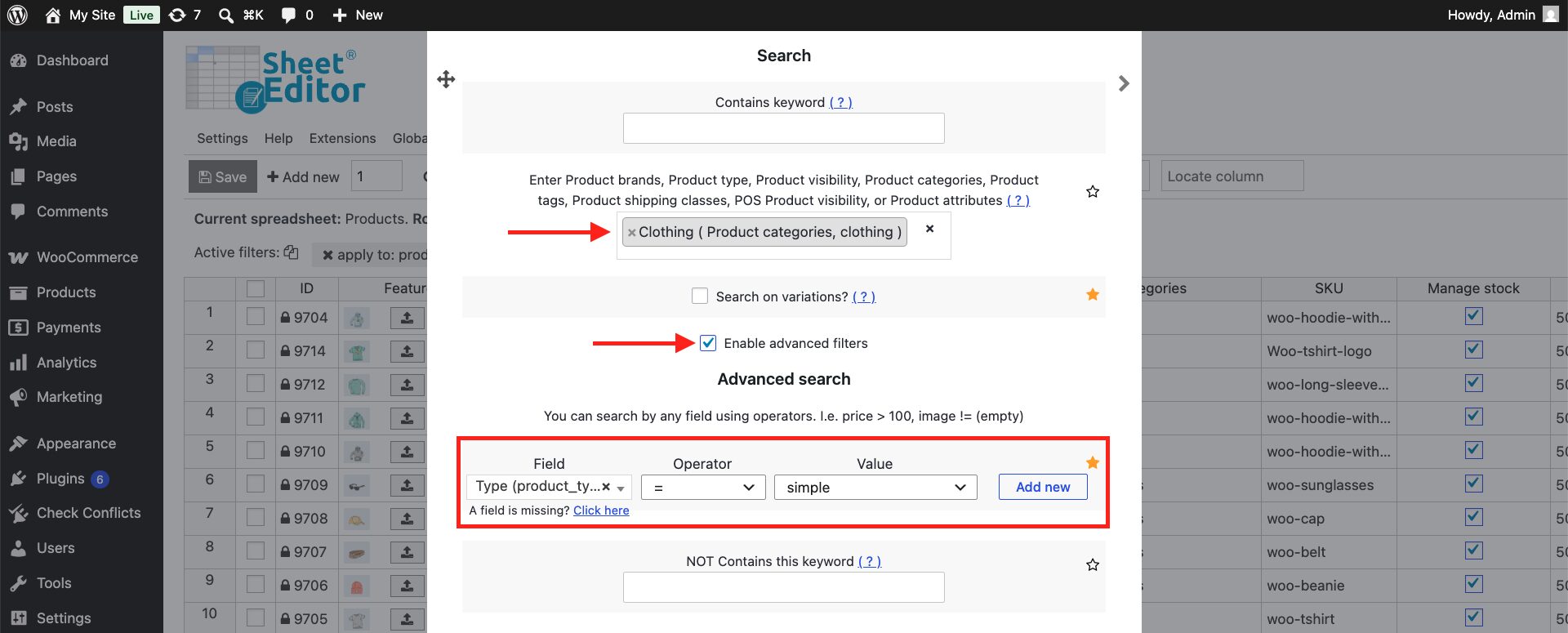
Step 2. Bulk decrease prices by percentage or fixed amount
After running the search, the spreadsheet will display only the products that match your filters. Now you need to open the Bulk Edit tool from the toolbar.
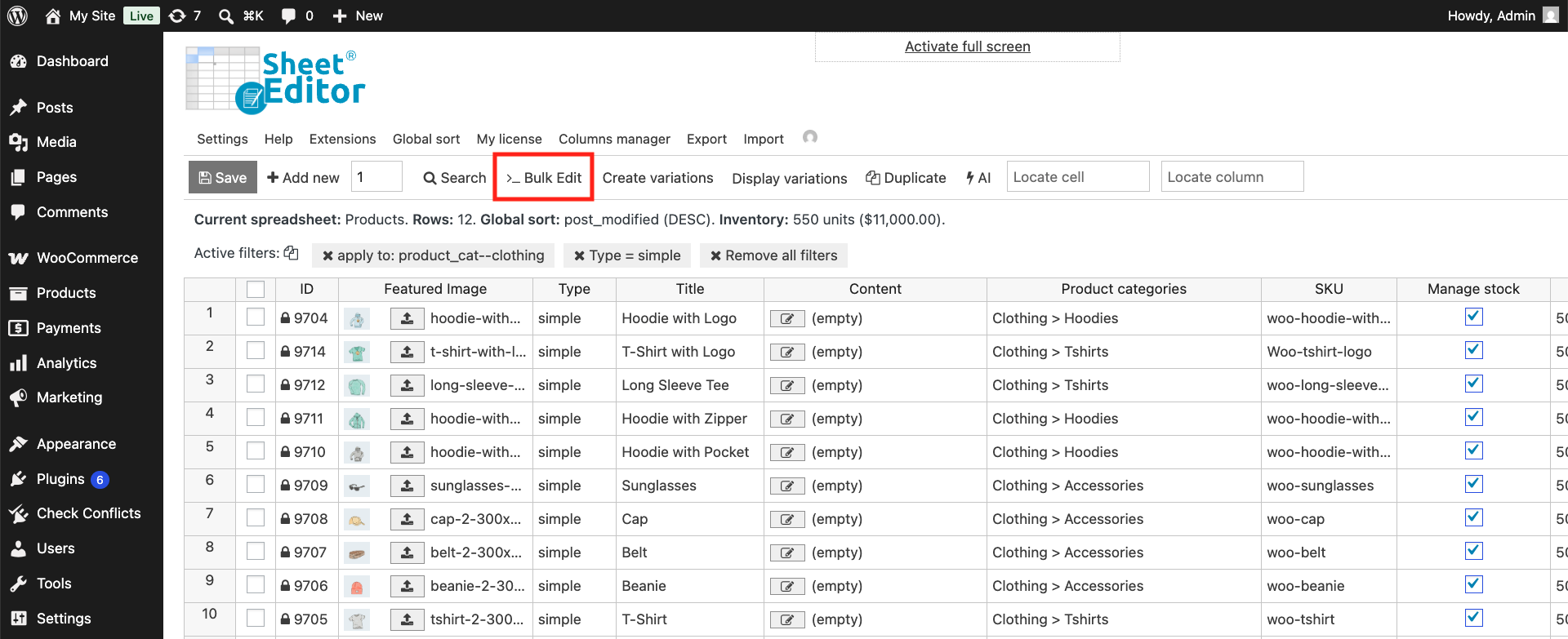
Depending on how you want to decrease prices, select the corresponding values in the Bulk Edit tool.
Decrease by percentage
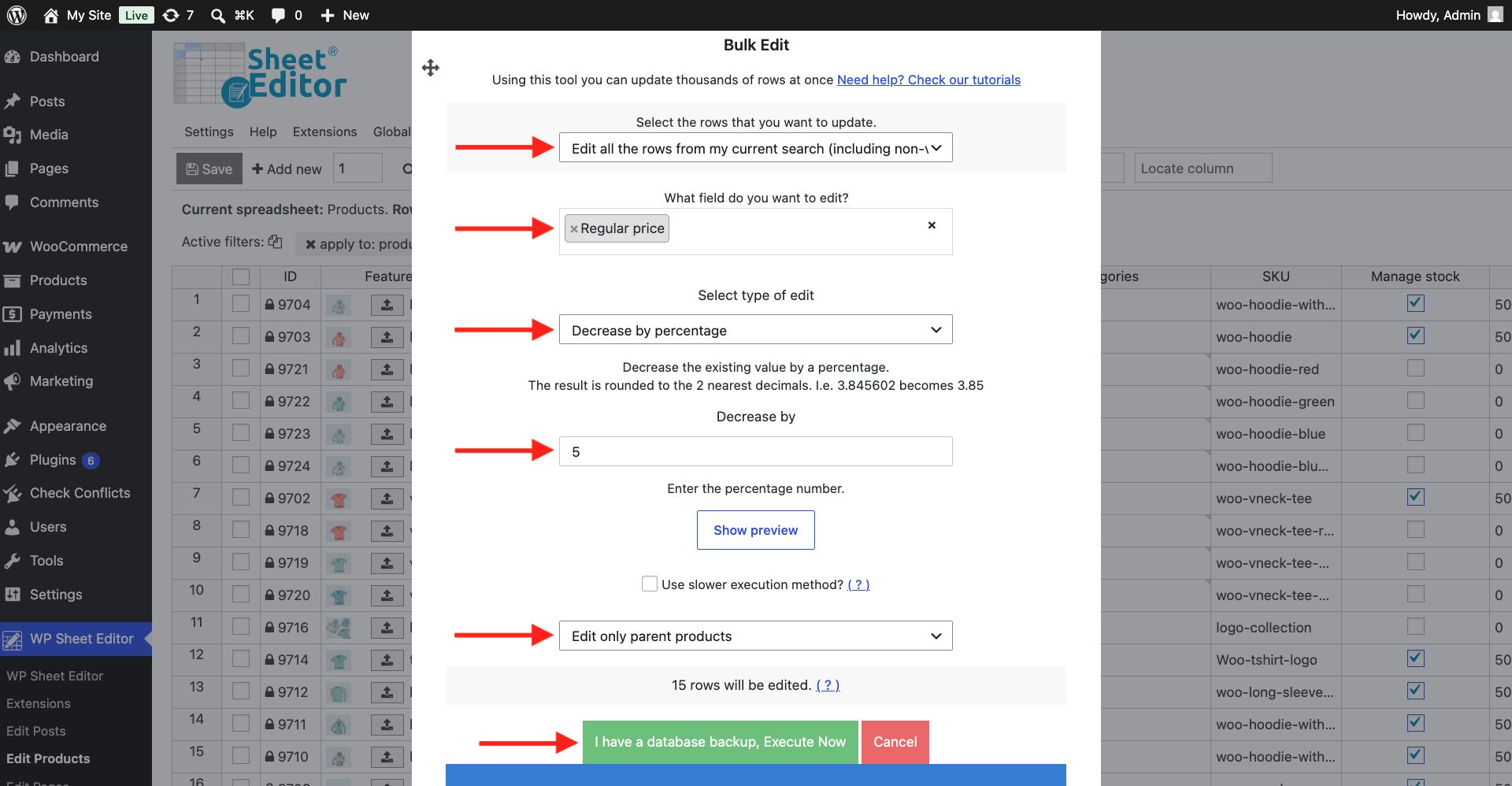
To decrease WooCommerce prices by a percentage, you need to filter the products you want to update, open Bulk Edit, select the Regular price field, choose Decrease by percentage, enter the percentage, and click Execute Now.
Choose this option if you want to subtract 5% (or any other percentage) from your product prices:
- Select the rows that you want to update: Edit all the rows from my current search (including non-visible rows)
- What field do you want to edit: Regular price
- Select type of edit: Decrease by percentage
- Decrease by: In this example, we will decrease prices by 5%, so enter 5.
- Select what you will edit: Edit only parent products
- Click on Execute Now.
Decrease by fixed amount
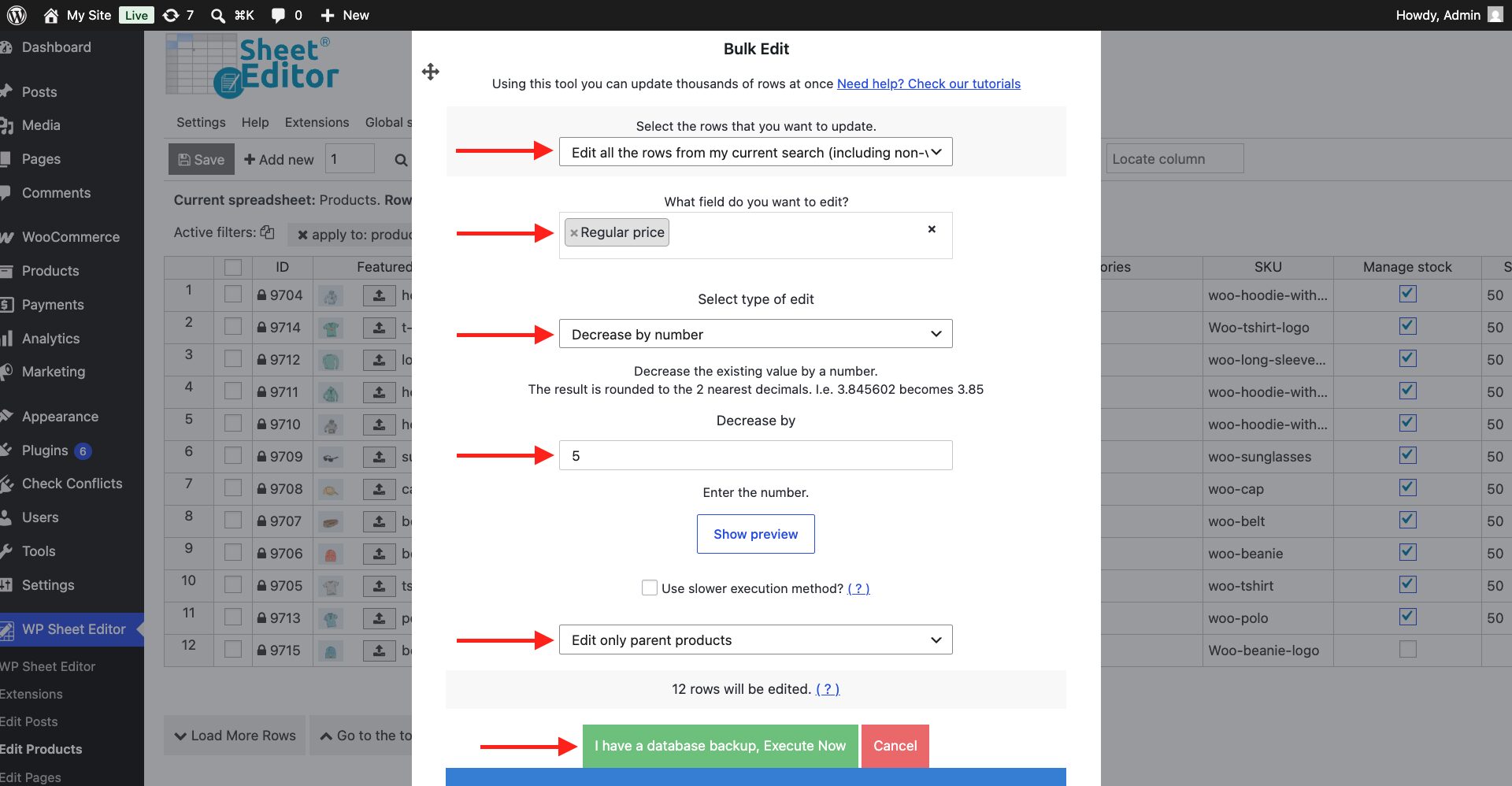
To decrease WooCommerce prices by a fixed amount, filter the products you want to update, open Bulk Edit, select the Regular price field, choose Decrease by number, enter the amount, and click Execute Now.
Choose this option if you want to subtract a $5 (or any other amount) from your product prices:
- Select the rows that you want to update: Edit all the rows from my current search (including non-visible rows)
- What field do you want to edit: Regular price
- Select type of edit: Decrease by number
- Decrease by: In this example, we will decrease prices by $5, so enter 5.
- Select what you will edit: Edit only parent products
- Click on Execute Now.
Optional: Decrease prices of product variations
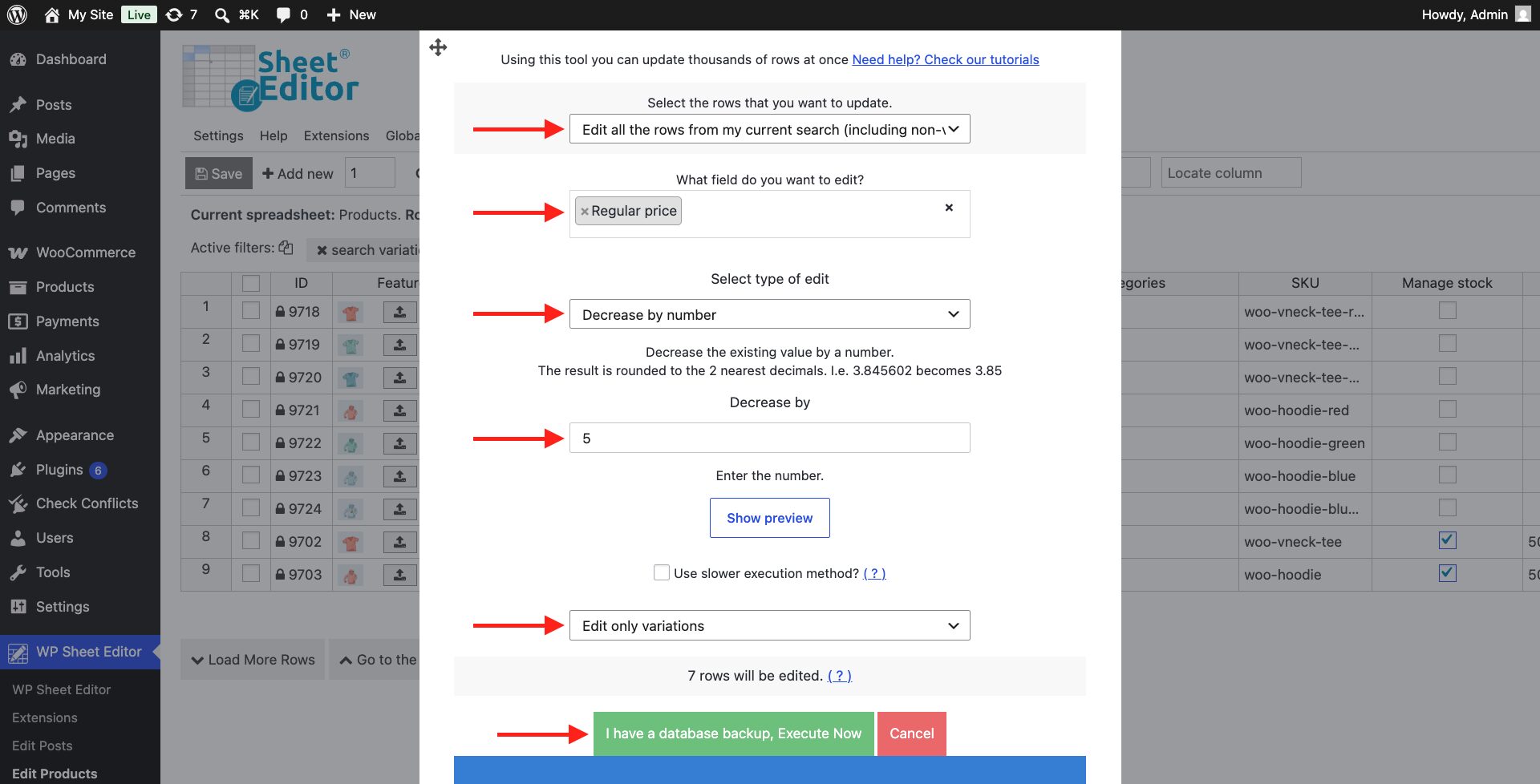
To decrease WooCommerce variation prices in bulk, first filter the products so the spreadsheet shows the variations you want to update. Then open the Bulk Edit tool and select these values:
- Select the rows that you want to update: Edit all the rows from my current search (including non-visible rows)
- What field do you want to edit: Regular price
- Select type of edit: Decrease by number / Decrease by percentage
- Decrease by: Enter the number of the percentage or amount
- Select what you will edit: Edit only variations
- Click on Execute Now.
With WP Sheet Editor, you can decrease WooCommerce product prices in bulk instead of updating products one by one. Filter the products you want to change, then use the Bulk Edit tool to decrease their regular prices by a percentage or a fixed amount. You can also apply price reductions to specific categories, product types, price ranges, or variations.
If you need to make a different type of WooCommerce price change, you can:
- Search and replace product prices
- Increase prices by percentage or fixed amount
- Set the same price for multiple products
You can download the plugin here:
Download WooCommerce Products Spreadsheet Plugin - or - Check the features