
Every WooCommerce store owner or manager has repetitive tasks that take up more time than they should. You might spend part of the day writing product descriptions, answering the same customer questions, and updating product tags or SEO fields. When your store has hundreds or thousands of products, those tasks can quickly add up.
AI tools can help with some of that work. The idea isn’t to hand your entire store over to artificial intelligence, but to use it where it can save you time. For example, you can use AI to update product content in bulk, answer common customer questions, create product recommendations, or prepare marketing assets.
You can also read about the best LLMs to generate WooCommerce product descriptions.
Here are some AI tools that can help with different parts of running a WooCommerce store:
1. WP Sheet Editor – AI (Best AI Tool for Bulk WooCommerce Content)
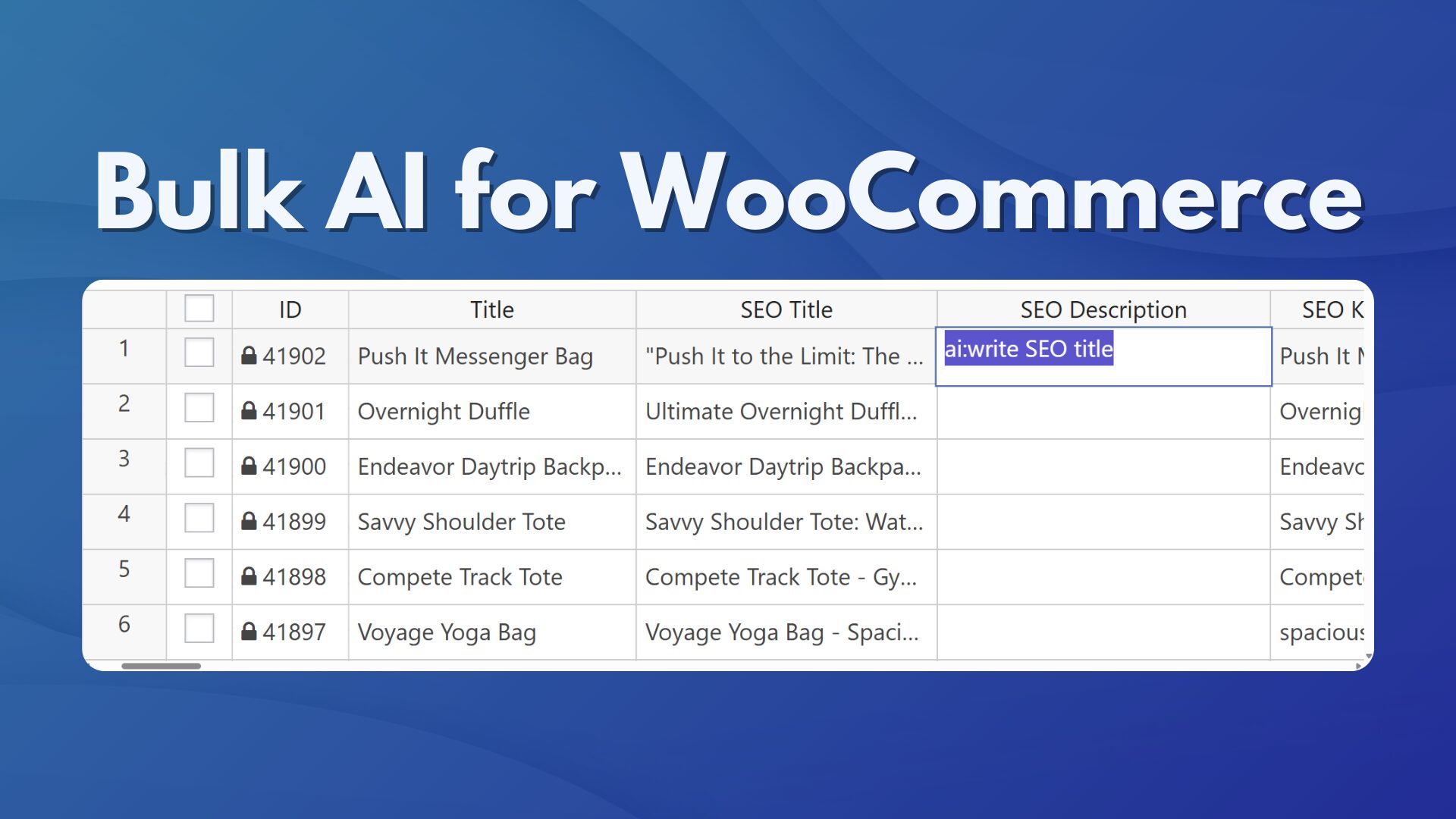
When you manage a large WooCommerce catalog, editing products one at a time can get tedious quickly. WP Sheet Editor – AI adds AI tools to WP Sheet Editor’s spreadsheet interface inside your WordPress dashboard. Instead of opening individual product pages, you can work with many products at once.
Get the extension here:
Sign up to the WP Sheet Editor - AI Service - or - Check the features
You can connect AI providers such as OpenAI (ChatGPT), OpenRouter, Studio LM, Gemini, and local LLMs, then use them to work with your product data directly from the spreadsheet.
Some practical ways to use it include:
- Write product descriptions: Generate long or short descriptions for products that are missing them, using information such as product titles, categories, and attributes.
- Rewrite existing product descriptions: Refresh outdated or repetitive descriptions while keeping important product details intact.
- Optimize product descriptions for SEO: Improve existing copy so it is clearer and better aligned with your target keywords and product categories.
- Improve existing SEO content: Update meta titles, meta descriptions, excerpts, and image metadata for older products.
- Create SEO meta titles: Generate meta titles in bulk based on product information and your naming rules.
- Generate product excerpts: Create short descriptions with a consistent format for product listings.
- Add product tags: Use product information to help assign relevant taxonomy tags.
- Fill custom fields: Populate ACF (Advanced Custom Fields) and other meta fields with information such as key features or technical specifications.
- Translate product information: Translate titles, descriptions, and custom fields when preparing your catalog for different languages.
Instead of running a prompt separately for every product, the Bulk AI API lets you apply prompts to thousands of selected products in one batch. You can filter your catalog first, such as by selecting products that are missing descriptions or products from a specific category, and then run the prompt only on those products.
2. Tidio AI / Lyro (WooCommerce Customer Support)
Tidio’s Lyro AI connects to your WooCommerce product catalog and can use synced product information to answer questions and recommend products during customer chats.
- WooCommerce product sync: Connect your WooCommerce catalog to Lyro without coding.
- Smart product recommendations: Recommend products based on what shoppers ask about during a conversation.
- Interactive follow-up questions: Ask shoppers additional questions to better understand what they are looking for.
- Visual product cards: Show product information and previews directly in the chat.
- Catalog management: Resync your catalog, review products, or hide specific items from the AI agent.
- Automated support: Answer common customer questions using information from your synced store data.

3. AI Product Recommendations Pro (WooCommerce Upsells)
Managing upsells and cross-sells manually can become difficult as your catalog grows. AI Product Recommendations Pro uses shopper behavior, cart contents, and order history to automate product recommendations.
Instead of creating and maintaining a large number of manual rules, the plugin can display personalized cross-sells, “frequently bought together” products, and offers at checkout. This can reduce the amount of manual work involved in managing product recommendations.

4. Google Pomelli (WooCommerce Brand Marketing Assets – External Tool)
Keeping your branding consistent across your store, ads, and social media can take a lot of design work. Google Pomelli analyzes your website to identify elements such as your colors, fonts, logos, and overall visual style.
It can then use that information to create promotional banners, ad graphics, and other marketing assets that follow the same visual direction. This can be useful when you need new promotional materials without creating every design from scratch.

Adding AI to your WooCommerce store doesn’t mean you need to automate everything. It can be as simple as using AI for the repetitive tasks that take up your time. Whether you’re updating product descriptions in bulk, answering common customer questions, managing product recommendations, or creating product visuals, these tools can help reduce the amount of manual work involved. That leaves you with more time to focus on your products, your customers, and the day-to-day work of running your store.