
If you want to find products by initial letter in WooCommerce, you can use WP Sheet Editor to filter products whose titles start with a specific letter.
For example, you can find all products starting with “S” and edit the matching products in a spreadsheet.
In this tutorial, we’ll show you how to search WooCommerce products by their first letter using the WP Sheet Editor – WooCommerce Products plugin.
1. Install WP Sheet Editor – WooCommerce Products
We’ll use the WP Sheet Editor – WooCommerce Products plugin to search products by their initial letter and manage the results in a spreadsheet.
You can download the plugin here:
Download WooCommerce Products Spreadsheet Plugin - or - Check the features
After installing and activating the plugin, go to WP Sheet Editor > Edit Products to open the products spreadsheet.

2. Open the Search Tool
Click Search on the spreadsheet toolbar to open the product search filters.

3. Find WooCommerce Products by Initial Letter
To find products whose titles start with a specific letter, enable the Enable advanced filters checkbox.
Configure the search filters as follows:
- Field key: Title
- Operator: STARTS WITH
- Value: Enter the initial letter, such as S.
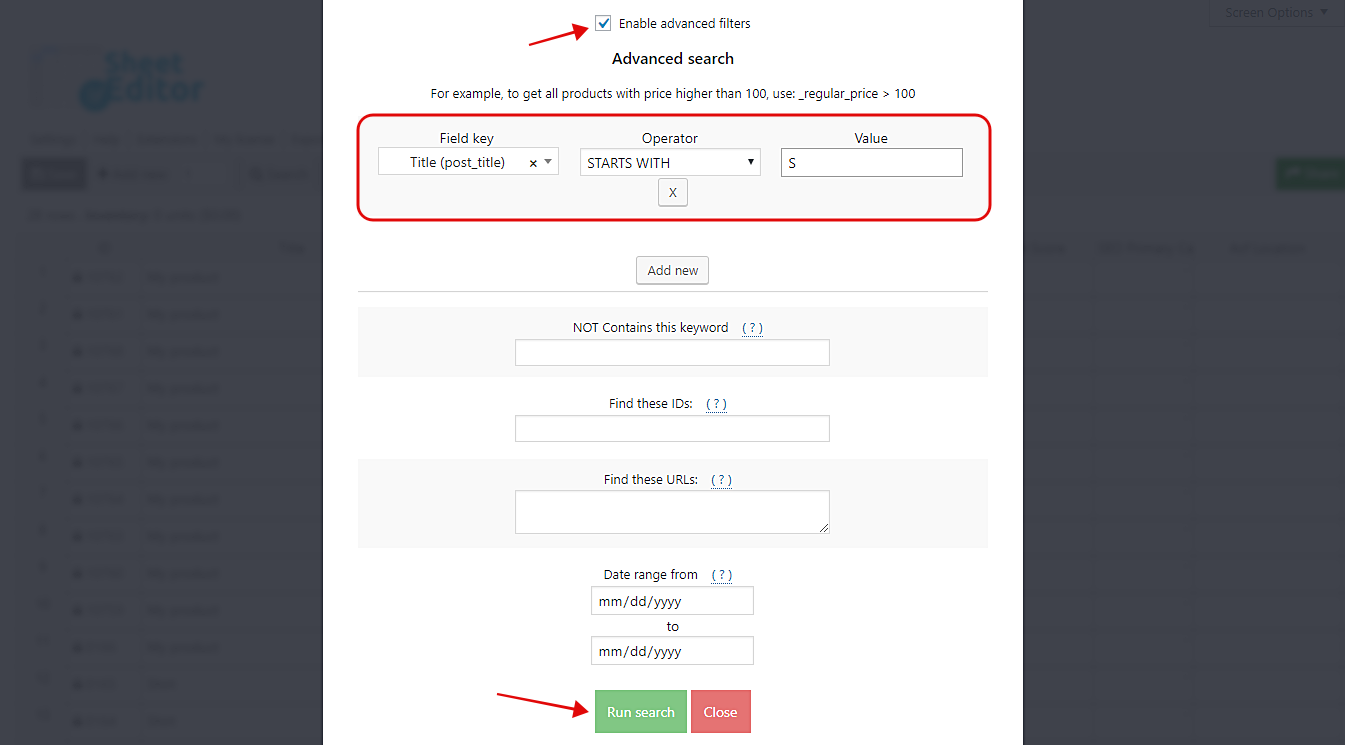
Click Run search to display the matching products.
For example, searching for the letter “S” returns products with titles starting with that letter.
4. Edit the Products Found by Initial Letter
WP Sheet Editor displays the matching products in the spreadsheet.

You can now:
- Edit product titles and descriptions.
- Update product prices and stock quantities.
- Change product categories and attributes.
- Use the Bulk Edit tool to update all matching products at once.
Save your changes when you finish editing.
With WP Sheet Editor – WooCommerce Products, you can find products by initial letter using the Title → STARTS WITH filter.
You can also search products by keywords, categories, attributes, and other fields, then edit the matching products directly in the spreadsheet or using the Bulk Edit tool.
You can download the plugin here:
Download WooCommerce Products Spreadsheet Plugin - or - Check the features