
Do you have hundreds or even thousands of WordPress posts missing SEO meta descriptions? If so, you are missing out on a critical opportunity to improve your click-through rates (CTR) from search engine result pages.
Manually writing SEO meta descriptions is one of the most tedious and time-consuming SEO tasks. You have to open every single post, read and summarize the content, and ensure it perfectly fits within the 155-160 character limit. It is a slow, repetitive process that can take days if you have a large content library.
But what if you could automate this entire workflow?
With WP Sheet Editor – AI, you can use the power of artificial intelligence to write missing meta descriptions in seconds. Instead of manual data entry, you can let a Large Language Model (like GPT-4, Gemini, Claude, or Deepseek) analyze your post content and generate high-quality, highly-clickable, and SEO-friendly descriptions.
In this tutorial, we will show you two powerful ways to generate meta descriptions: directly inside the spreadsheet cells using a custom AI shortcut, and in bulk for hundreds of posts at once.
Table of Contents
Requirements for writing meta descriptions with AI
To follow this guide and automate your SEO workflow, you need to have these tools installed on your WordPress site:
1- WP Sheet Editor – Post Types
This plugin allows you to view and manage your WordPress posts, pages, and custom post types in an intuitive, professional spreadsheet. It makes it incredibly easy to filter content, run advanced searches, and edit SEO fields quickly.
You can download the plugin here:
Download Posts, Pages, and Custom Post Types Spreadsheet Plugin - or - Check the features
2- WP Sheet Editor – AI
This is the bridge that connects your WordPress spreadsheet to powerful artificial intelligence providers. It allows you to run cell-level and bulk actions using generative AI.
You can sign up here:
Sign up to the WP Sheet Editor - AI Service - or - Check the features
3- An External AI Provider
You need an active account and an API key from one of the major AI providers supported by our plugin (OpenAI, OpenRouter, any OpenAI-compatible provider).
If you need help connecting your key, please refer to our configuration guide.
4- An SEO Plugin
Whether you use Yoast SEO, Rank Math, or All in One SEO (AIOSEO), WP Sheet Editor can detect and display their custom fields automatically in the spreadsheet.
Creating a global prompt for writing SEO descriptions
First, we need to create a reusable AI prompt; this will simplify the task because you won’t have to manually type the instructions every time you want the AI to write a meta description.
Go to the WP Sheet Editor > AI > Settings > Prompts.
Once you’re there, click on Add new.
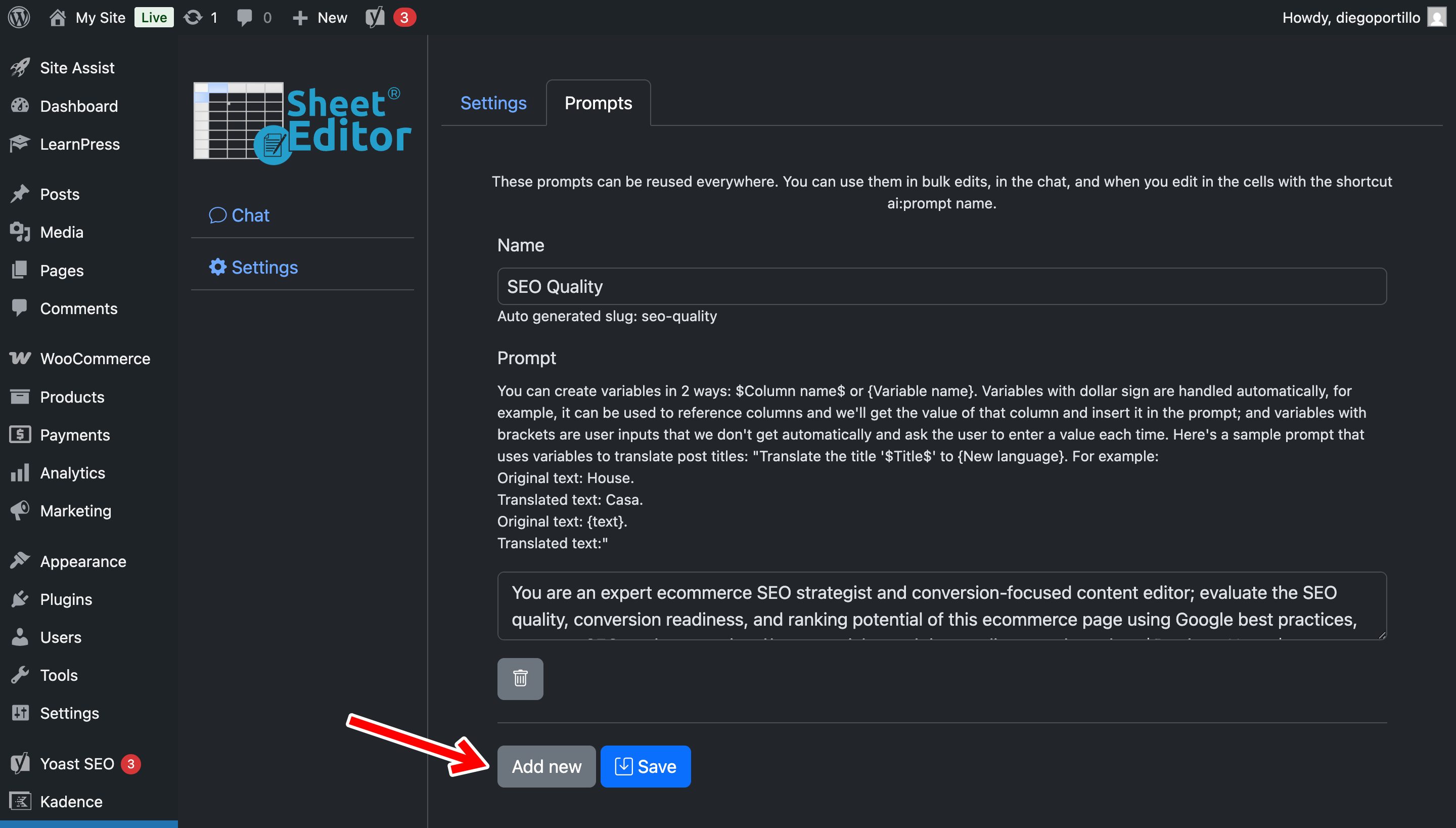
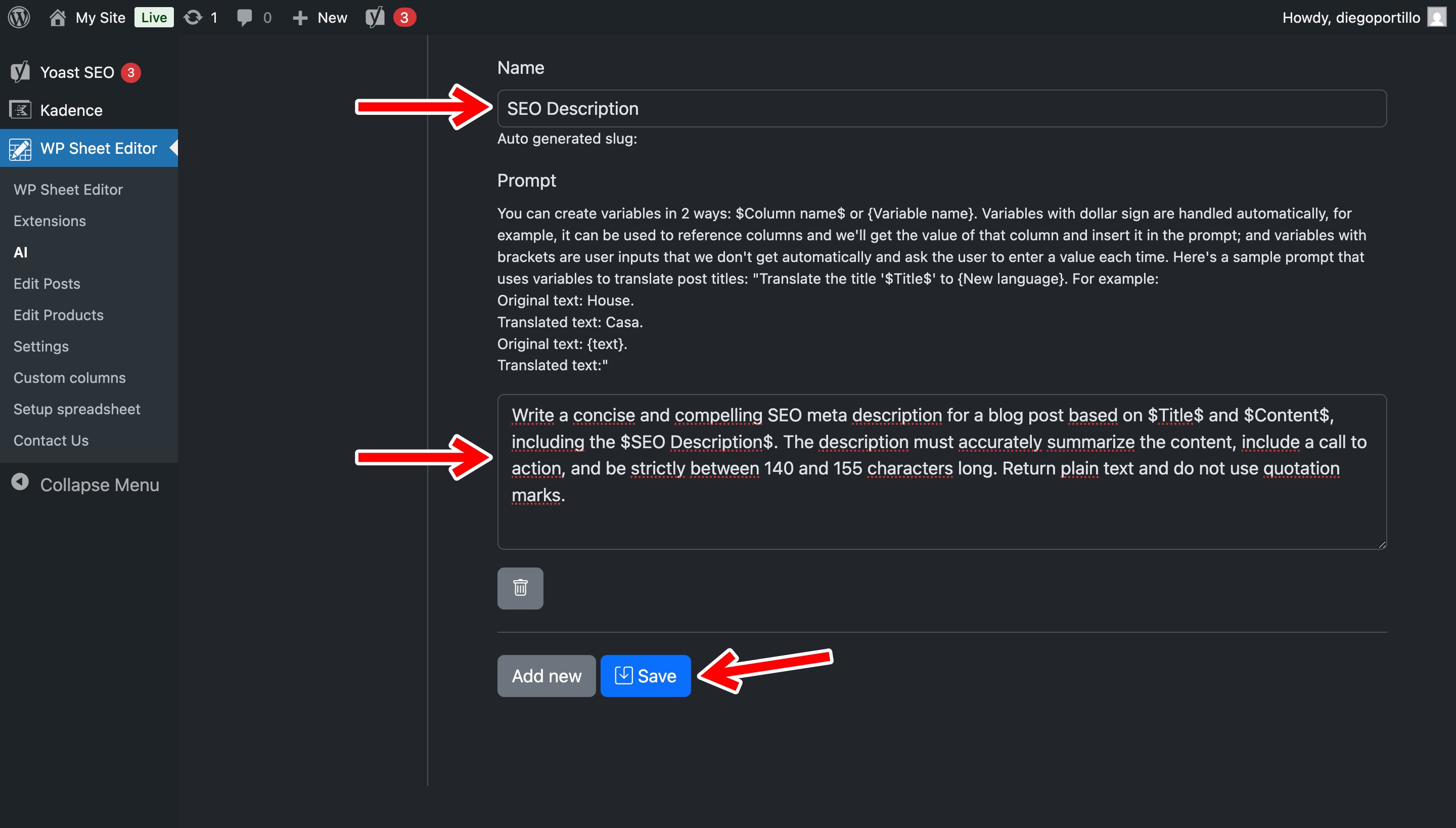
Now let’s create the prompt by using these values:
- Name your prompt: Let’s call it
SEO Description - Enter the following prompt template:
Write a concise and compelling SEO meta description for a blog post based on $Title$ and $Content$, including the $SEO Description$. The description must accurately summarize the content, include a call to action, and be strictly between 140 and 155 characters long. Return plain text and do not use quotation marks.- Note. The system will automatically replace the
$Title$,$Content$, and$SEO Description$placeholders with the specific data from the row you are editing. - Click on Save.
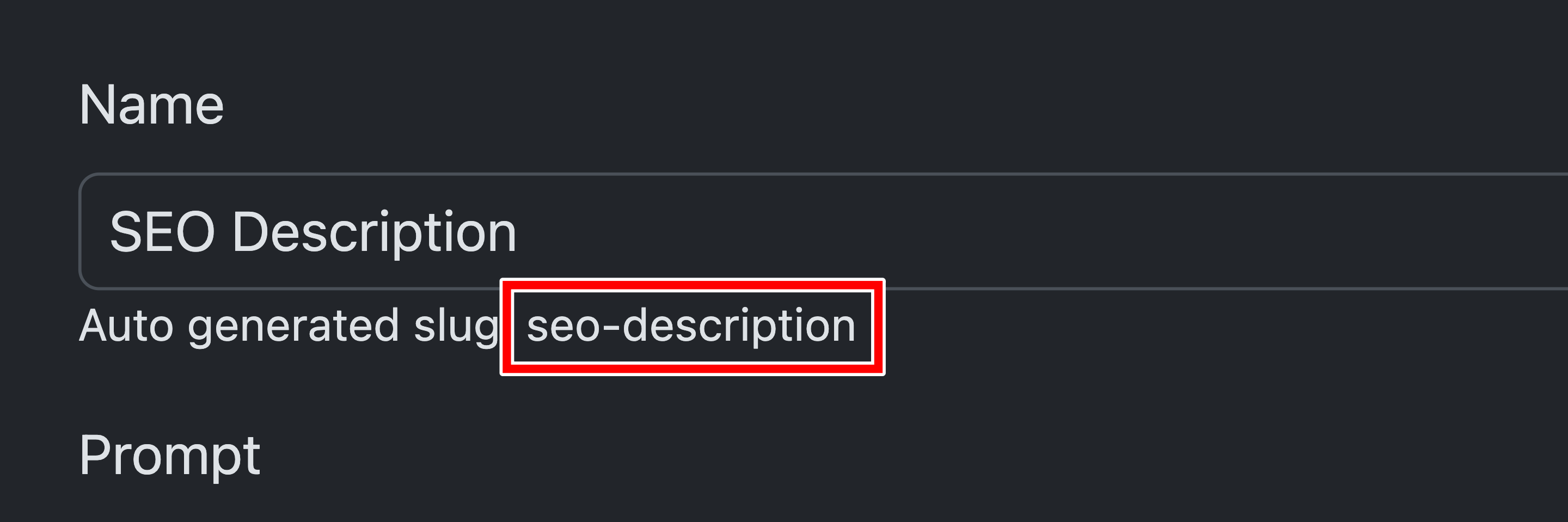
After saving the prompt, you’ll see its auto generated slug. This is important because you can use this global prompt in spreadsheet cells in WP Sheet Editor by typing:
ai:prompt-slug
In this case:
ai:seo-description
Method 1: Generate SEO descriptions in the spreadsheet
If you want to review posts individually and generate descriptions one by one without leaving the spreadsheet view, you can use the global prompt shortcut in the empty cells of the SEO Description column. This is the fastest way to handle missing descriptions as you scroll through your content.
Navigate to WP Sheet Editor > Edit Posts. to open the WordPress posts spreadsheet.
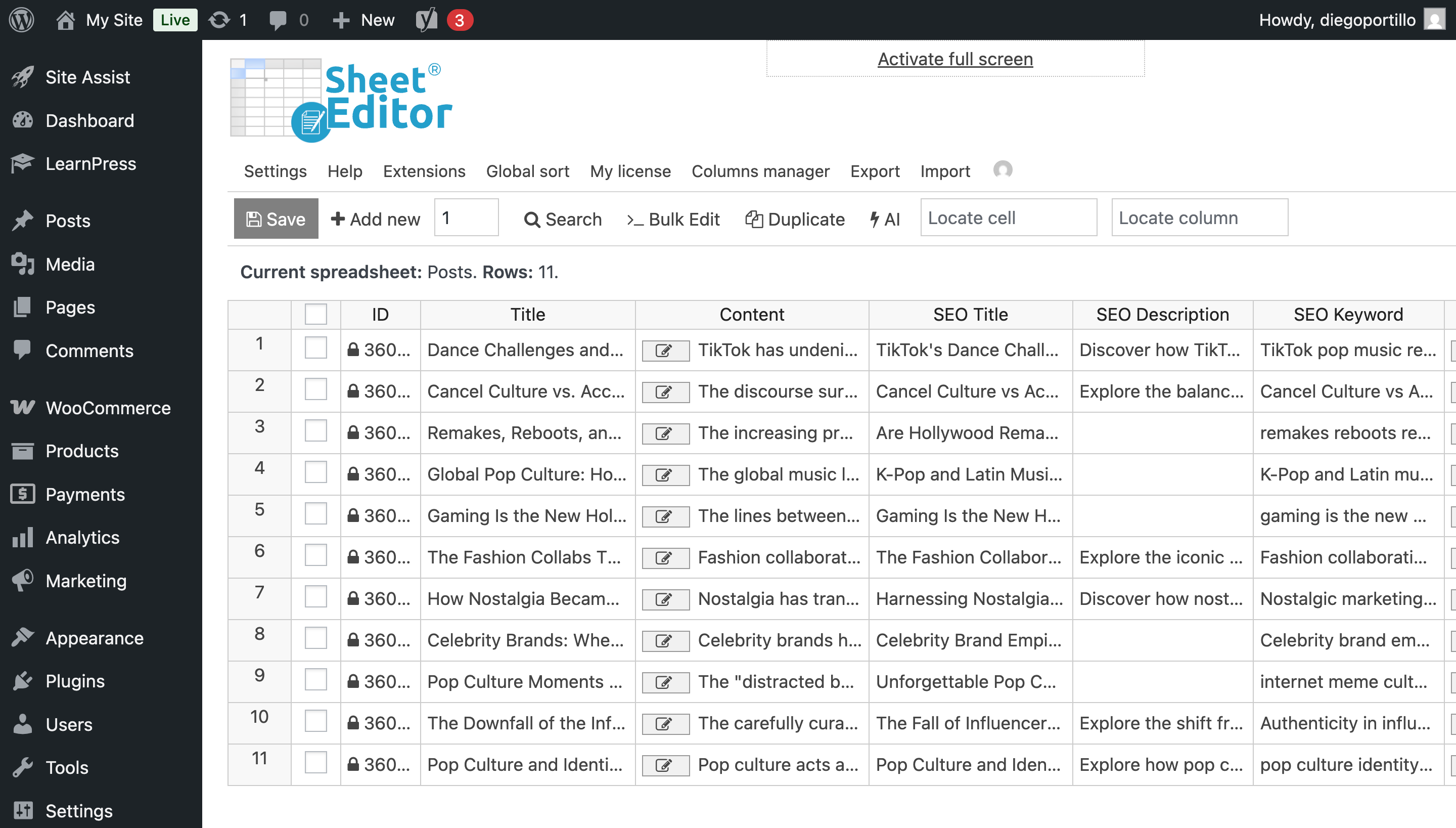
Locate the SEO Description column and find a post that is missing its meta description. Click directly on the empty cell in the meta description column and type the following shortcut:
ai:seo-description
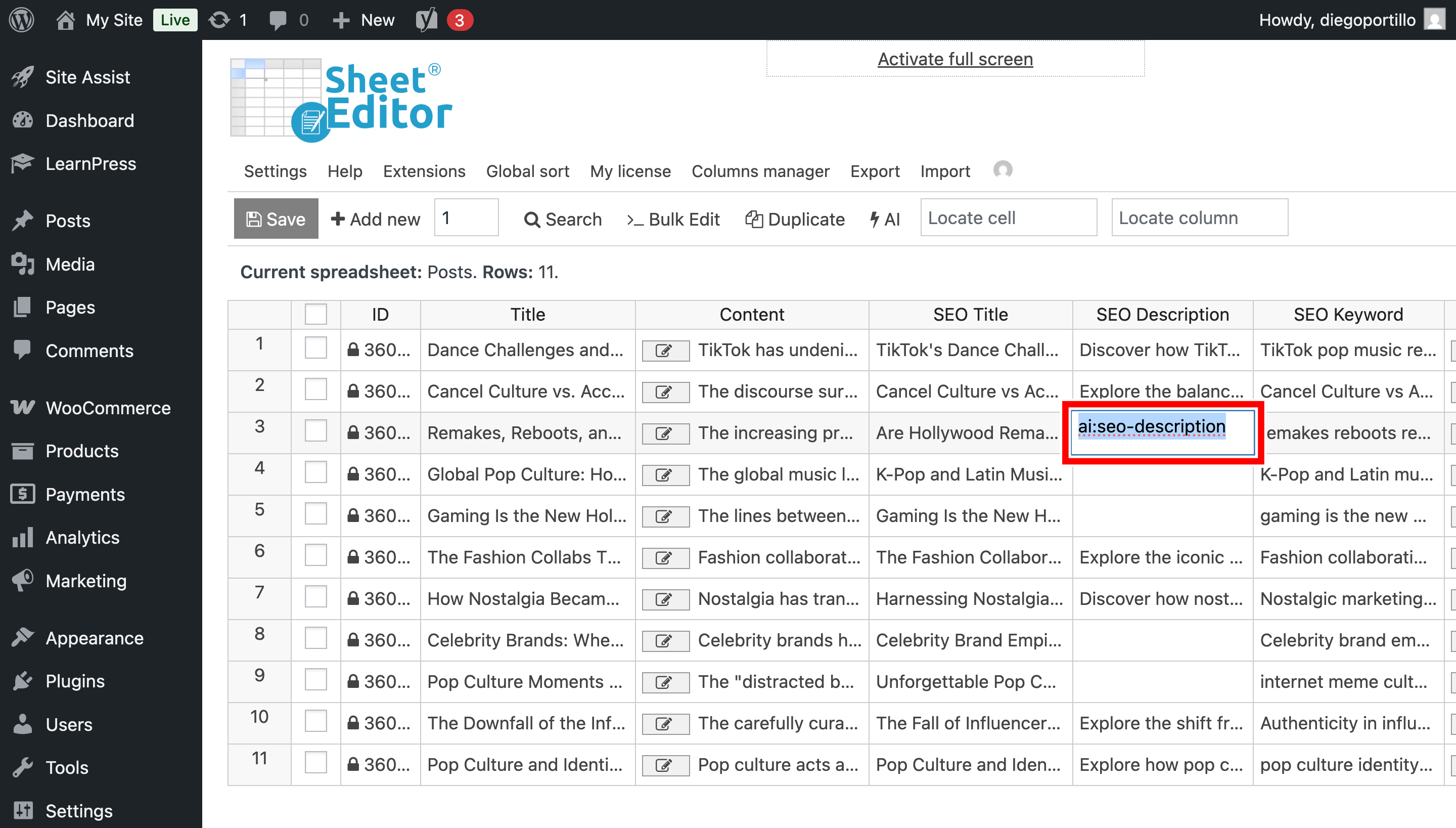
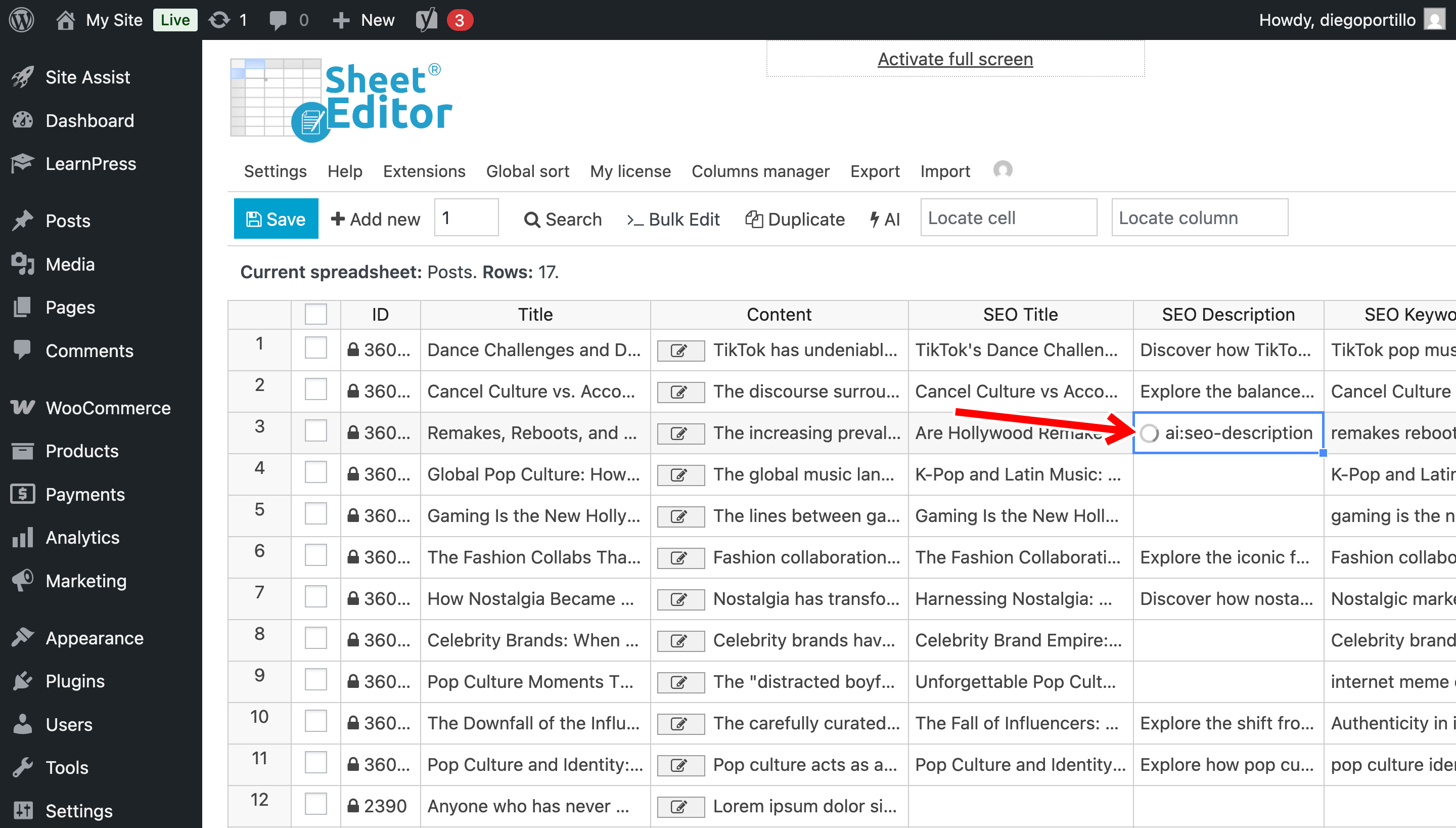
Press Enter and the AI will instantly run the global prompt you saved in Step 1, analyze that specific post, and populate the cell with a perfectly optimized meta description.
You’ll see a loading icon in the cell while the AI is writing the meta description.
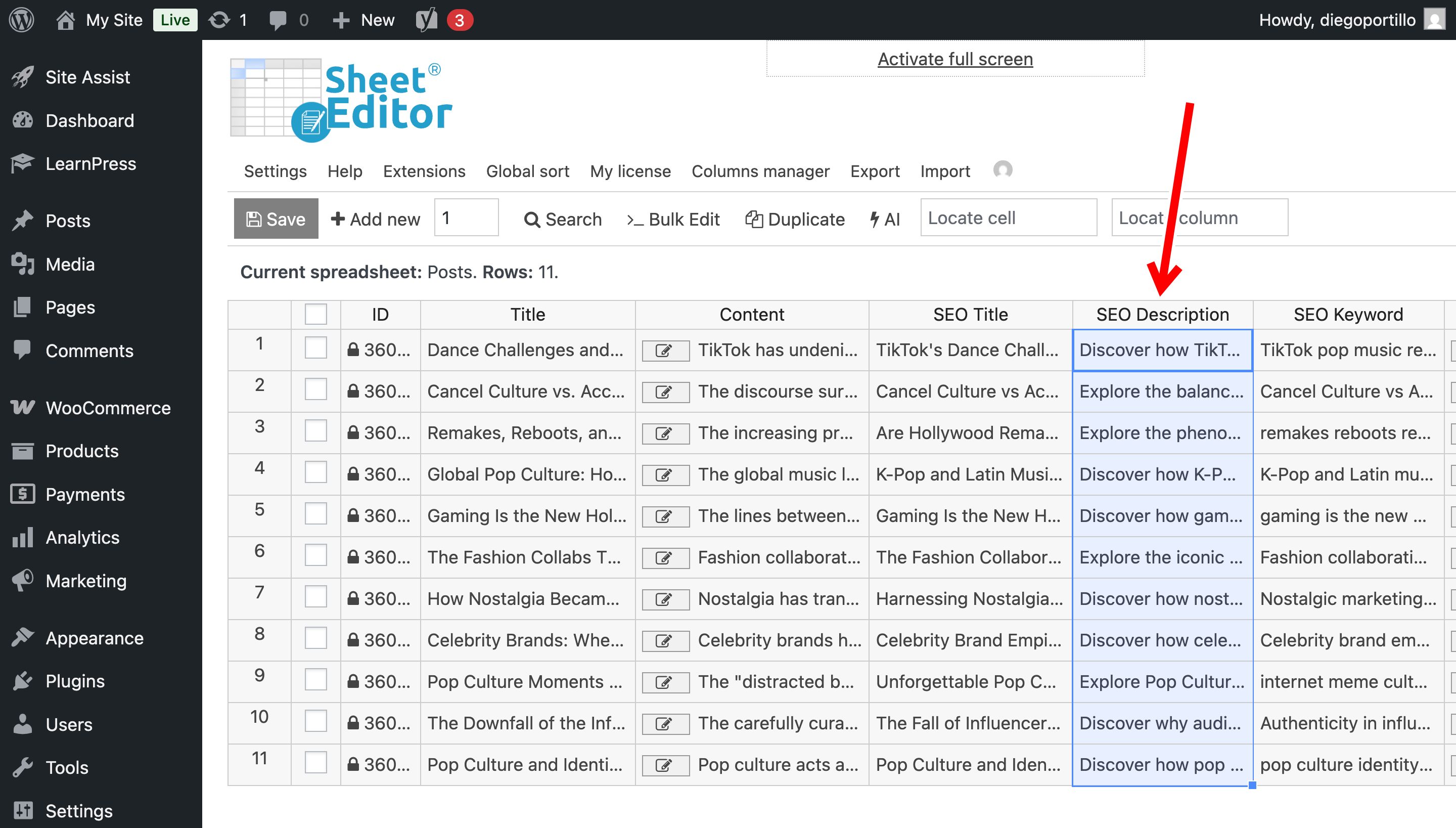
Here you can see the meta description that has been generated.
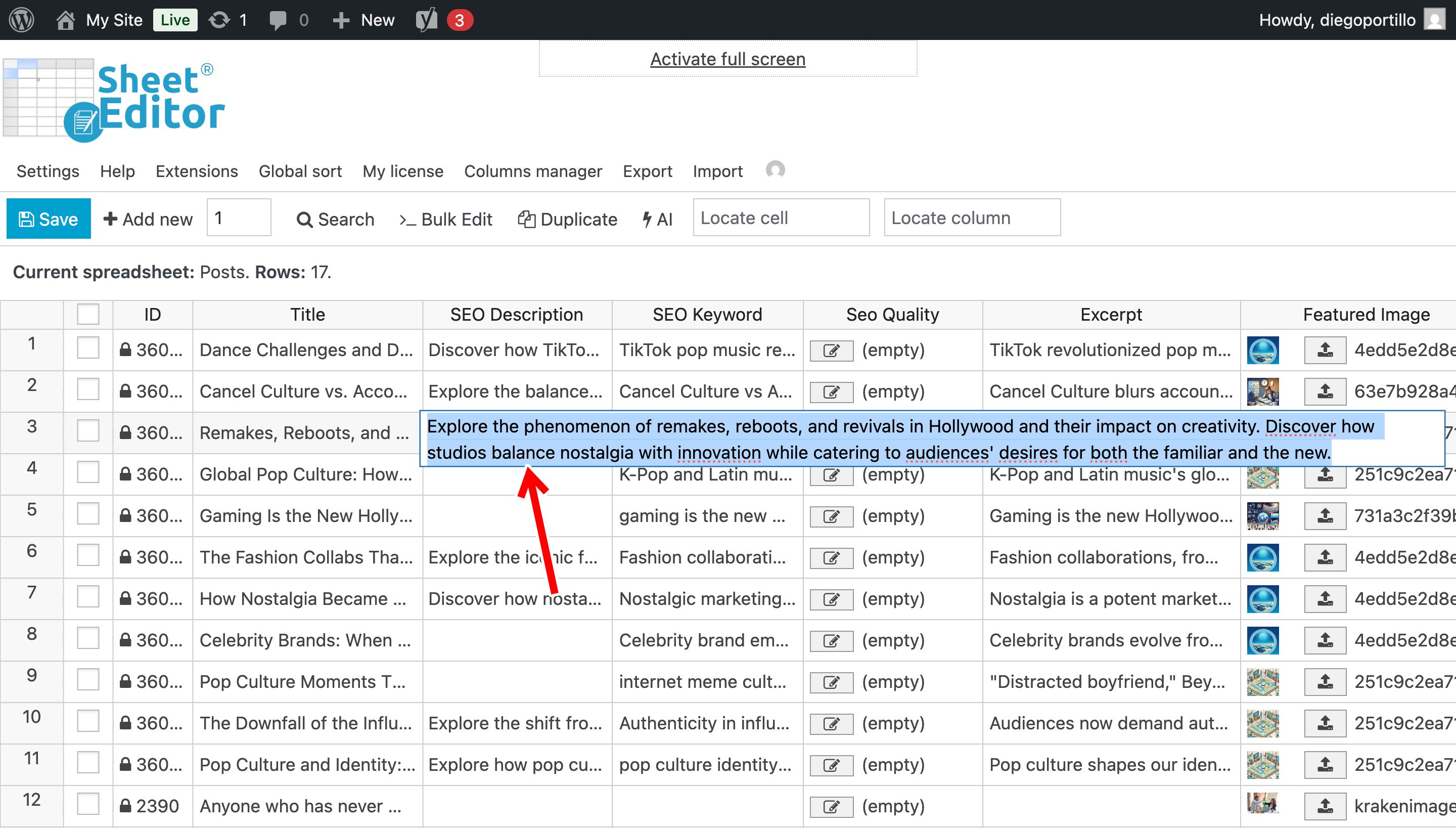
You can repeat this process in all empty cells if you prefer, or you can use the method below to generate SEO meta descriptions in bulk.
Method 2: Generate missing meta descriptions in bulk
If you have hundreds of posts missing descriptions and do not want to use the shortcut row-by-row, you can automate the entire batch at once using the Bulk Edit tool.
Step 1: Filter posts with missing meta descriptions
We only want to target empty fields so we don’t overwrite your existing manual work.
Click on the Search tool on the toolbar.
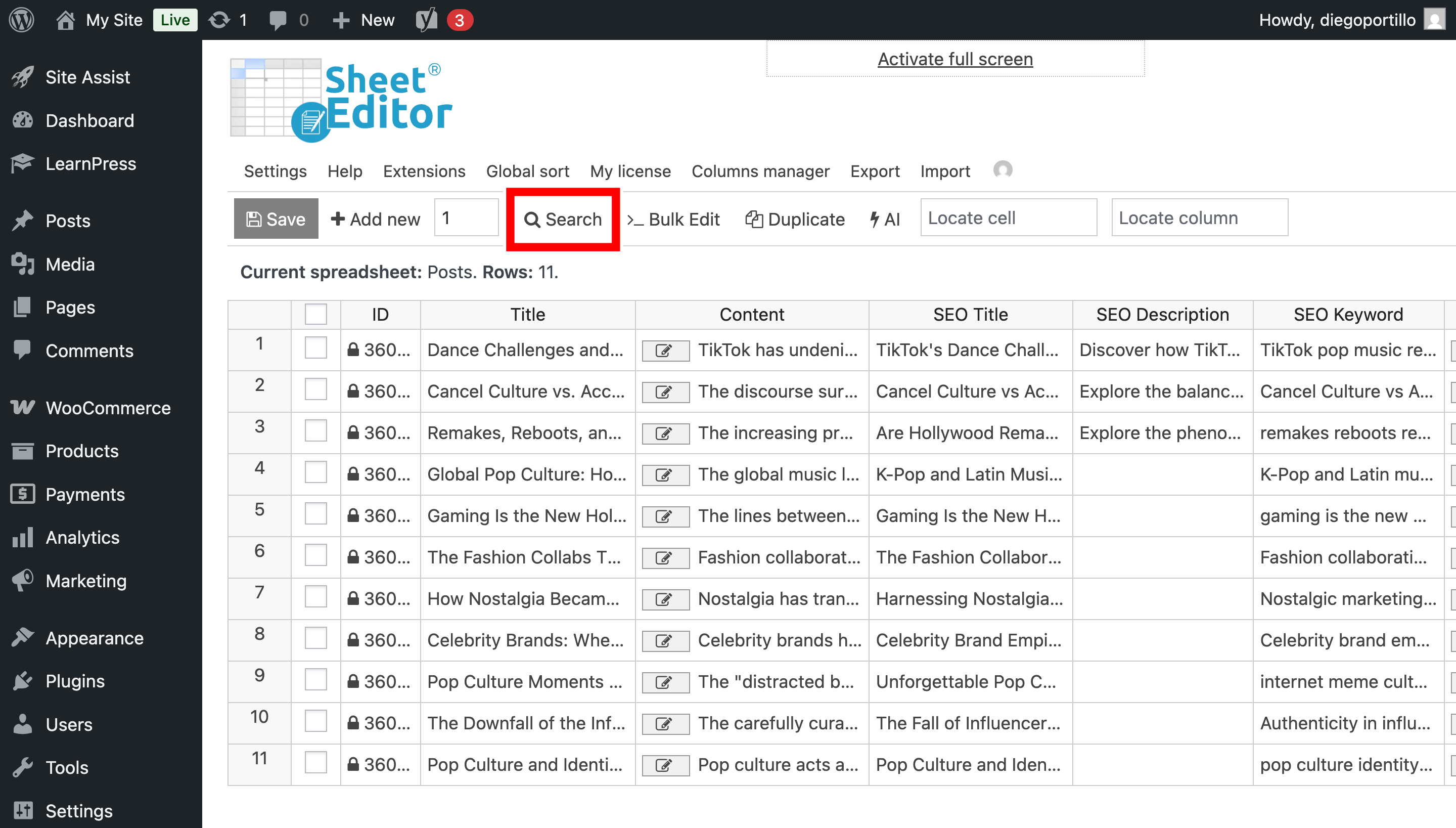
Once you’re in the Search tool:
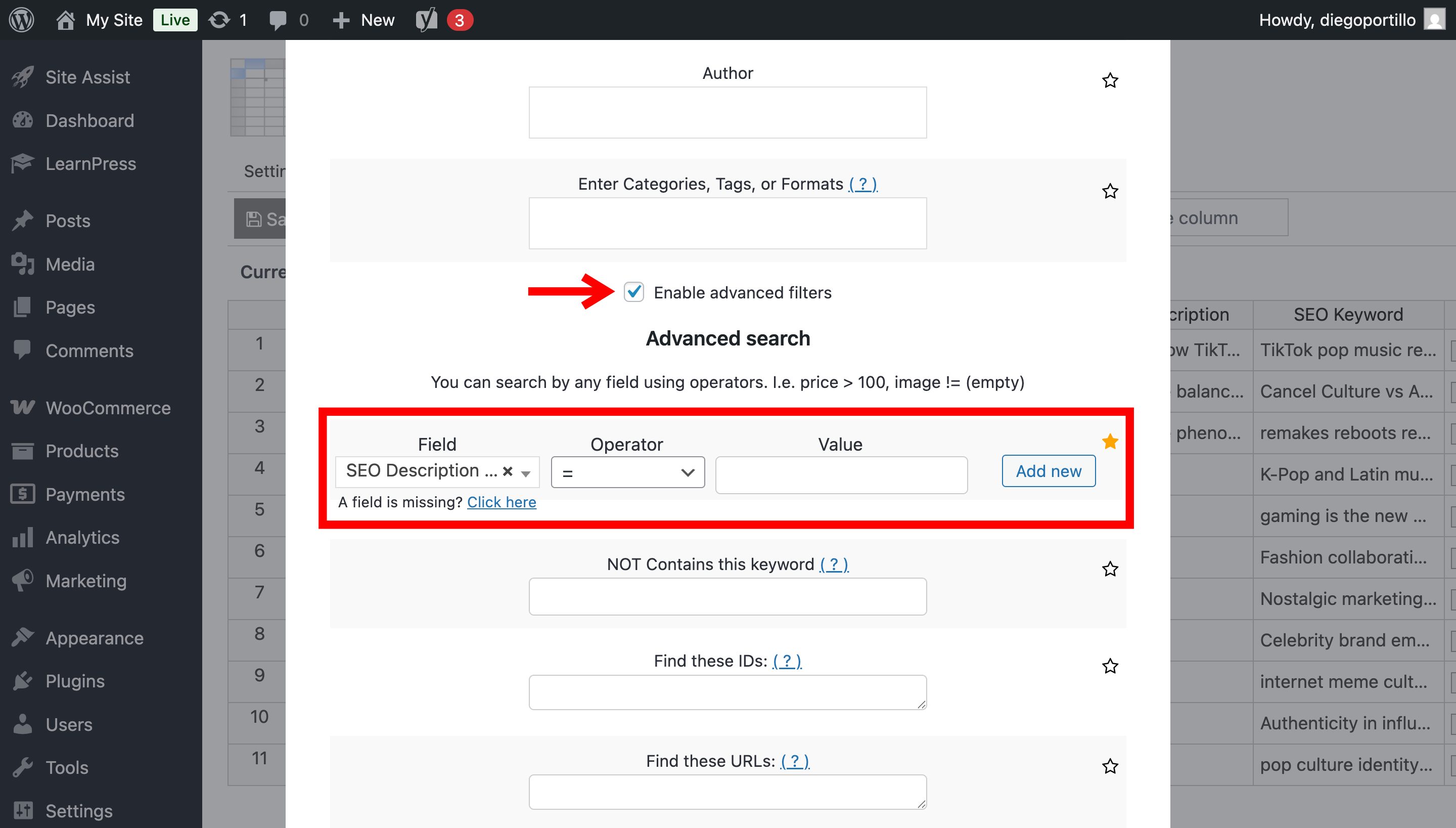
- Check the Enable advanced filters checkbox.
- Field: Select your SEO plugin’s meta description field (e.g.,
SEO Description). - Operator: =
- Value: Leave this field empty
- Click on Run Search.
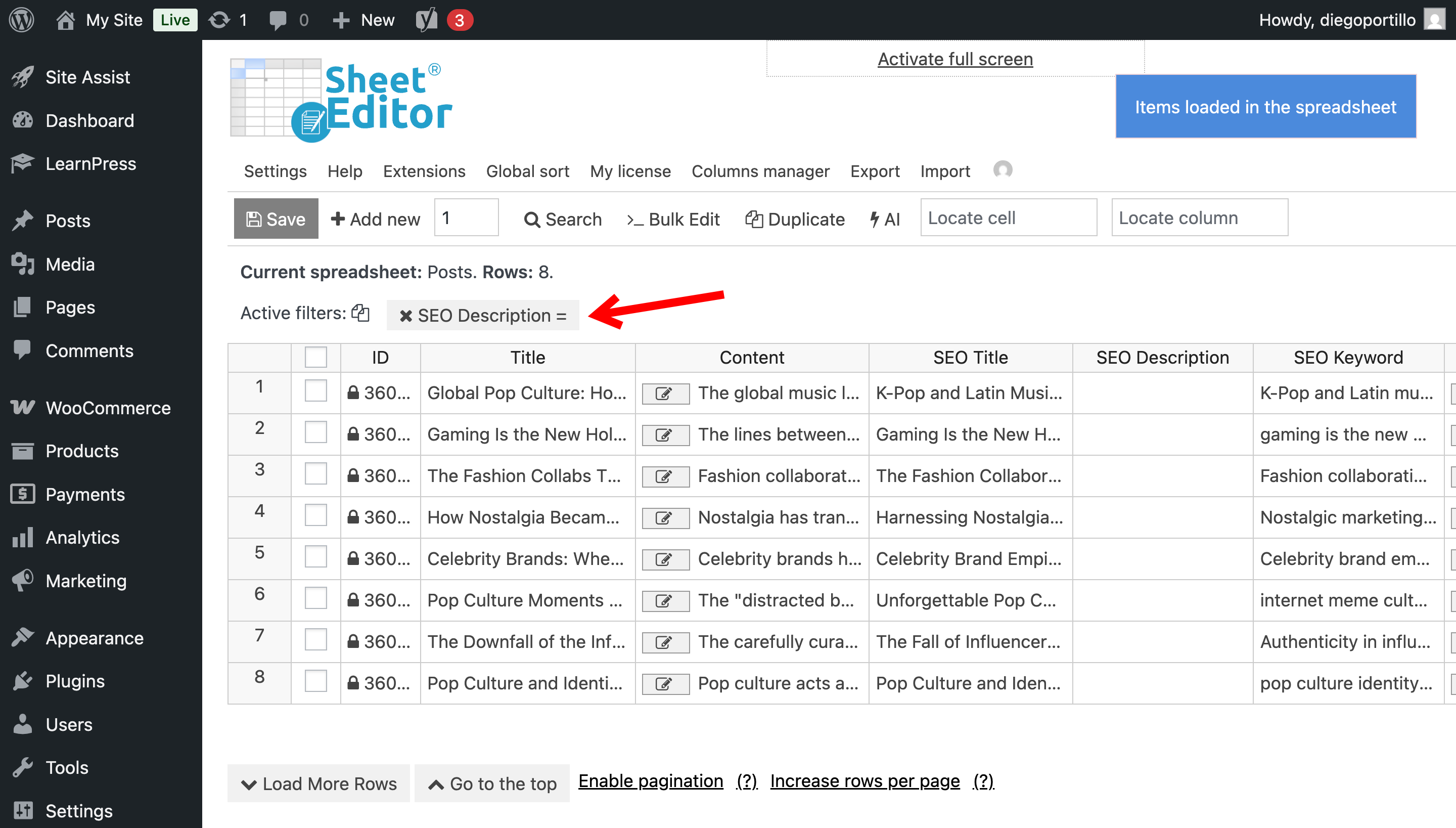
The spreadsheet will refresh to display only the posts that currently lack a meta description.
Step 2: Open the AI Bulk Edit tool
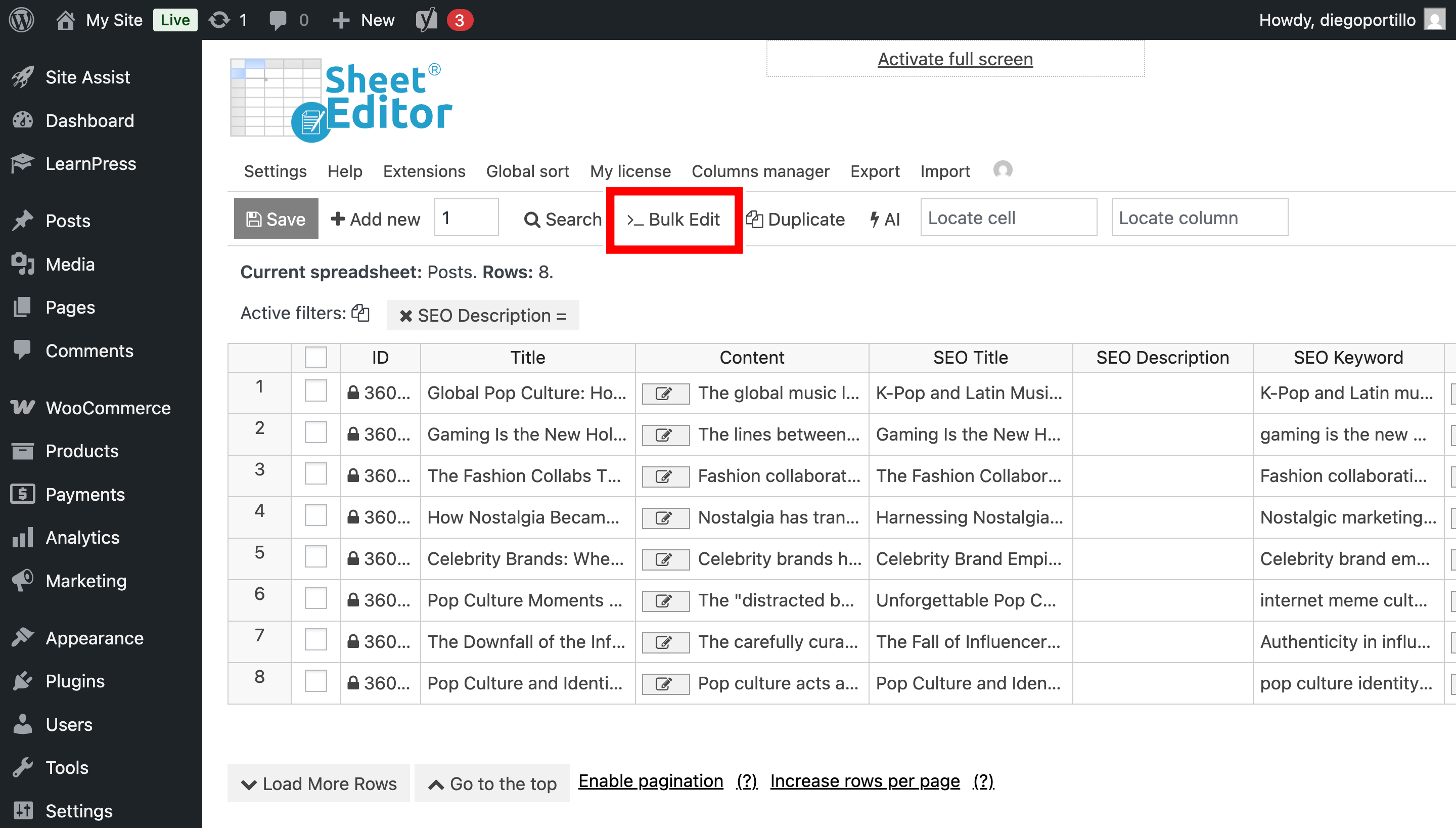
After filtering posts missing SEO metadescription, click on the Bulk Edit tool in the top toolbar.
Step 3: Configure the bulk AI prompt
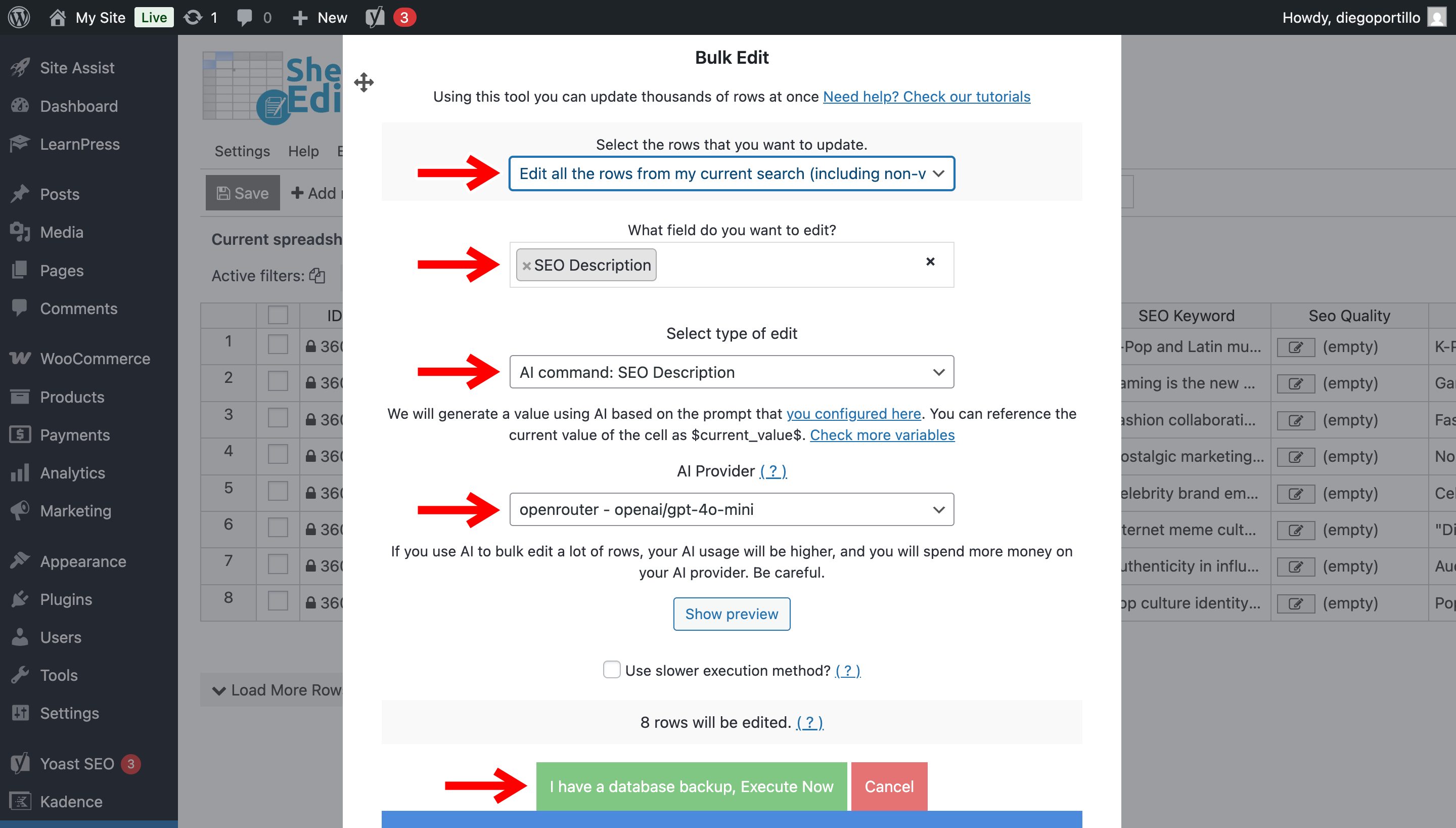
Set up the bulk generation with these parameters:
- Select the rows that you want to update: Edit all the rows from my current search
- What field do you want to edit: Choose the Meta Description or SEO Description field.
- Select the type of edit: We will use global prompt we created earlier; in this case, let’s select AI command: SEO Description.
- AI Provider: We will use GPT-4o mini through OpenRouter.
- Click on Execute Now.
The AI will start processing the filtered posts in batches; your site will not time out, and you will see the generated meta descriptions in the spreadsheet.
WP Sheet Editor – AI is undeniably the fastest way to fix massive SEO gaps on your WordPress website. Stop letting empty meta descriptions hurt your organic rankings, and let artificial intelligence handle the heavy lifting today!