
Do you want to export WooCommerce orders stuck in Pending Payment status? This is important for understanding checkout interruptions, monitoring payment gateway behavior, and identifying customers who started but didn’t finalize their purchase.
WooCommerce shows these orders in the dashboard, but it doesn’t include an easy way to isolate and export only unpaid orders with the fields you need. Doing it by hand can be slow and unreliable.
With WP Sheet Editor – WooCommerce Orders, you can instantly filter all pending payment orders, review them inside a spreadsheet, and export them to CSV or Excel in a single click, ensuring clean and organized data for follow-up or reporting.
You can download the plugin here:
Download WooCommerce Orders Spreadsheet Plugin - or - Check the features
Why export WooCommerce orders with Pending Payment?
Pending payment orders provide valuable insights for:
- Checkout analysis: detect which customers abandoned the process at the final stage.
- Payment diagnostics: see if specific gateways frequently fail or time out.
- Customer communication: follow up with users who attempted to buy but didn’t complete payment.
- Revenue forecasting: estimate potential sales currently on hold.
- Fraud mitigation: identify repeated unpaid attempts from the same customer or IP.
- Marketing optimization: study drop-off behavior to improve conversions.
A clean spreadsheet of unpaid orders helps teams react quickly and efficiently.
Step 1. Open the WooCommerce Orders spreadsheet
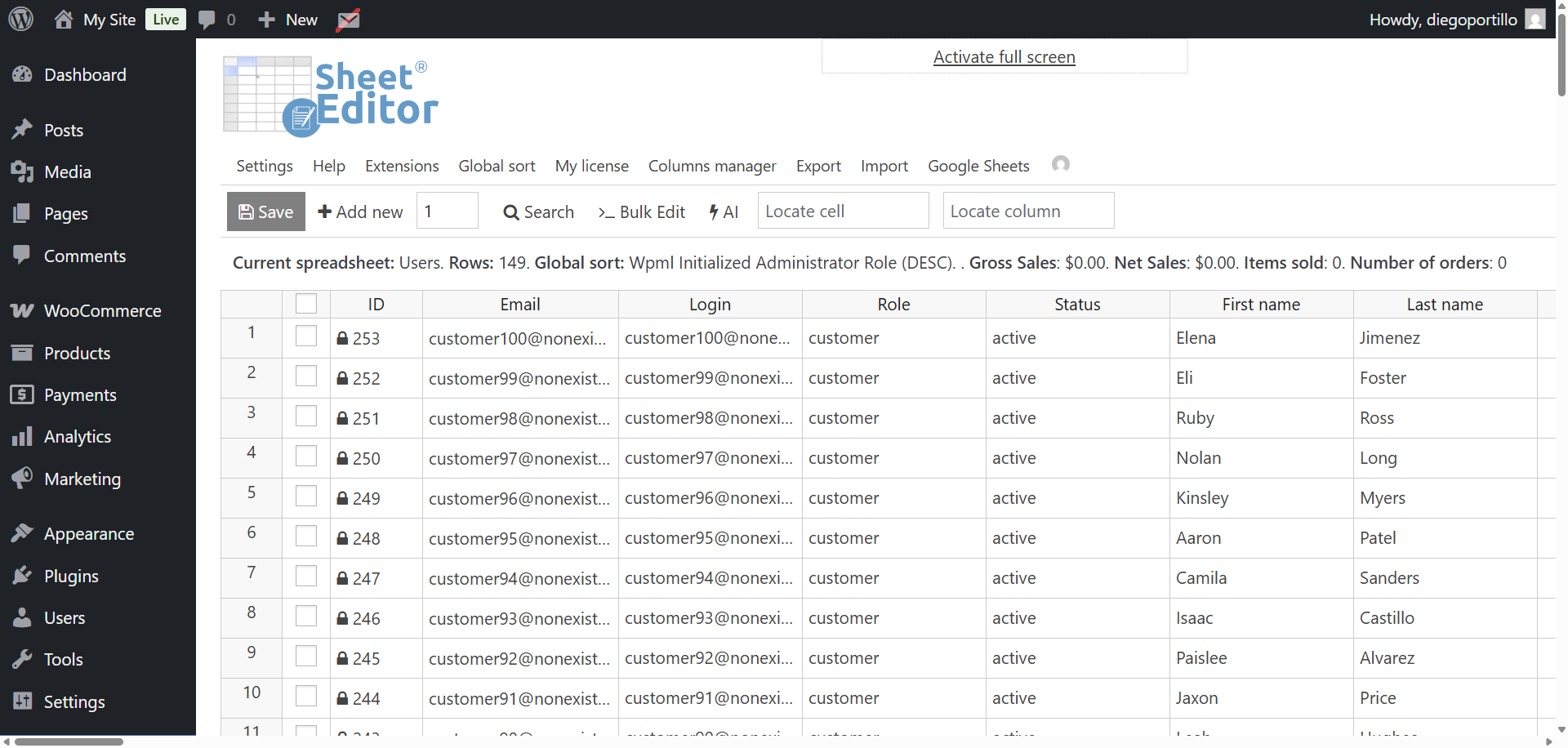
After installing WP Sheet Editor – WooCommerce Orders, go to WP Sheet Editor → Edit orders.
The spreadsheet will load all your WooCommerce orders, displaying totals, billing information, payment methods, and order statuses.
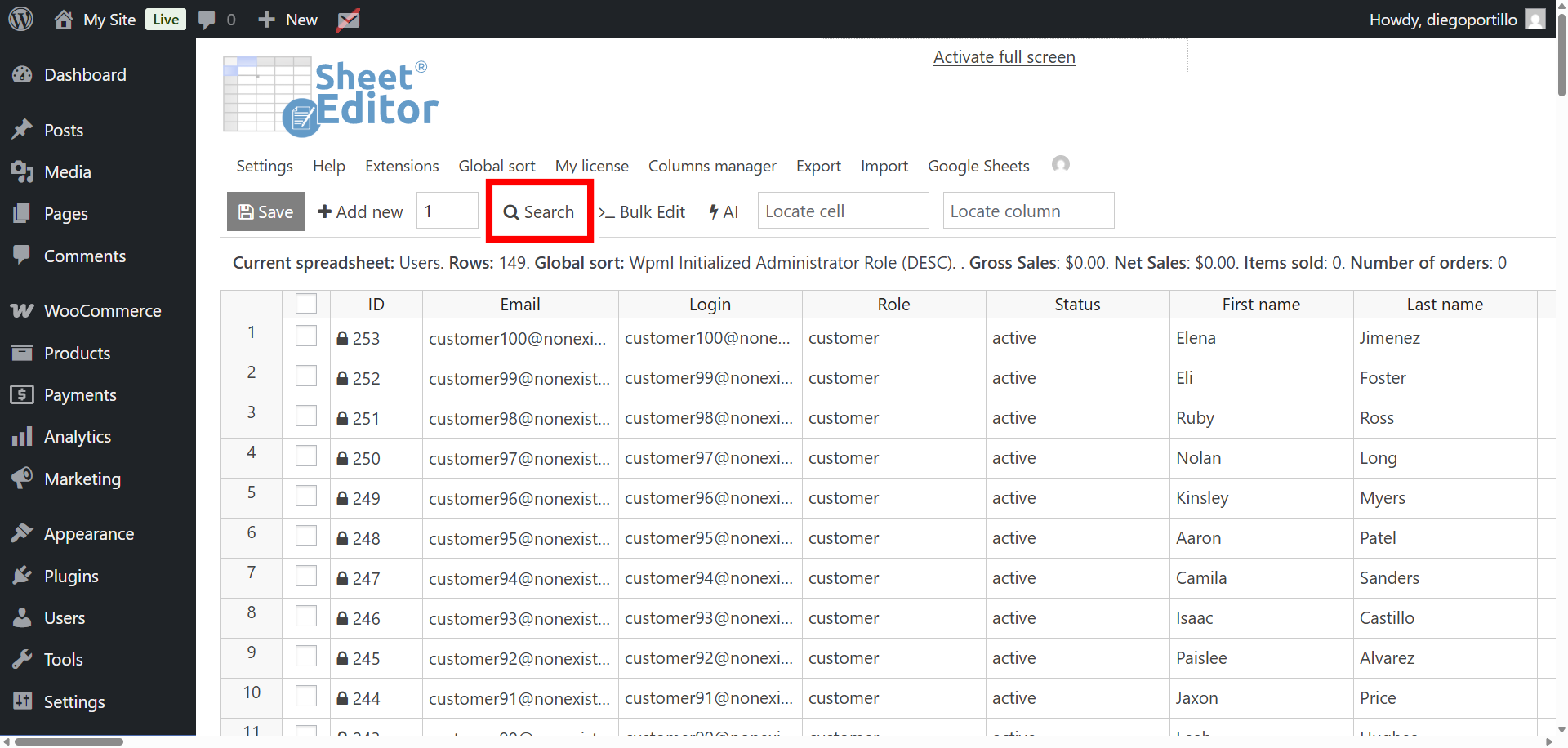
Step 2. Open the “Search” tool
Click the Search button in the toolbar. This tool allows you to run simple searches or apply multiple advanced filters to narrow down your orders precisely. In this case, it will allow you to filter your pending orders.
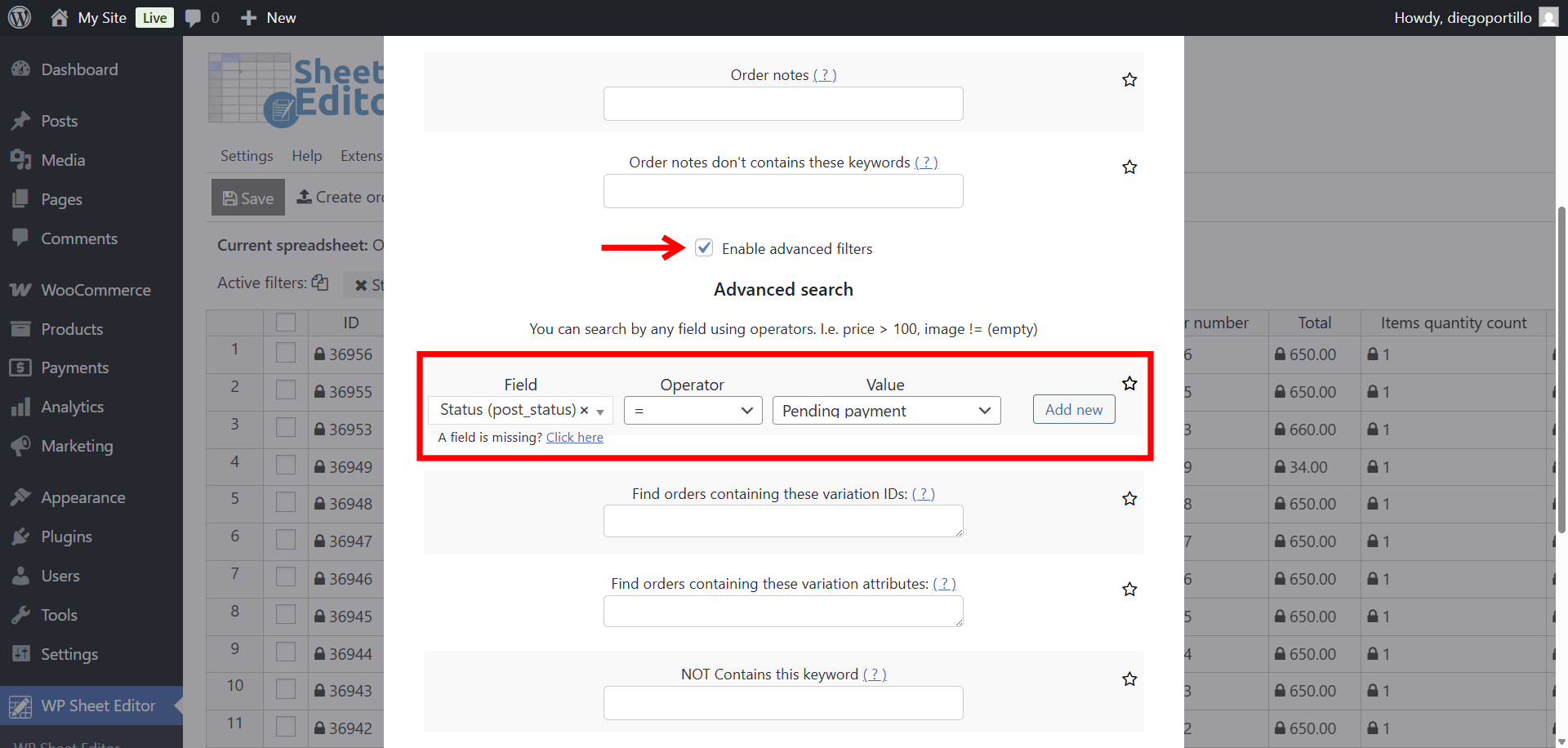
Step 3. Filter WooCommerce orders with “Pending payment” status
Inside the Search tool, use these settings to display only pending payment orders:
- Activate the Enable advanced filters checkbox.
- Field: Status
- Operator: =
- Value: Pending payment
- Click Run search.
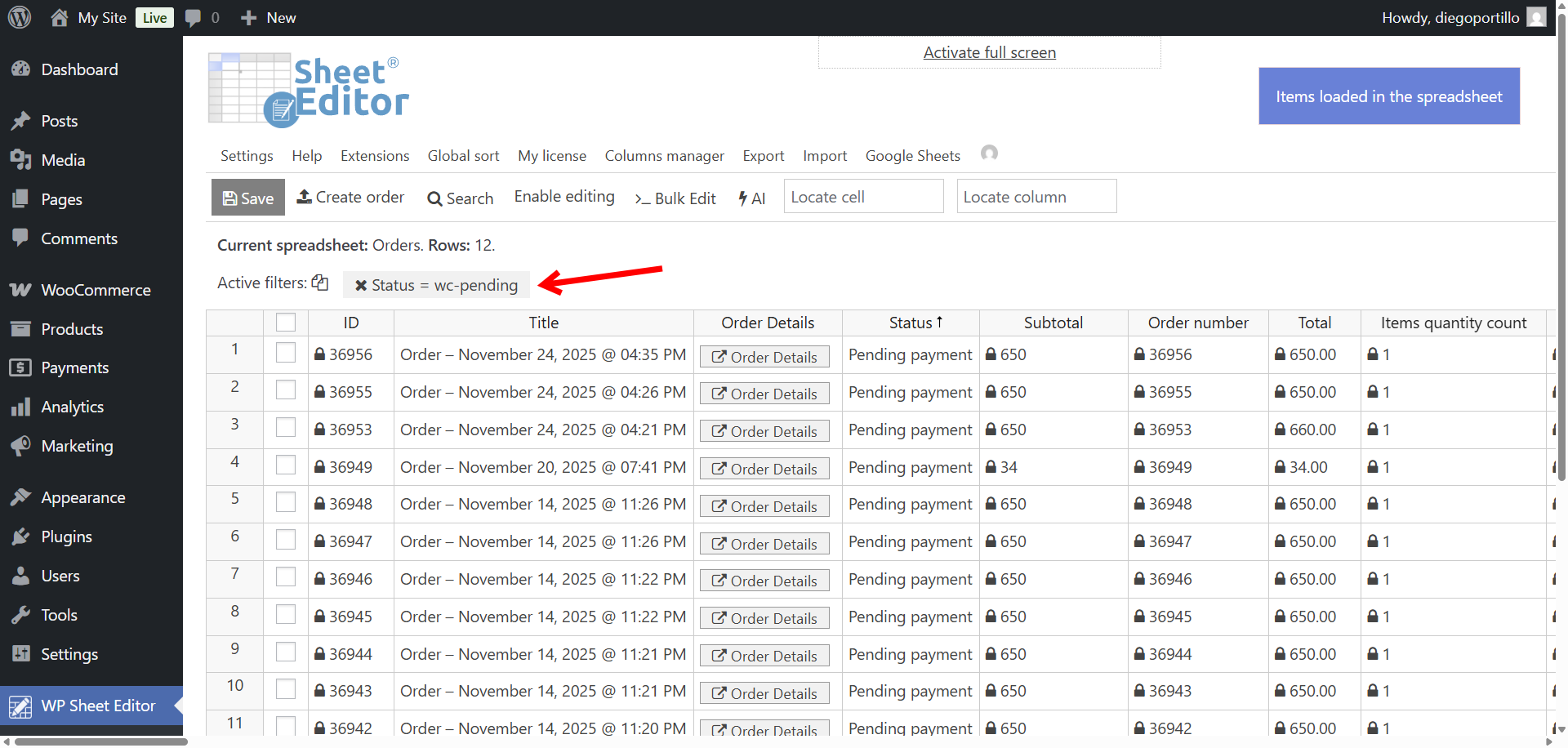
The spreadsheet will refresh and display only orders currently marked as Pending payment. You can sort them, verify customer details, or refine the results with more conditions.
Optional: Add more filters for deeper insights
Here are some examples of search filters you can combine the status filter.
- Payment method | = | Stripe, PayPal, bank transfer, etc.
- Country | = | Specific billing country
- Order total | ≥ | Minimum amount
- Customer email | Contains duplicate vales | This is useful to detect repeated unpaid attempts
These optional filters help you produce detailed pending-payment reports for support, finance, or marketing.
Step 4. Export the pending payment orders
Once your spreadsheet shows only pending payment orders, click the Export button.
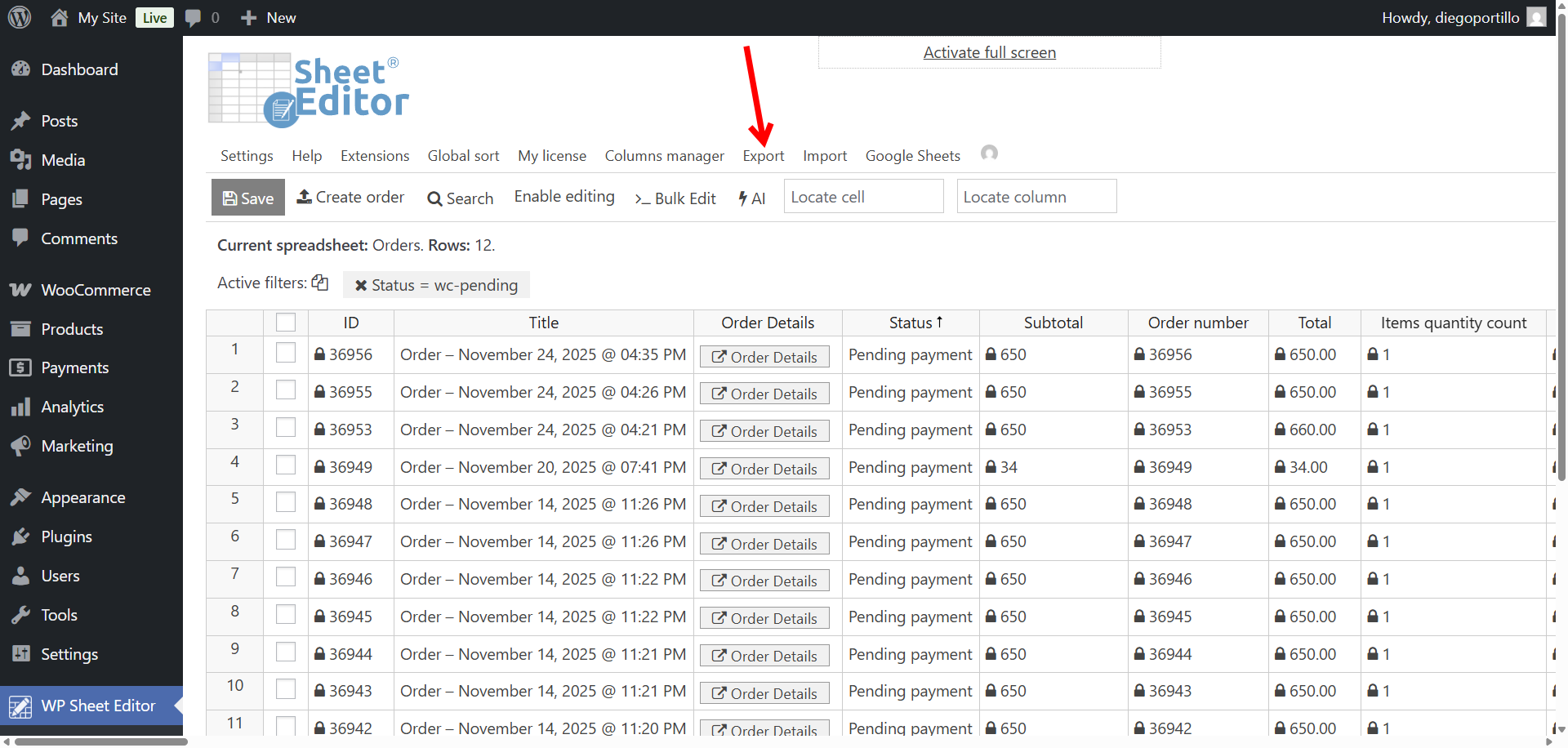
Configure the export with these options:
- What columns do you want to export: Export all fields or choose key ones like:
- Order total
- Billing name and email
- Payment method
- Line items
- Customer notes
- In this example, we will export All the active columns, which means all the columns currently visible in the spreadsheet.
- Which rows do you want to export: All rows from my current search
- What app will you use to edit this file: CSV or Excel
- Name of this export: Something like “Pending Payment Orders Report”
- Click Start new export.
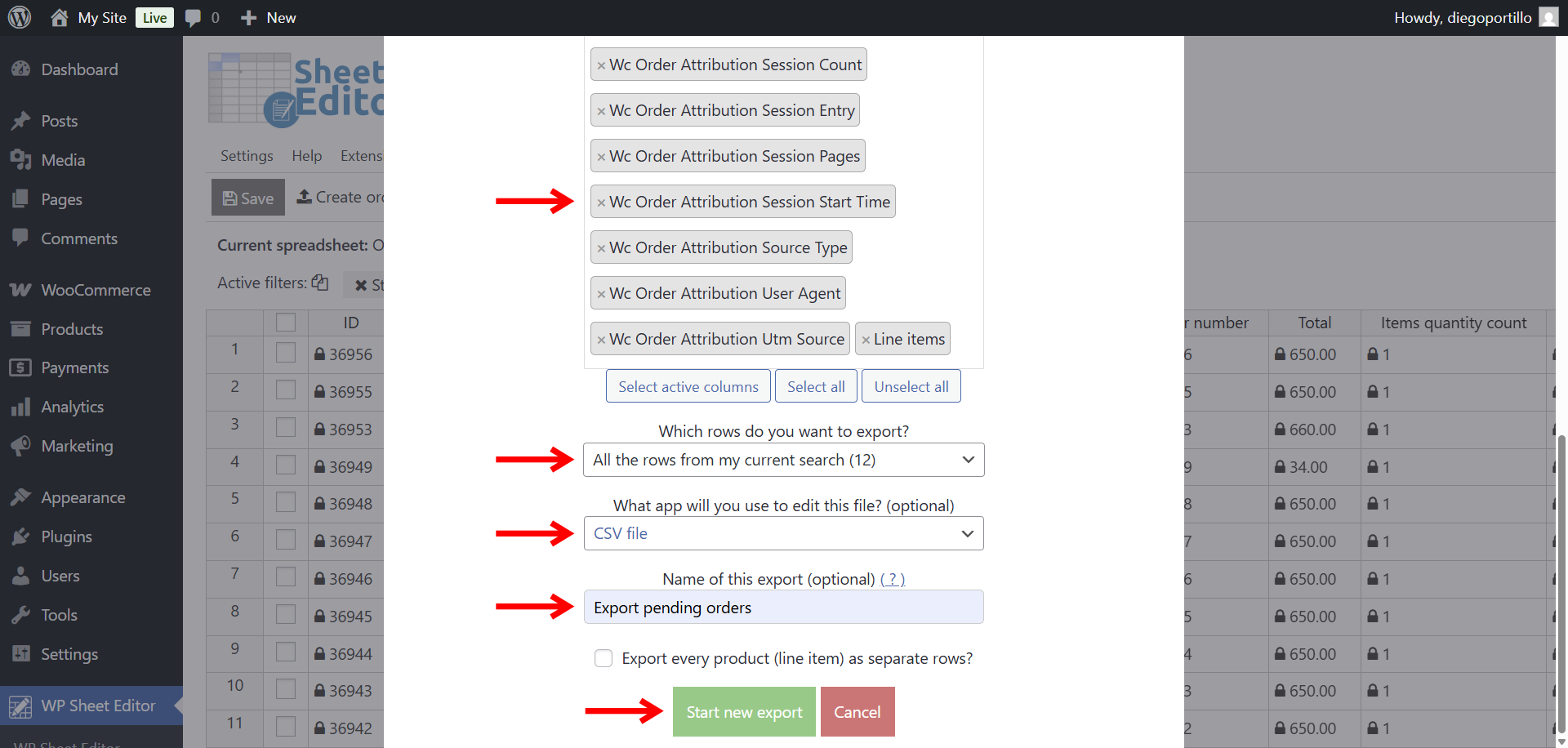
A CSV file containing your pending orders will be downloaded to your computer.
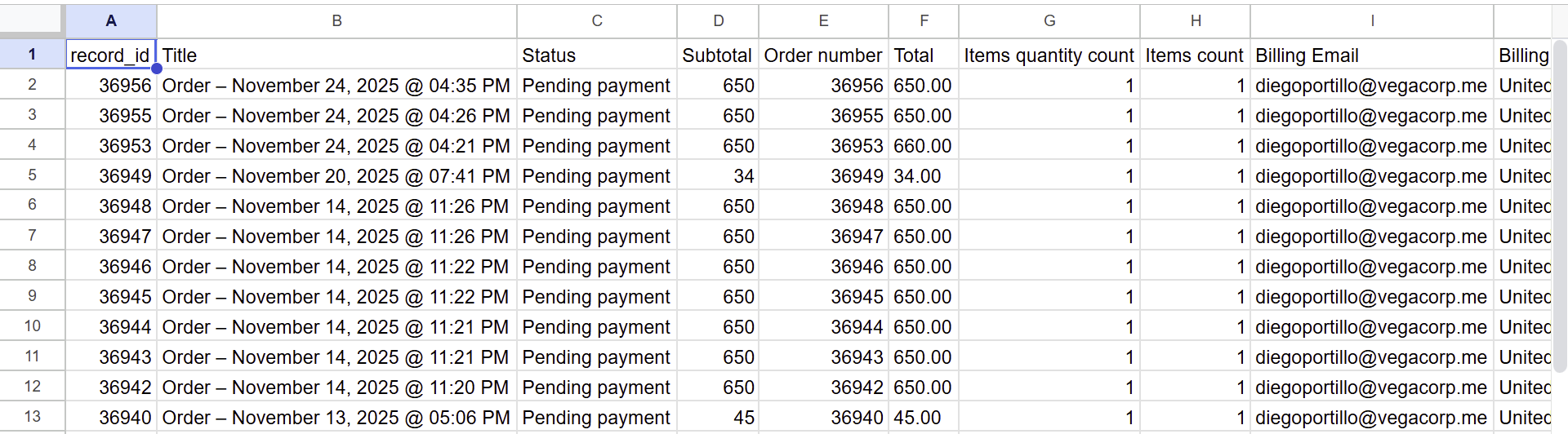
Exporting pending payment orders is extremely useful for:
- Identifying users who abandoned checkout.
- Tracking payment gateway performance.
- Following up on incomplete purchases.
- Spotting suspicious or repeated payment attempts.
- Measuring potential revenue not yet collected.
- Improving checkout conversions based on real behavior.
With WP Sheet Editor – WooCommerce Orders, exporting pending payment orders becomes a simple, automated workflow, giving you reliable and actionable data with no manual sorting.
You can download the plugin here:
Download WooCommerce Orders Spreadsheet Plugin - or - Check the features