
WooCommerce category descriptions help explain what products belong to each category and give search engines additional context about your category pages. If you have many categories without descriptions, you can generate them in bulk with WP Sheet Editor and its AI extension.
This guide shows you how to generate WooCommerce category descriptions with AI in two ways: individually from the spreadsheet or in bulk for categories with empty descriptions.
Table of Contents
Requirements
You need these tools to follow this guide:
1. WP Sheet Editor – Taxonomy Terms
This extension lets you view and edit WooCommerce categories, tags, and product attributes in a spreadsheet.
You can download the plugin here:
Get the Taxonomy Spreadsheet Editor - or - Check the features
2. WP Sheet Editor – AI
This extension lets you use AI commands in the taxonomy spreadsheet to generate category descriptions.
You can sign up here:
Sign up to the WP Sheet Editor - AI Service - or - Check the features
3. An AI provider
You also need an API key from a supported AI provider, such as OpenAI, OpenRouter, or another provider compatible with the service. See our AI configuration guide for setup instructions.
Create an AI prompt for WooCommerce category descriptions
First, create a reusable prompt that defines the format and requirements for your category descriptions.
Go to WP Sheet Editor > AI > Settings > Prompts and click Add new.
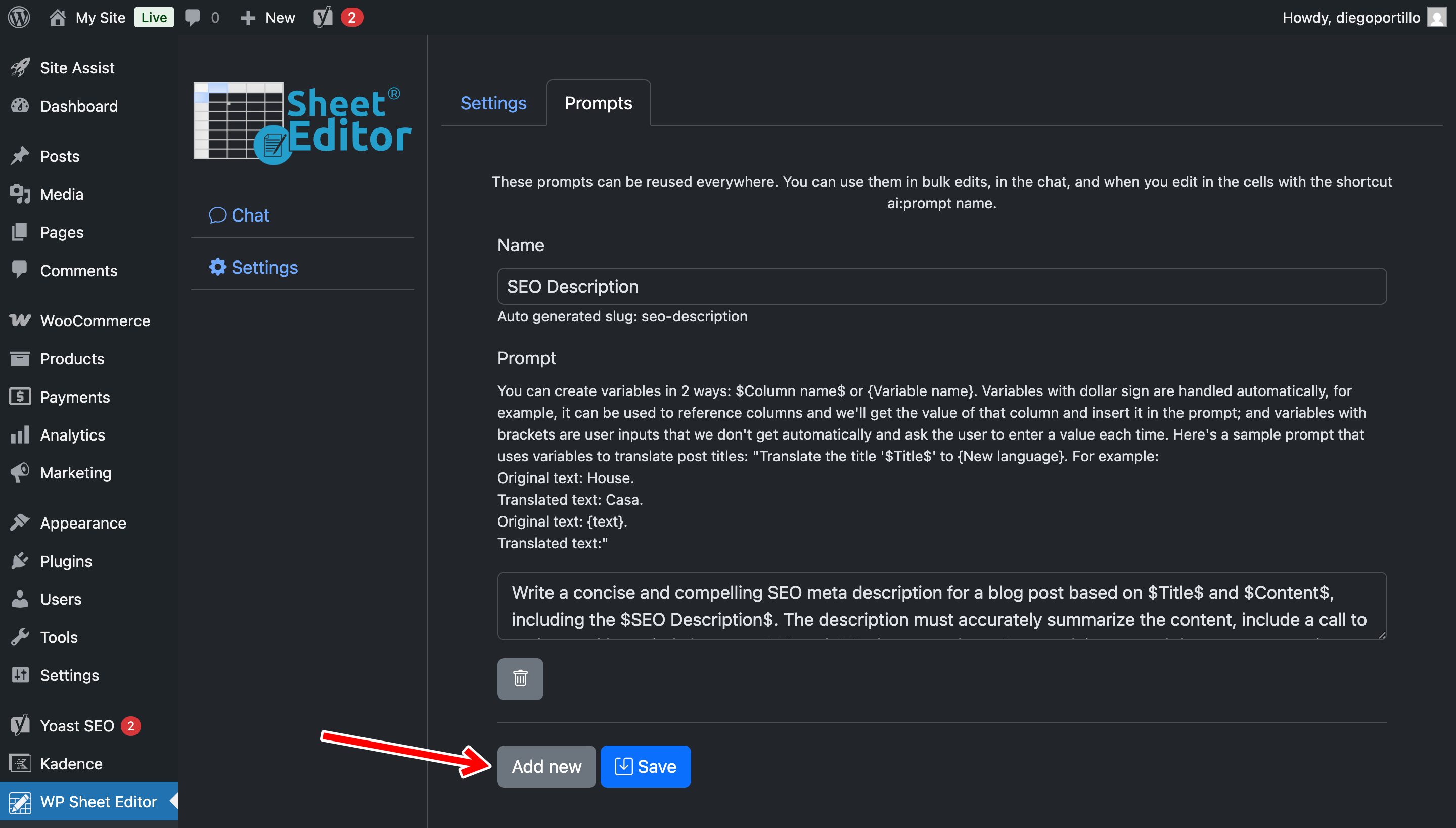
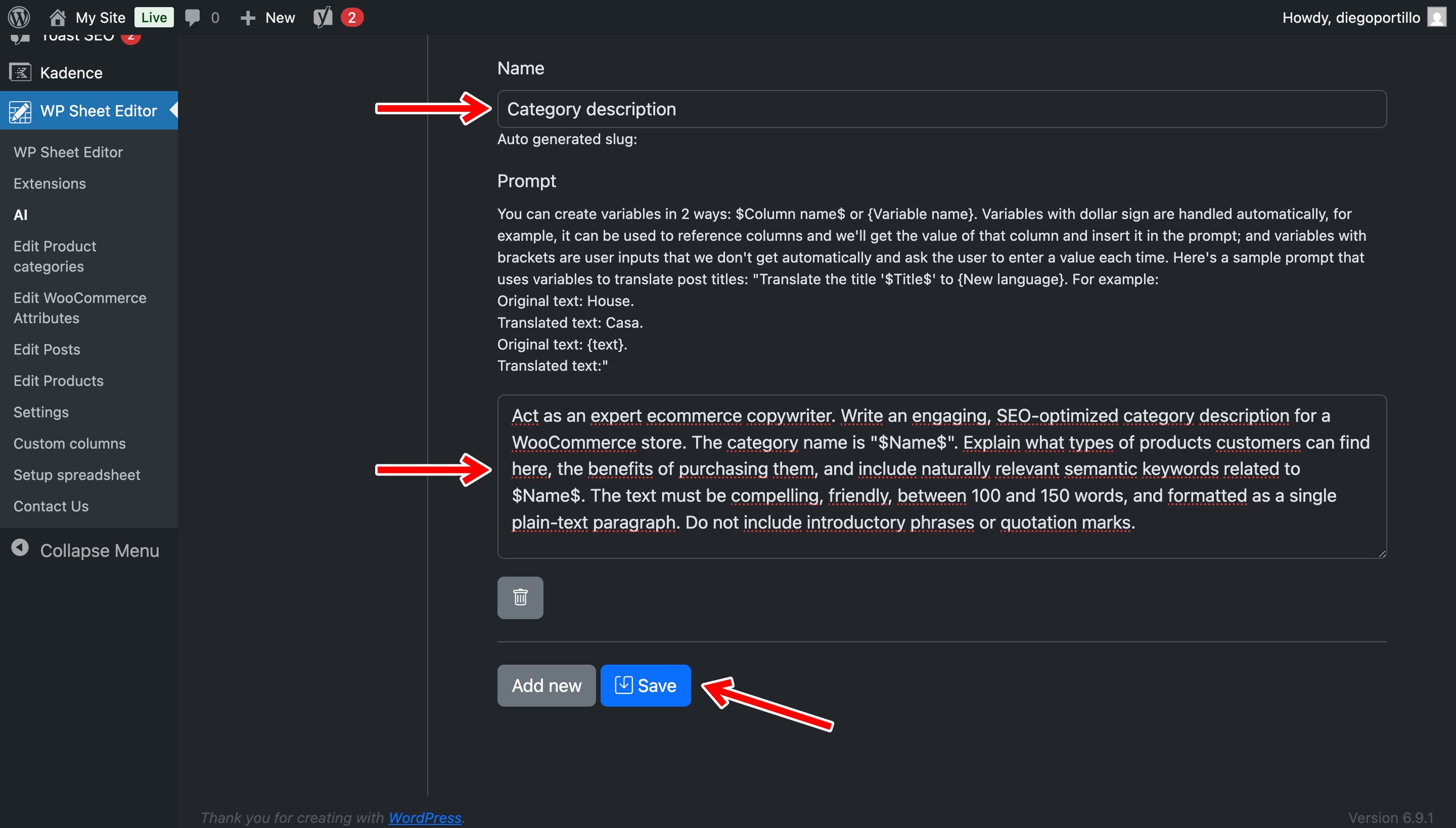
Use these settings:
- Name: Category Description
- Prompt:
Write an SEO-optimized WooCommerce category description for the category "$Name$". Explain what types of products customers can find in this category and their main benefits. Include naturally relevant keywords related to $Name$. Write 100 to 150 words in a single plain-text paragraph. Do not use introductory phrases or quotation marks.
The $Name$ placeholder is replaced with the name of each WooCommerce category.
Click Save.
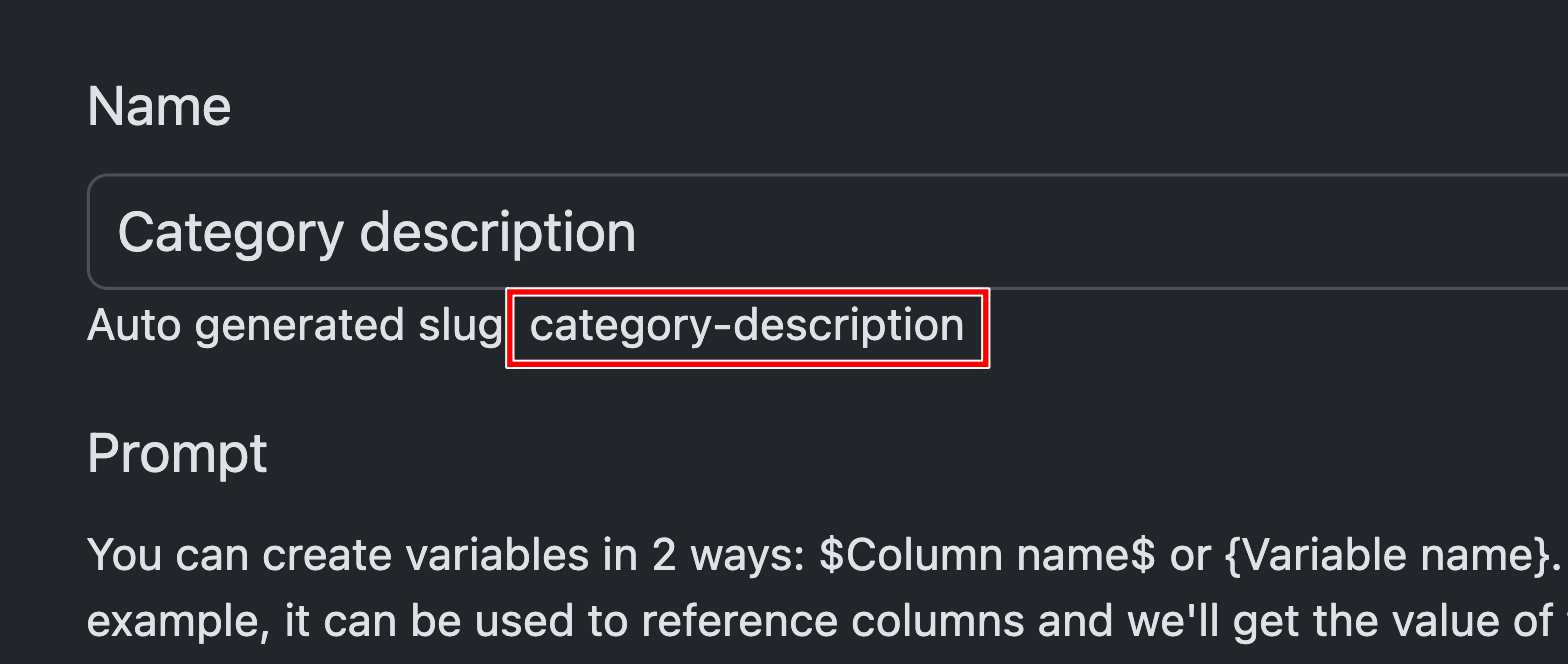
WP Sheet Editor creates the following shortcut for the prompt:
ai:category-description
Method 1: Generate category descriptions individually
Use this method when you want to review or generate descriptions for specific categories.
Go to WP Sheet Editor > Edit Product Categories.
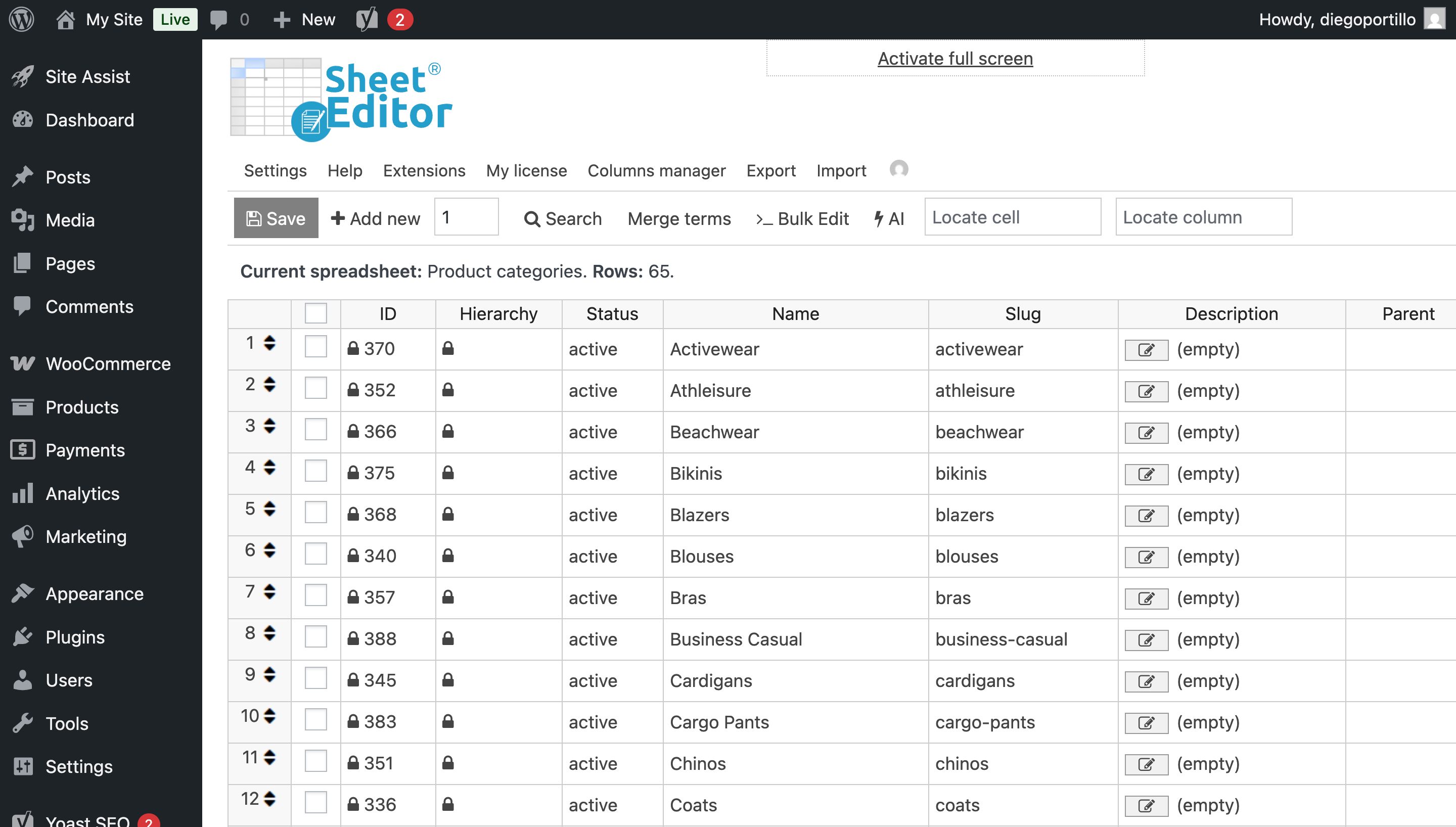
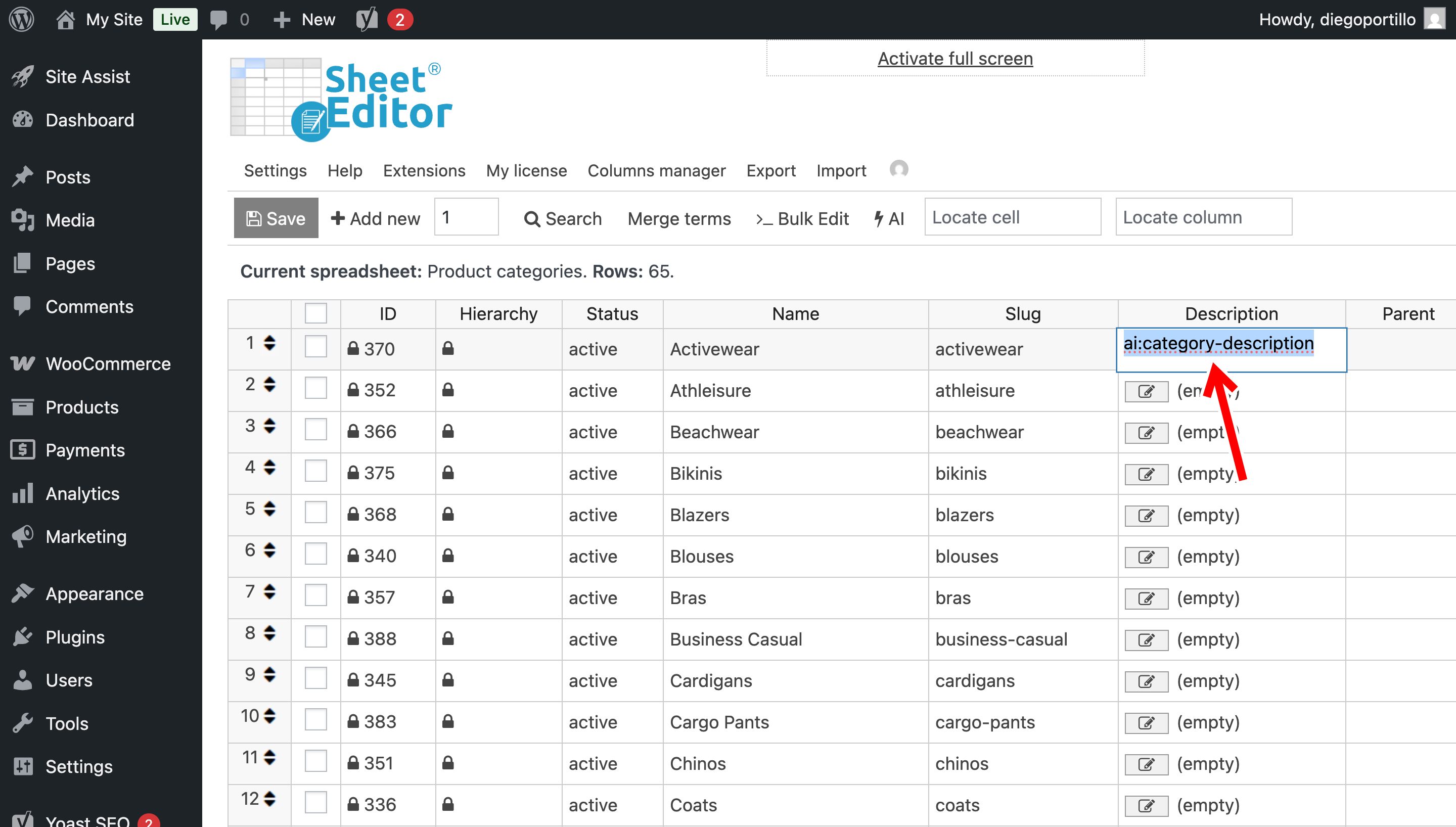
Find the Description column. Select an empty cell for the category you want to update and enter:
ai:category-description
Press Enter.
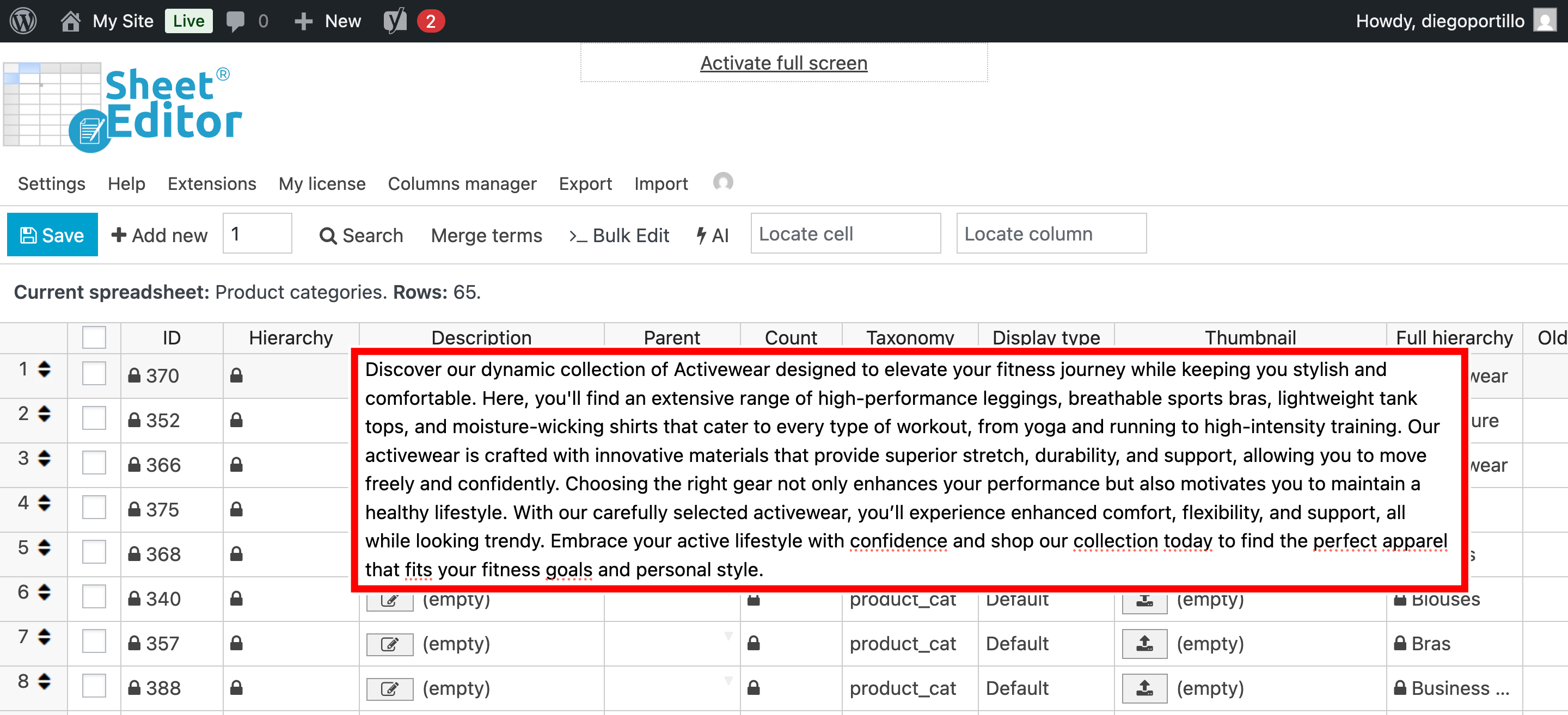
The AI command uses the category name and your saved prompt to generate the description.
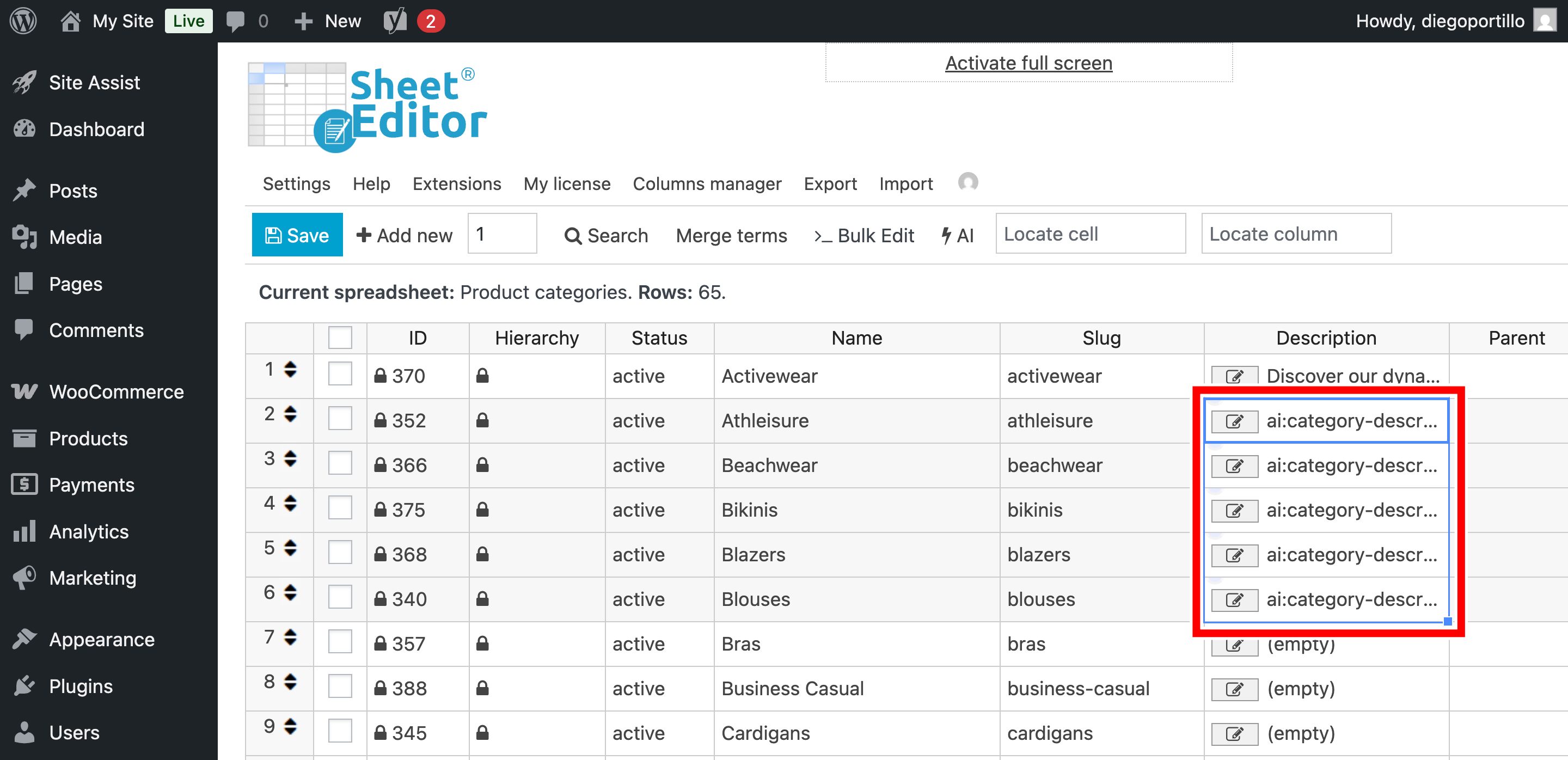
You can enter the same shortcut in multiple cells to generate descriptions for several categories.
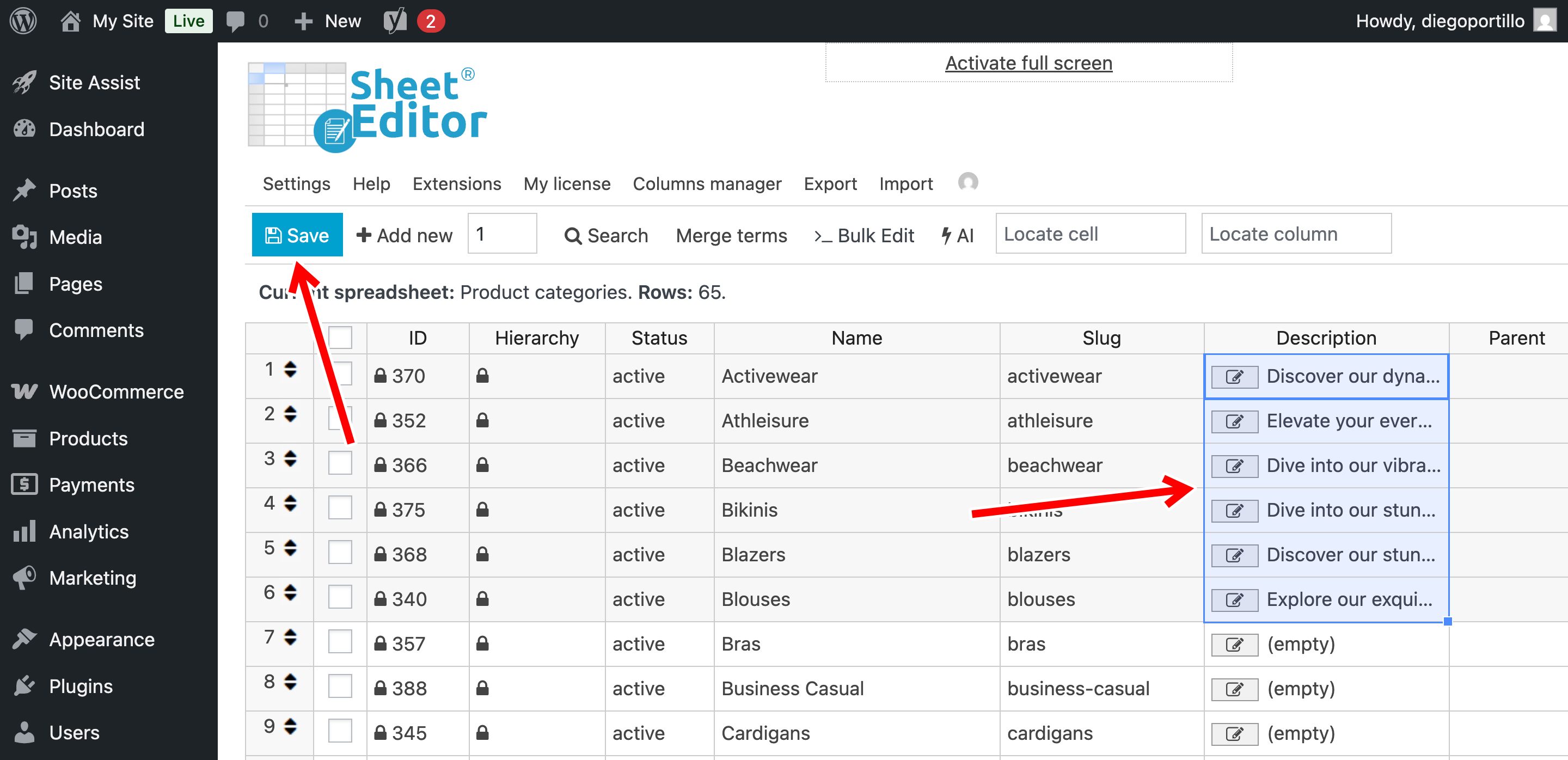
When you are finished, click Save to apply the changes.
Method 2: Bulk generate descriptions for empty categories
If your store has many categories without descriptions, you can filter the empty ones and generate their descriptions with Bulk Edit.
Step 1: Find categories with empty descriptions
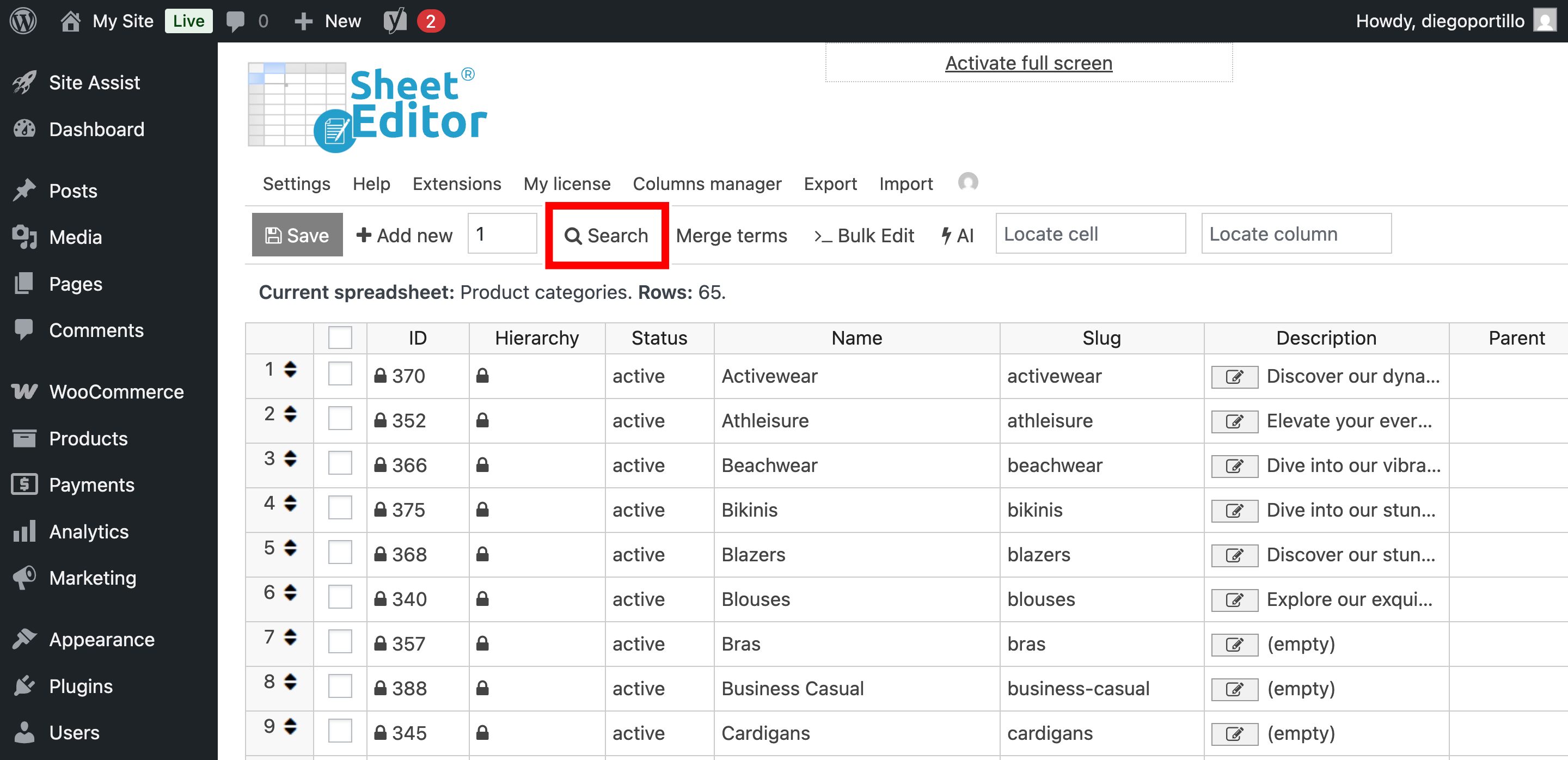
Open the Search tool in the spreadsheet toolbar.
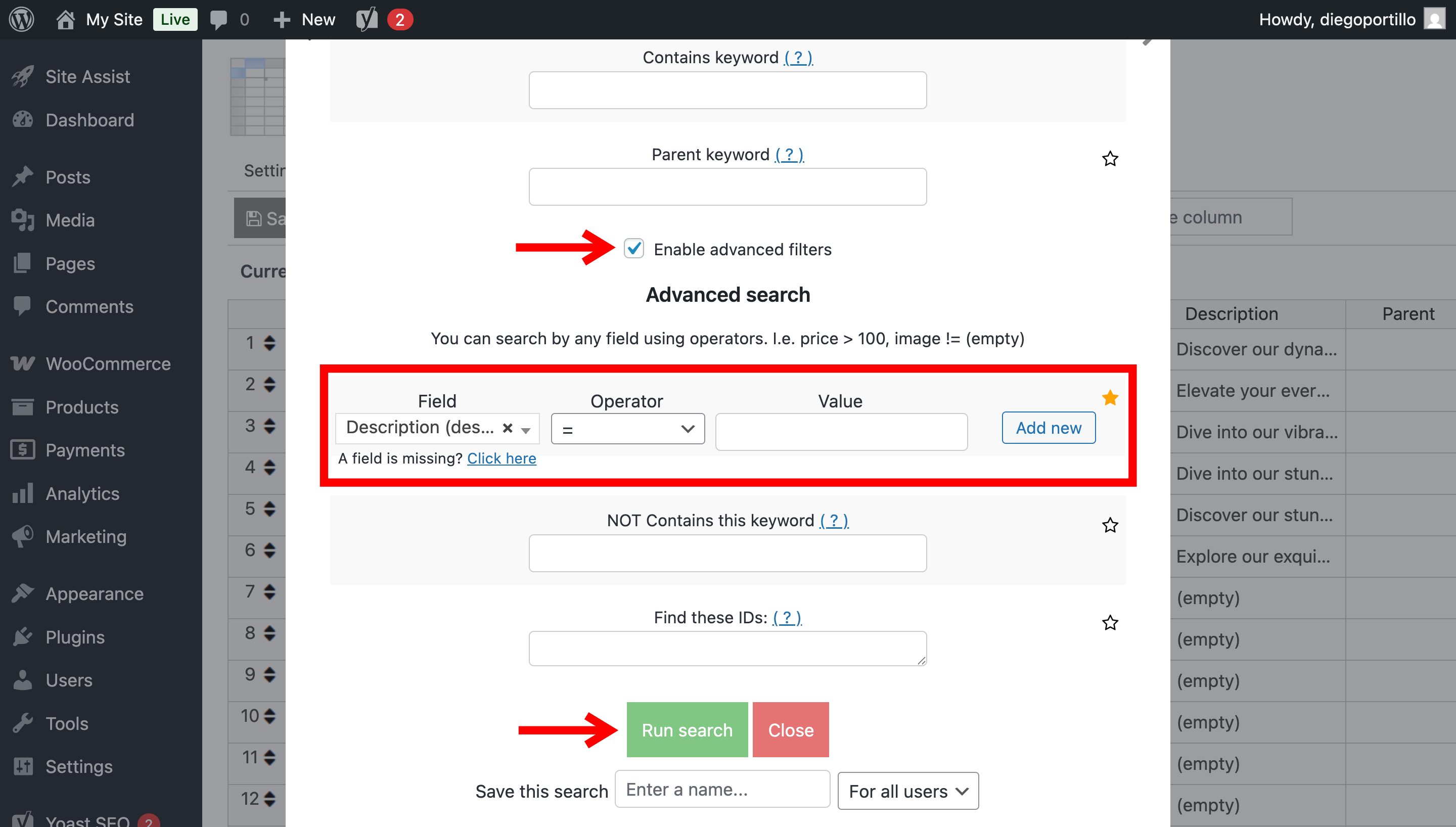
Enable Advanced filters and configure the search as follows:
- Field: Description
- Operator: =
- Value: Leave empty
Click Run Search.
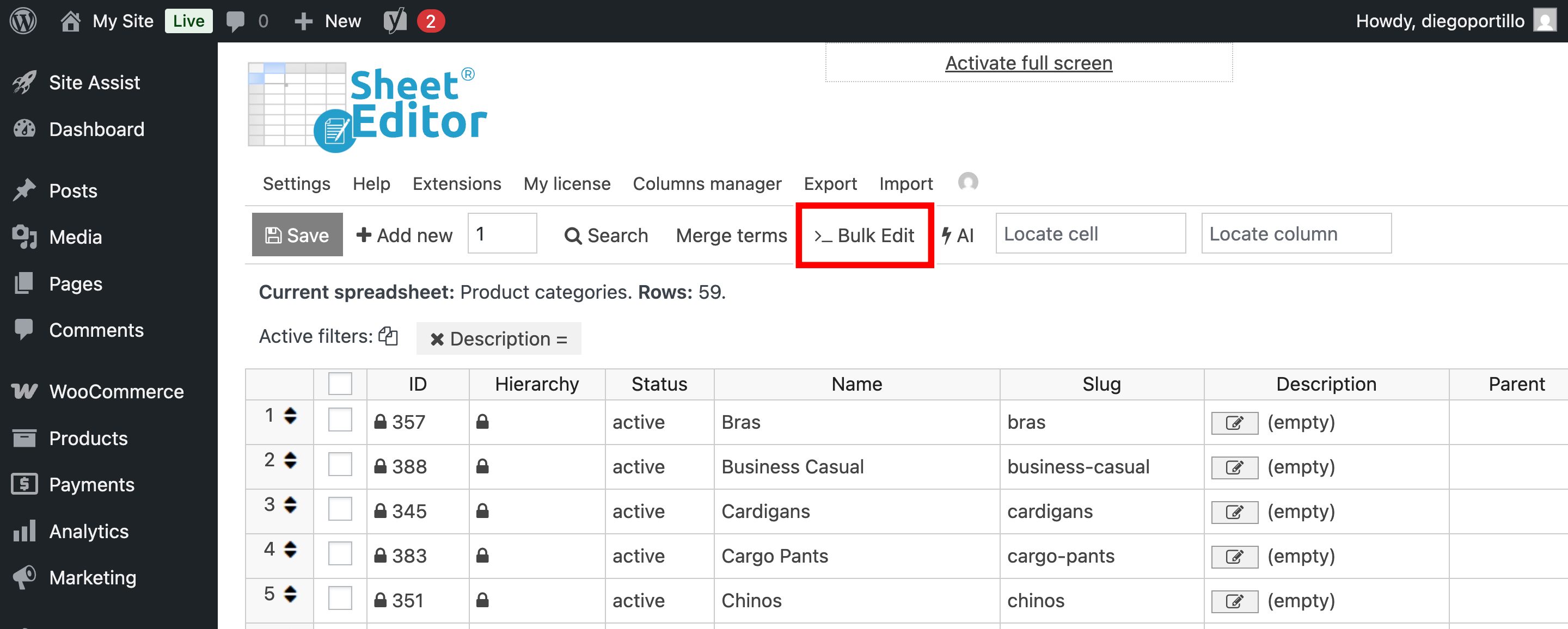
The spreadsheet will show the categories that have empty descriptions.
Step 2: Open Bulk Edit
Click Bulk Edit in the toolbar.
Step 3: Generate the descriptions with AI
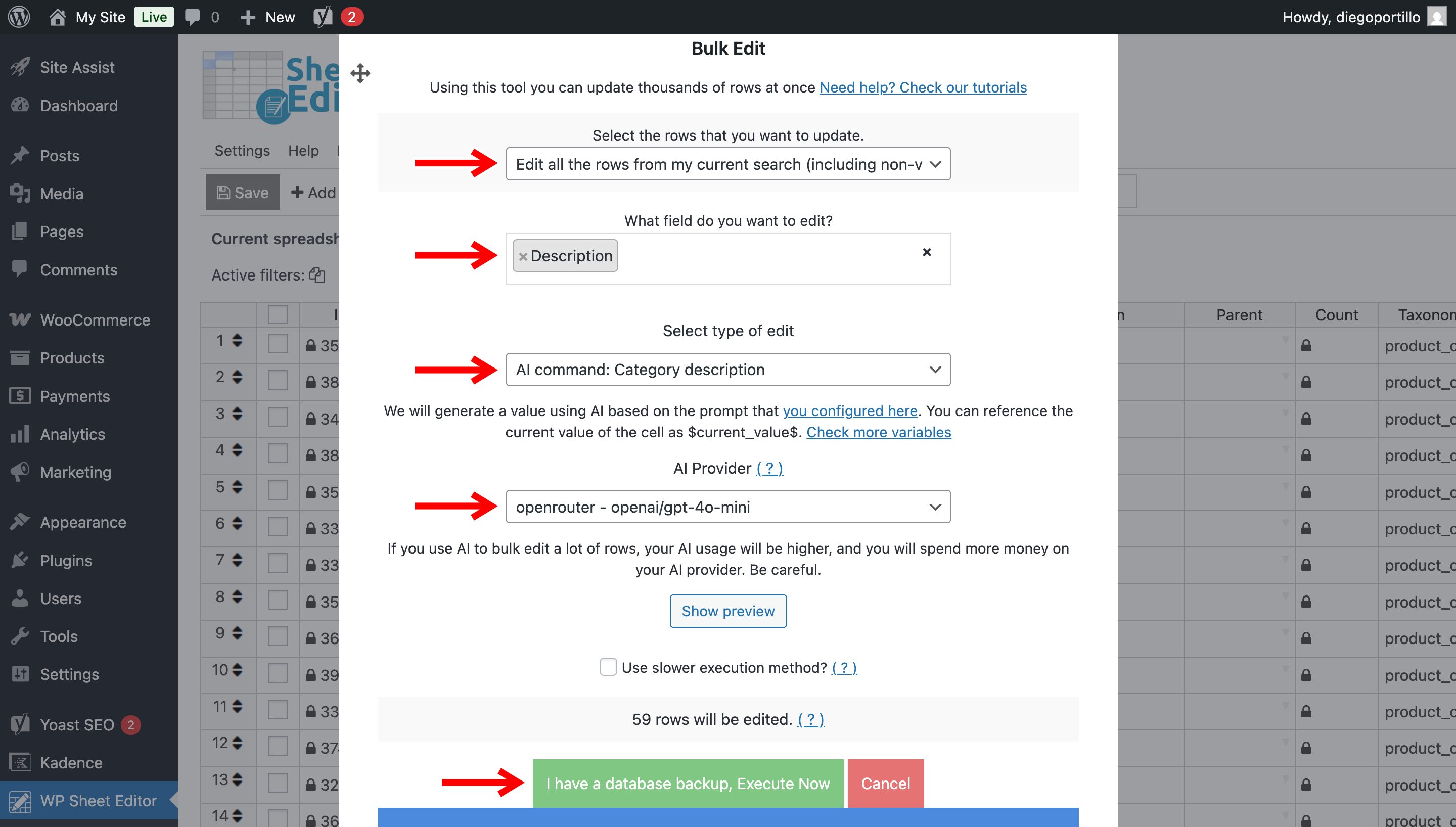
Configure the Bulk Edit operation with these settings:
- Select the rows that you want to update: Edit all the rows from my current search
- What field do you want to edit: Description
- Select the type of edit: AI command: Category Description
- AI Provider: Select your preferred AI provider
Click Execute Now.
WP Sheet Editor will generate descriptions for the filtered categories.
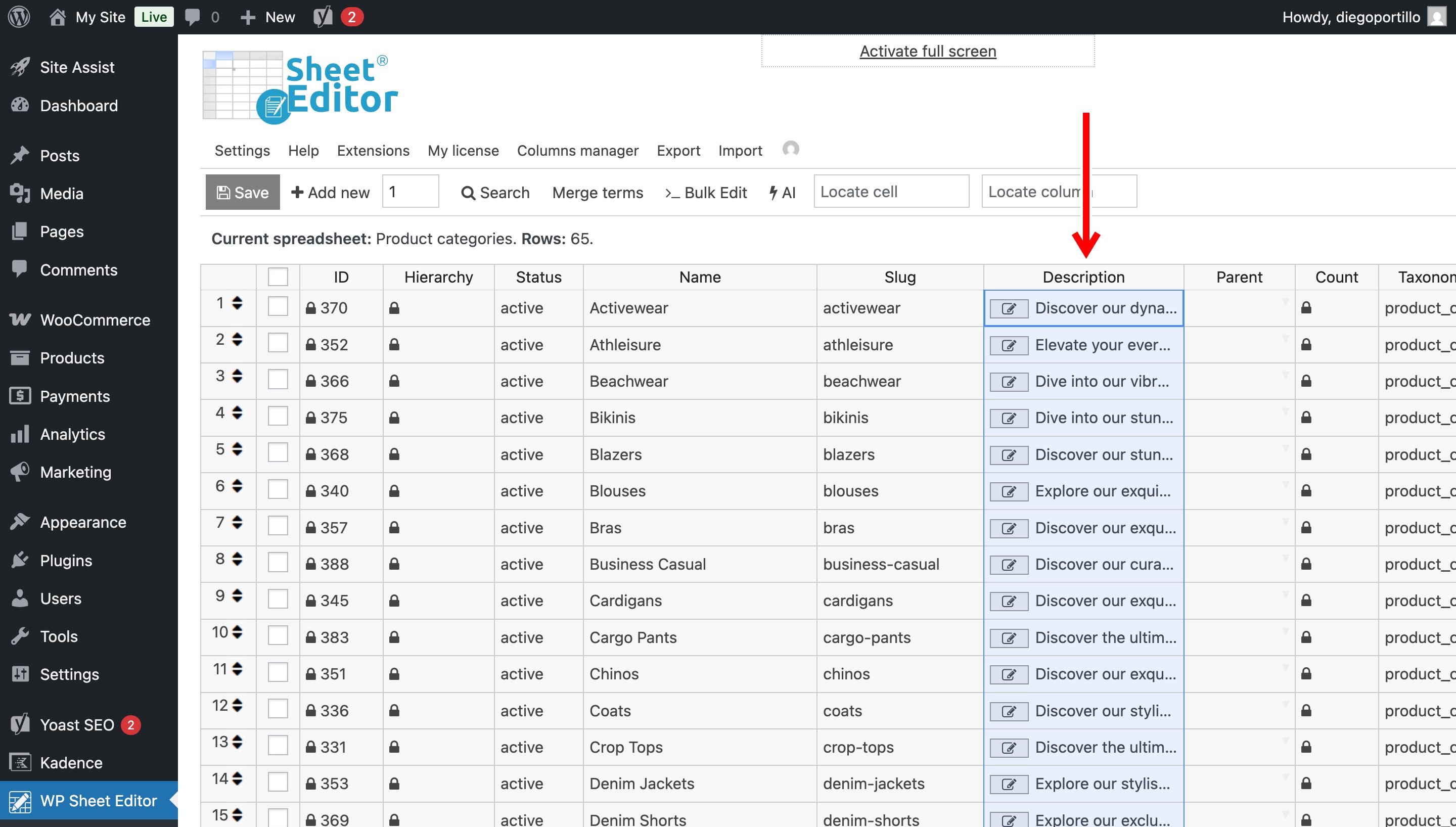
You can now review the generated descriptions in the spreadsheet and save the changes.