
In this tutorial, we will show you how to search for WordPress pages by their number of child pages. Sometimes, we create many pages but forget to organize them under parent pages. Other times, we import pages from a CSV file and the hierarchy is not preserved correctly, resulting in parent pages with no or too many child pages.
Manually checking each page can be time-consuming and tedious.
Fortunately, with WP Sheet Editor – Pages Spreadsheet, you can run advanced searches using any page field as a filter. This plugin allows you to view and manage all your WordPress pages in a spreadsheet interface.
You can download the plugin here:
Download Posts, Pages, and Custom Post Types Spreadsheet Plugin - or - Check the features
Open the pages spreadsheet
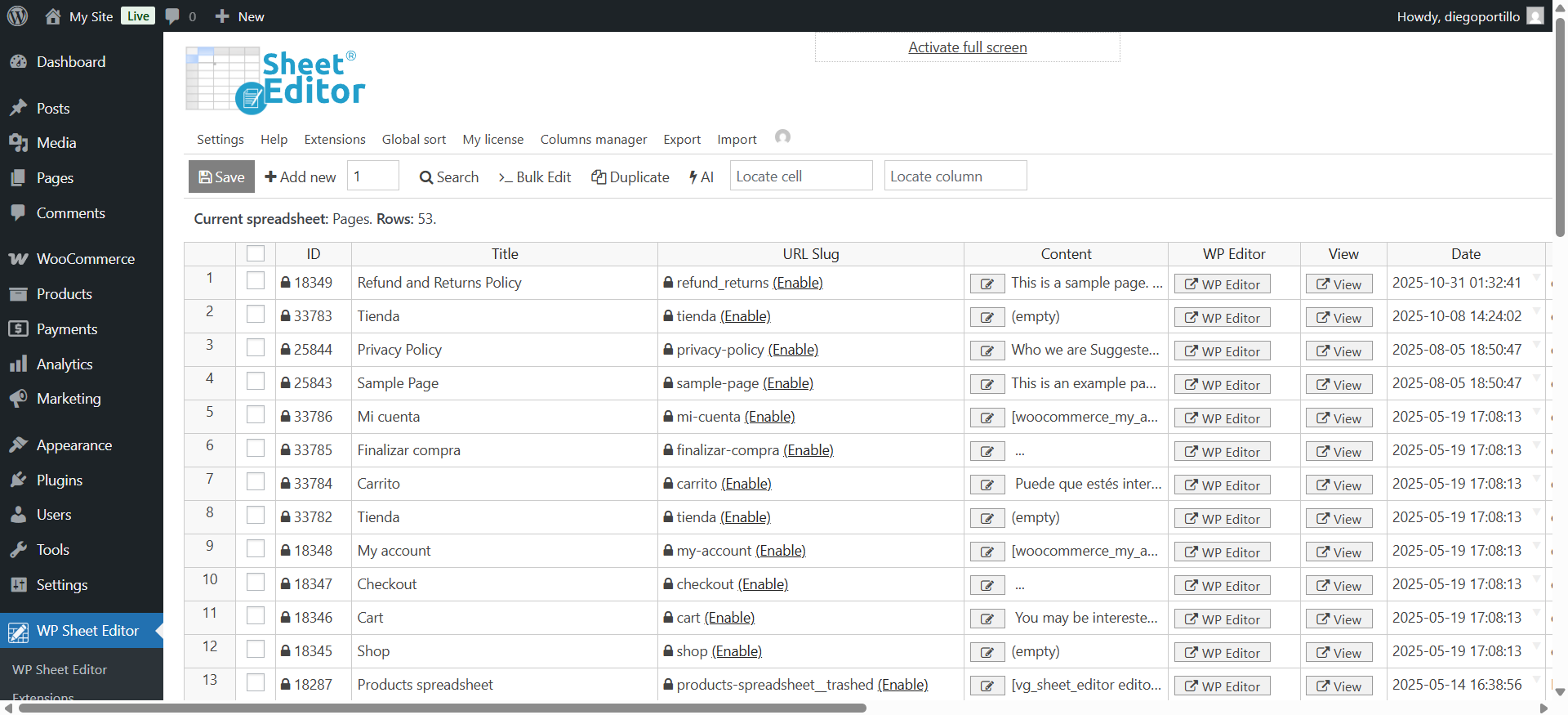
To open the pages spreadsheet, go to WP Sheet Editor > Edit Pages.
You’ll see all your WordPress pages displayed in a spreadsheet.
The new Child posts count column will show you the number of child pages a specific page has.
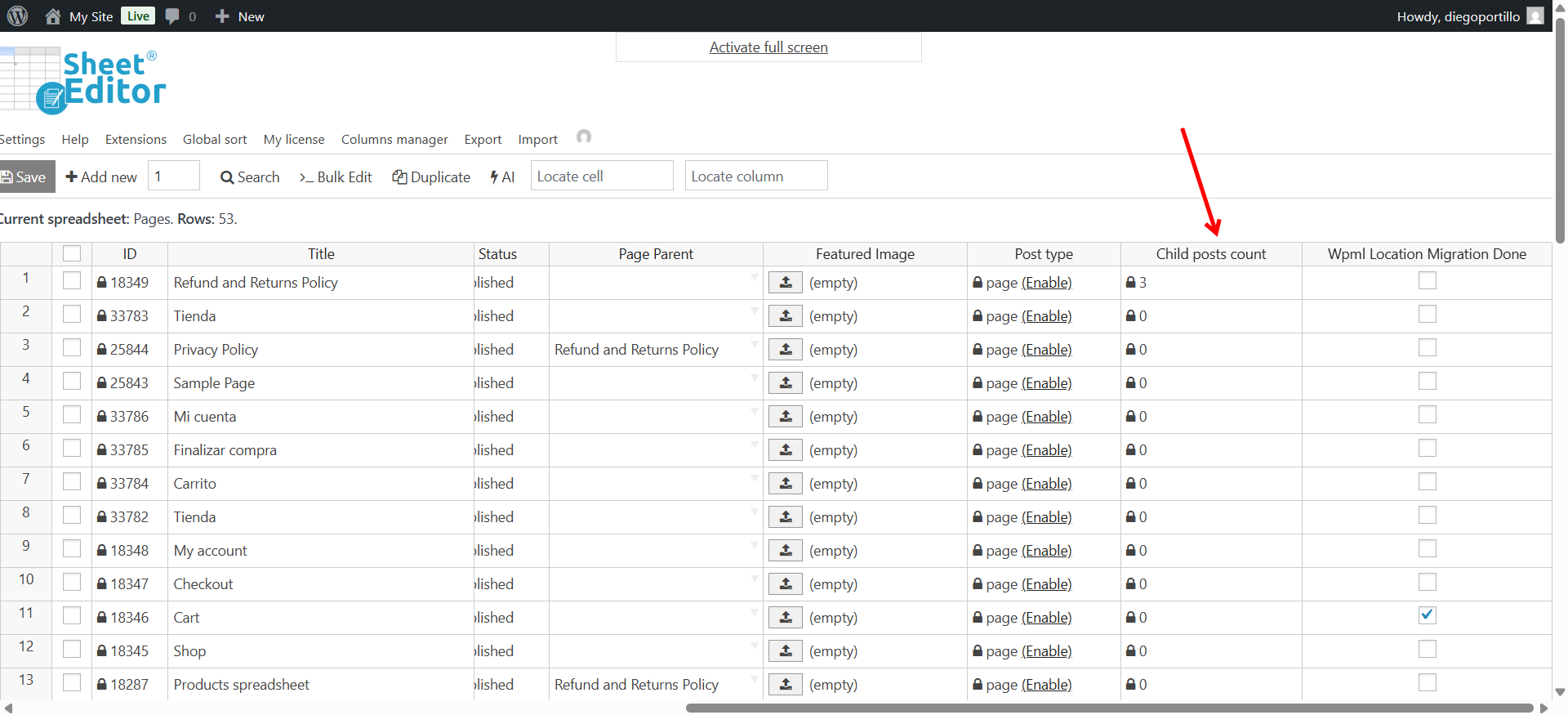
Search pages by child page count
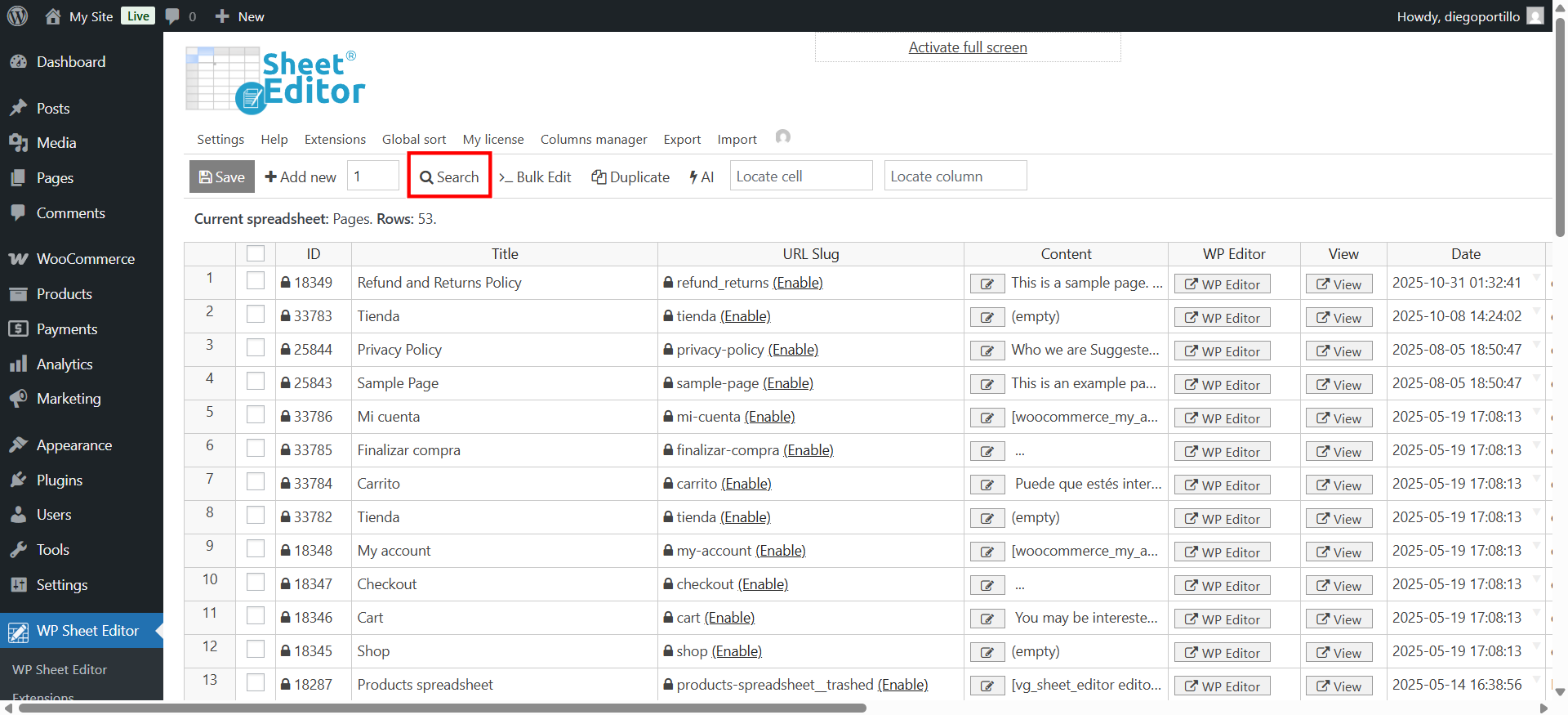
The Search tool allows you to run advanced searches using any page field as a filter. You can search pages by title, slug, parent page, template, author, date, status, and more.
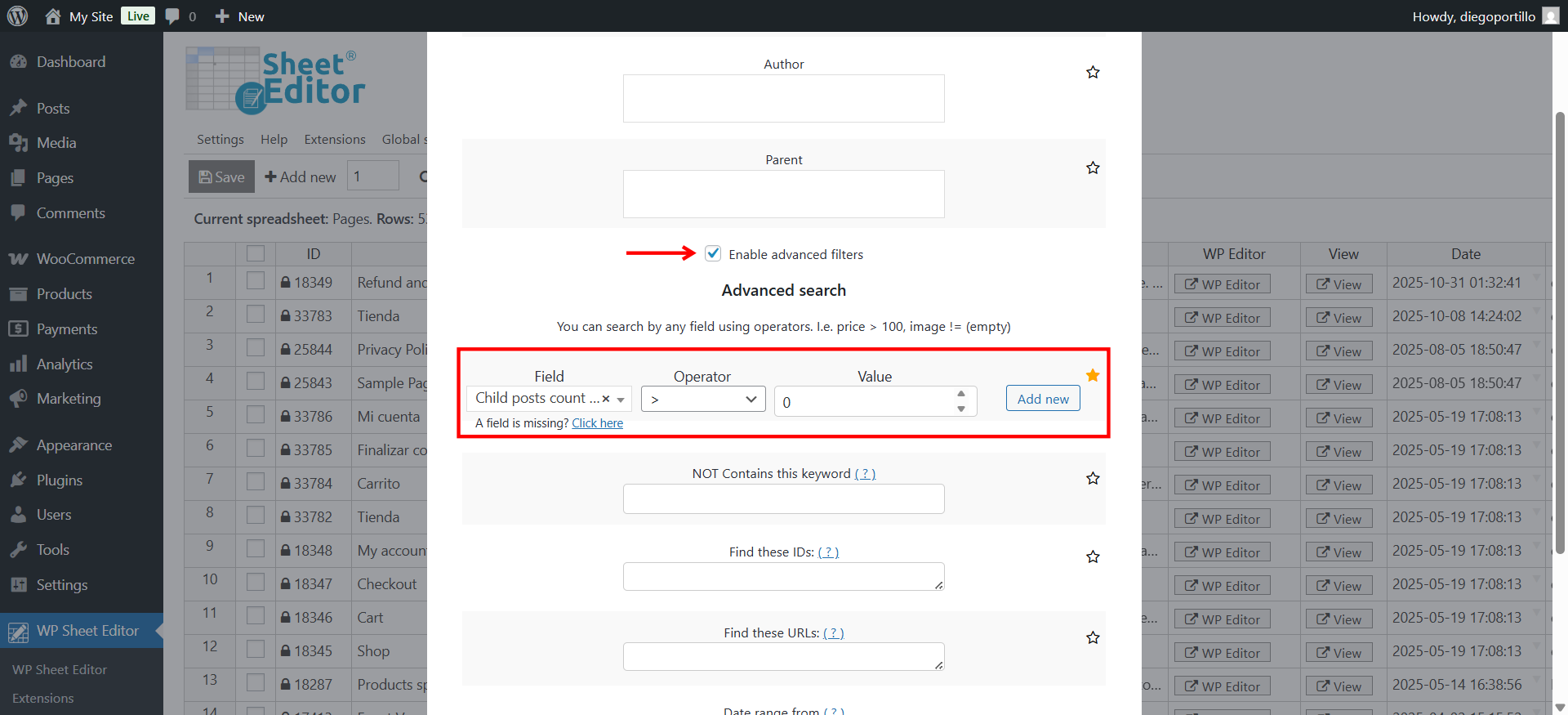
With the new Child Posts Count column, you can now search for pages with zero or a specific number of child pages in just a few clicks. In this example, let’s search for all the WordPress pages that have child pages. We need to select these values in the Search tool:
- Tick the Enable advanced filters checkbox.
- Field: Child Posts Count
- Operator: >
- Value: 0
- Click Run search.
This search filter will find all pages with child pages.
After running the search, you’ll instantly see all pages matching the child page count you specified.
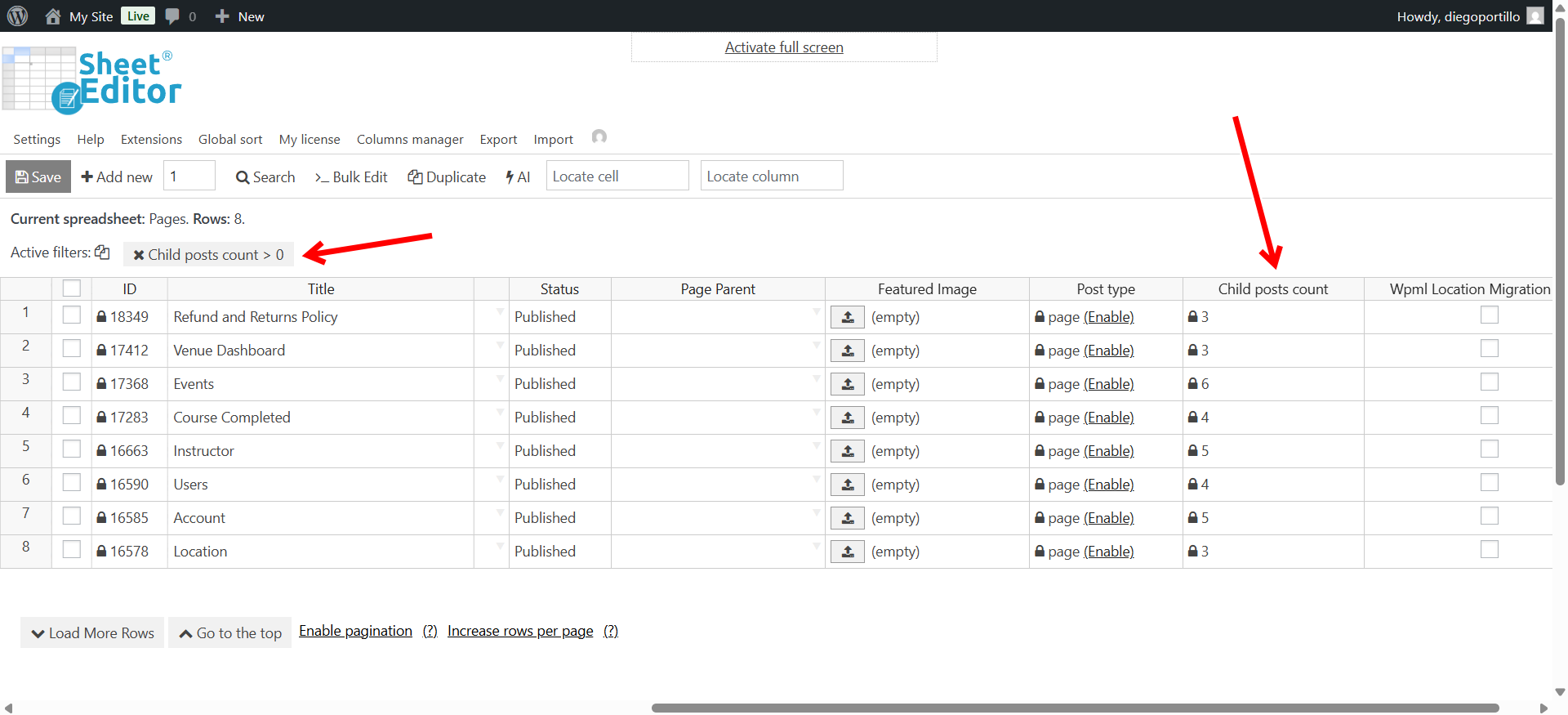
Note: If you want to search for all the pages that don’t have any child pages, you can do it, just add this search filter:
- Field: Child posts count
- Operator: =
- Value: 0
Manage your WordPress pages with WP Sheet Editor
Finding and managing pages by child page count is now faster and easier than ever. With the new Child Posts Count field, you can instantly identify pages with no children or review pages with multiple subpages—all directly from your spreadsheet.
Whether you need to clean up unorganized pages, plan site structure, or double-check your hierarchy, WP Sheet Editor – Pages Spreadsheet gives you all the tools to manage your WordPress pages efficiently, without complicated filters or exports.
Start managing your WordPress pages smarter. Everything is just one click away inside WP Sheet Editor.
You can download the plugin here:
Download Posts, Pages, and Custom Post Types Spreadsheet Plugin - or - Check the features